Contents6 sections
Is your smart TV listening to you? The short answer as of October 25, 2026: the viral claim that a hacker found a Samsung TV's on-board AI quietly listening is unverified. It rests on screenshots of X posts, with no published model number, firmware version or network logs. What is documented is that smart TVs, Samsung's included, can collect data through microphones for voice control and through automatic content recognition (ACR) for viewing history. So whatever happens with this particular story, smart TV listening and tracking settings are worth checking today.
This guide covers Samsung smart TVs sold in the US, with notes that apply to other markets. Menu names and supported features vary by model year, region and firmware, so treat the paths below as a starting point rather than an exact map.
What the Samsung teardown claim says, and what is missing
A researcher posting as 'log4j' on X said he got a root shell on a Samsung TV he bought in 2025 by using hardware debug ports (UART and JTAG), because the firmware itself was encrypted. According to Korean outlet KPI News (Oct. 24, 2026), he claimed the TV detects everyday sounds like a dog barking or a baby crying without any user action, identifies on-screen content, and can even use a connected soundbar's microphone. He later said OpenAI suspended his account over the reverse-engineering work, which pushed the story to the top of Hacker News.
Always-on voice service
- What the researcher says
- A voice service runs constantly, not just on button press
- Status as of Oct. 25, 2026
- Screenshots only, no independent replication
Sound event detection
- What the researcher says
- Classifies barking, crying and other sounds
- Status as of Oct. 25, 2026
- May match an announced SmartThings sound-detection feature (per KPI News)
Soundbar microphone
- What the researcher says
- Uses a soundbar mic when the TV has none
- Status as of Oct. 25, 2026
- No supporting data published
Content recognition
- What the researcher says
- Identifies what is on screen
- Status as of Oct. 25, 2026
- Documented, opt-in ACR feature
OpenAI suspension
- What the researcher says
- Account banned over the TV analysis
- Status as of Oct. 25, 2026
- His account of events; OpenAI has not explained
KPI News reported that neither Samsung nor OpenAI had issued an official statement. On the Hacker News thread, the top comment pointed out that there is no technical write-up yet, only a Reddit post of X screenshots.
Why it is too early to call this eavesdropping
- No specific device: without a model number and firmware version, other owners cannot test their own TVs.
- No proof of transmission: no packet captures or raw logs show audio actually leaving the TV.
- Code is not behavior: a service with 'always on voice' in its name could simply wait for a wake word. Whether it records and uploads anything is a separate question.
- It may be a disclosed feature: KPI News noted that Samsung's SmartThings documentation lists baby-cry and dog-bark detection as an official, user-controllable feature.
Why it still deserves attention
Commenters on Hacker News who said they had worked on smart TV platforms explained that always-on audio for wake-word detection is common on voice-assistant devices. One noted that newer TVs often run hotword detection on a low-power DSP and then stream the actual request to the cloud, and that implementation quality varies widely. In other words, a microphone waiting for a wake word is normal. The real question is what gets processed and sent where.
There is also precedent for real enforcement. In February 2017, the FTC announced that Vizio would pay $2.2 million to settle charges that it collected second-by-second viewing data on about 11 million TVs without consumers' knowledge or consent, and that it must obtain affirmative express consent going forward.
How smart TV listening and tracking actually work
Worries about a TV that listens usually mix together several different data paths. Separating sound-based features from screen-based ones makes it clear which setting controls what.
Remote voice button
- What it uses
- Your voice command while holding the button
- When it runs
- Only when you press it
- Where to turn it off
- Voice Recognition Services consent
Hands-free voice wake-up
- What it uses
- Far-field mic on the TV listening for a wake word
- When it runs
- When the TV mic and wake-up are on
- Where to turn it off
- Physical mic switch, voice wake-up setting
Sound detection features
- What it uses
- Ambient sound events, such as pet noises
- When it runs
- When enabled in SmartThings
- Where to turn it off
- SmartThings app
ACR (Viewing Information Services)
- What it uses
- Content signatures, viewing history, TV identifiers, IP address
- When it runs
- After you opt in at setup or later
- Where to turn it off
- Viewing Information Services
Interest-based ads
- What it uses
- Viewing and app activity
- When it runs
- After you opt in
- Where to turn it off
- Interest-Based Advertising
What Samsung says ACR collects
Samsung's US support page on ACR says the feature is optional and runs only if you opted in to Viewing Information Services during setup or enabled it later. When on, it generates signatures that can capture viewing history (programs and time spent), TV identifiers including your Personalized Service ID, and your IP address. Samsung states it does not record or watch the content on your screen, that you can opt out at any time in Settings, and that the page applies to all Samsung smart TVs.
ACR does not record your conversations. It recognizes what is playing on screen. But viewing history tied to a device ID is still personal data used for advertising, so treat it as a separate setting from the microphone.
The microphone switch
Samsung's microphone support article says a switch on the bottom of the TV turns the built-in mic on or off, and that with it off, all voice and sound features using the microphone are unavailable. It lists support for series such as QN8C, QN9C, Q7C, Q8C, S8C and S9C, notes that position and shape vary by model, and states that data is not saved during analysis using microphone data. That last point is Samsung's own description, and outside verification of exactly that behavior is what this controversy is about.
How to turn off TV voice recognition and tracking on a Samsung TV
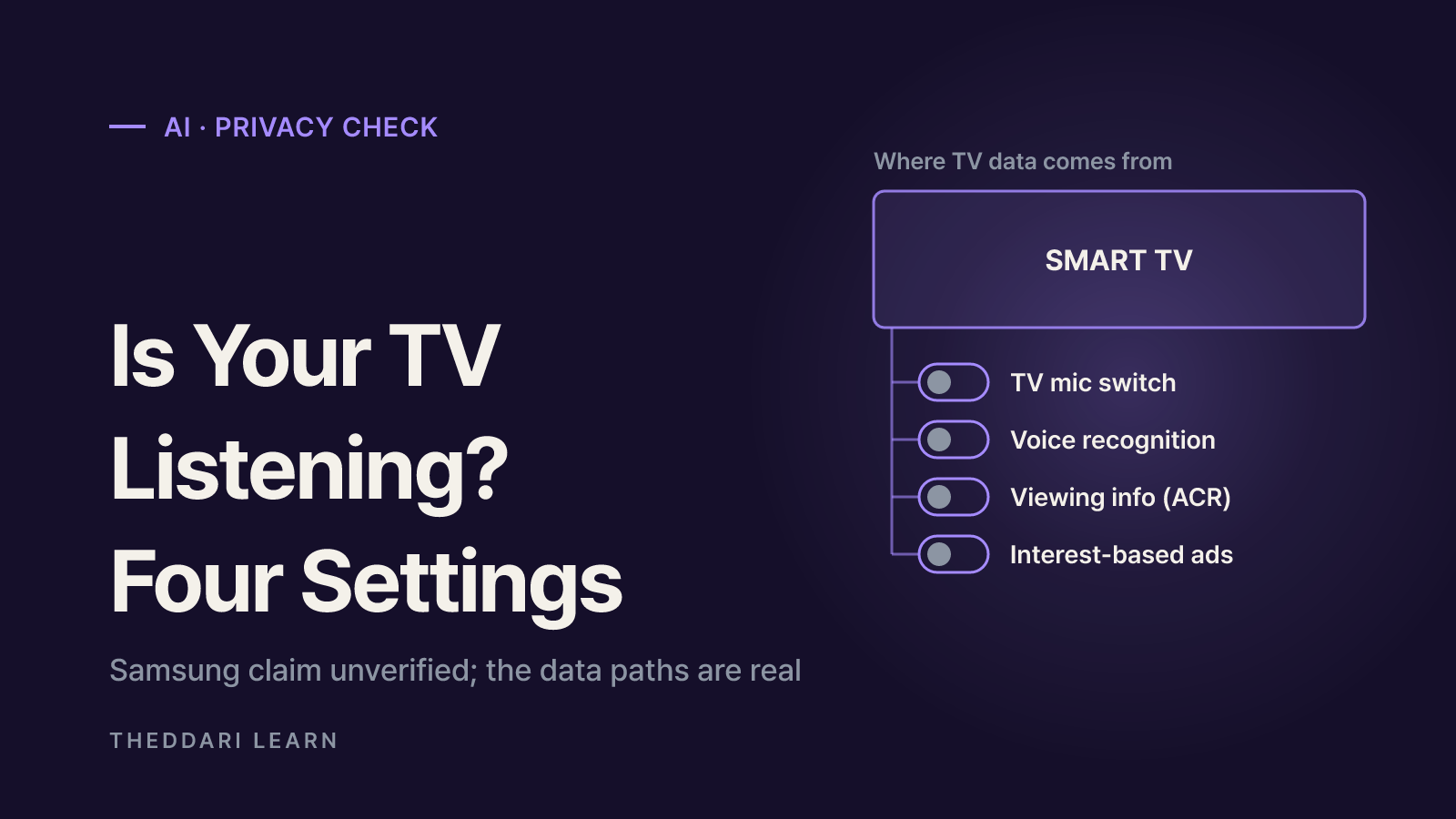
On many recent Samsung models the privacy options live under Settings > All Settings > General & Privacy > Terms & Privacy, and some newer TVs add a Privacy Choices shortcut in the home screen's left-hand menu. Older models may put them under Settings > Support > Terms & Policies. If a label below does not match, look for Terms & Privacy or Privacy Choices.
- 1
Check the physical mic switch
Look along the bottom edge of the TV, in the center or toward the right. Slide the switch to the opposite position and a pop-up will confirm whether the mic is on or off. If you never use hands-free voice, leaving it off is the most direct fix.
- 2
Opt out of Viewing Information Services
Go to Settings > All Settings > General & Privacy > Terms & Privacy (or Privacy Choices) > Viewing Information Services and withdraw consent. New viewing history collection stops from that point.
- 3
Turn off Interest-Based Advertising
In the same menu, turn off interest-based ads. You will see the same number of ads, but they will no longer be tailored to your viewing and app activity.
- 4
Review voice and Bixby privacy
Withdraw consent for Voice Recognition Services if you do not use voice. In Bixby settings, check the privacy options, such as allowing audio recordings to be reviewed, and turn off voice wake-up if your model has it.
- 5
Audit SmartThings and soundbars
In the SmartThings app, open your TV and soundbar and check for sound detection alerts or similar features. If your soundbar has a built-in mic, review its mic settings separately.
- 6
Recheck after updates or resets
Firmware updates and factory resets can bring back consent screens. Read each item instead of tapping Agree to All.
Trade-offs to expect
- Turning off the mic or voice wake-up removes hands-free control. If you rely on voice for accessibility, keep it and turn off ACR and ad personalization instead.
- Opting out of Viewing Information Services can weaken recommendations based on what you watch, including cable and antenna content.
- Turning off interest-based ads changes ad relevance, not ad volume.
- Unlinking SmartThings disables cross-device automations.
The strongest option: keep the TV offline
You can leave the TV disconnected from the internet and use an external streaming device over HDMI. That stops the TV itself from sending data online, but you also lose firmware security updates, and the streaming device has its own data policy. Opening or modifying TV firmware yourself risks your warranty and the device, so it is not a reasonable step for most owners.
How to judge the next 'AI is listening' story
Stories about AI devices secretly listening spread quickly, and the first few days often mix real findings with speculation. These checks help separate the two.
- Is there primary evidence? Look for a technical write-up, code or logs, not just articles quoting social posts.
- Is the device identified? Model, year and firmware version tell you whether it applies to your TV.
- Has anyone reproduced it? Independent researchers or security firms confirming the result matter more than likes.
- What does the manufacturer document? Compare the claim with support pages and privacy notices.
- Can users turn it off? A disclosed, optional feature is a very different risk from a hidden behavior you cannot control.
If you want to see how AI privacy stories like this one spread, theddari's AI Telegram trends and blog trends dashboard show how often related keywords are being mentioned. Mention volume measures attention, not accuracy, so pair it with the checks above.

Bottom line: as of October 25, 2026, the Samsung always-listening claim is waiting for evidence. A detailed write-up from the researcher or an official Samsung response could change the picture. In the meantime, the mic switch, Viewing Information Services, interest-based ads and voice recognition consent are the four settings that put you in control of what your TV collects.