Contents8 sections
- A five-step crypto wallet checker routine before you send
- Scam wallet address lookups: what they show and what they miss
- Address poisoning: the look-alike address in your history
- What is a token approval, and why disconnecting is not enough
- How to revoke token approvals step by step
- Fake checkers, and what to do if you already sent or approved
- Frequently asked questions
- Sources and references
Short answer: no crypto wallet checker can prove an address is safe. What you can do is stack several cheap checks so a single mistake does not cost you everything. Verify the full address, look it up on a block explorer and a public scam-report database, watch for your wallet's warnings, and send a small test first. Separately, review the token approvals sitting in your own wallet, because an old unlimited approval can let a contract move your tokens without asking again. This guide reflects official documentation from ethereum.org, MetaMask, Etherscan, Chainabuse and the US CFTC as of November 2026, and focuses on Ethereum and other EVM-compatible chains.
A five-step crypto wallet checker routine before you send
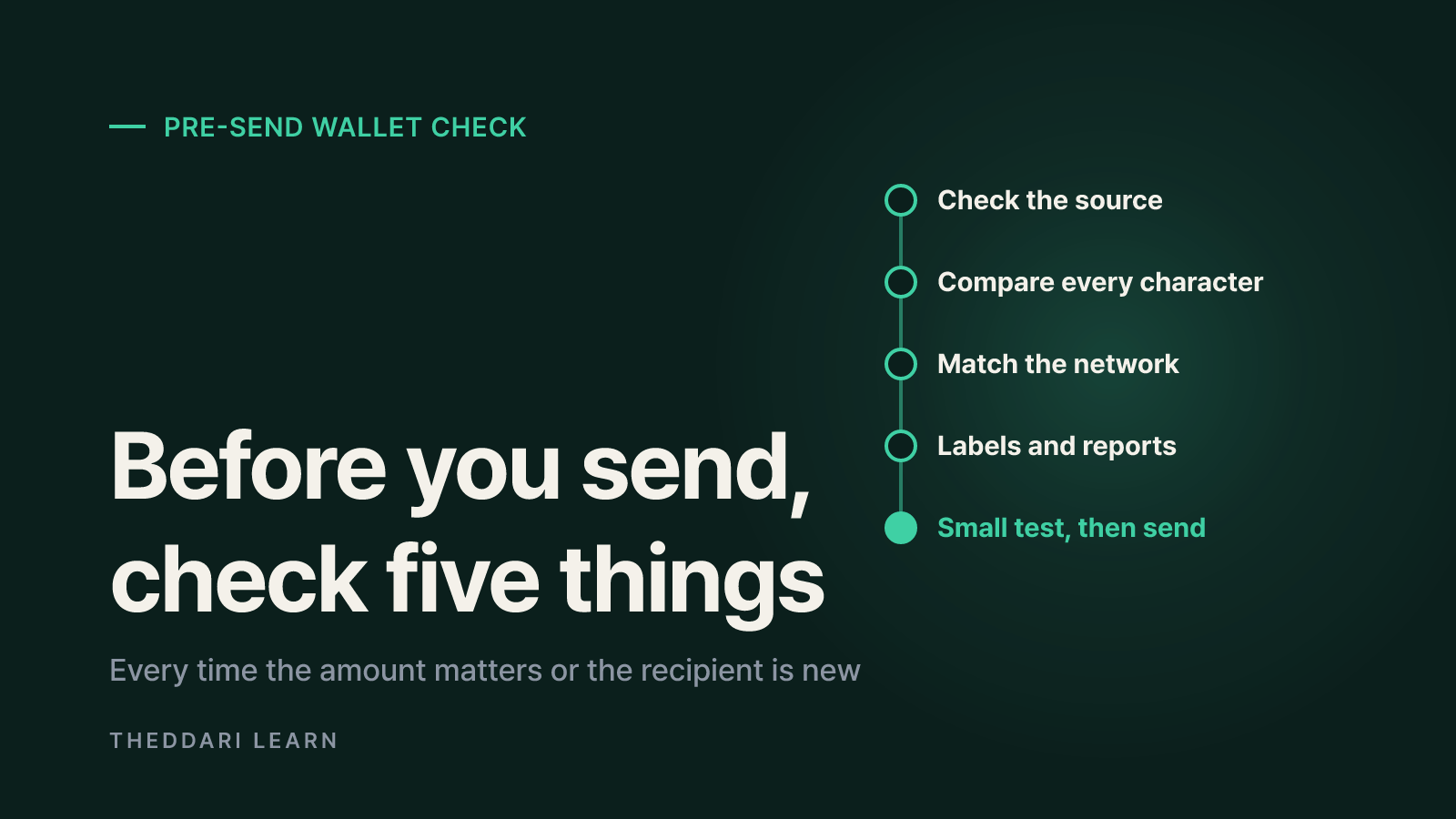
Most losses happen when people are rushed and paste an address without looking. Use this routine every time the amount matters or the recipient is new.
- 1
Check where the address came from
For an exchange deposit, copy the address from the exchange app's deposit screen yourself. Treat any address sent by DM, email or social media with suspicion, especially from someone who contacted you first. The CFTC notes that most digital asset frauds start on social media and that pushing you onto a private messaging app is an early red flag.
- 2
Compare the whole address
Do not stop at the first and last few characters. Compare the middle too, which is exactly the part a look-alike address hides. On a hardware wallet, confirm the address shown on the device screen.
- 3
Match the network
The same address format works on many EVM chains. Confirm the recipient supports the network you picked and that the token is the official version on that chain.
- 4
Look up labels and reports
Search the address on a block explorer such as Etherscan for warning labels and history, then search a public database like Chainabuse for scam reports. How to read those results is covered below.
- 5
Send a test amount first
Send a small amount, confirm it arrived, then send the rest. You pay one extra fee, but a full transfer to the wrong address cannot be undone.
If someone promises fixed high returns or says you must send crypto for taxes or fees before you can withdraw, stop, whatever an address lookup says. The CFTC's digital asset fraud page stresses that every investment carries risk and that you should never pay more to get your money back.
Scam wallet address lookups: what they show and what they miss
An address risk check really means three different things: reading public transaction history, reading labels or reports added by others, and reading the warnings your wallet shows at send time. Each has blind spots.
Block explorer (Etherscan etc.)
- What it tells you
- Transaction history, token movements, warning or name labels
- Limits
- Most addresses have no label at all; no label is not a safety signal
Public reports (Chainabuse)
- What it tells you
- Scam type, report date, verification badges
- Limits
- Reports can be missing, late, or unverified
Wallet send warnings (MetaMask etc.)
- What it tells you
- Alerts for first-time or look-alike recipients
- Limits
- Features differ by wallet; no warning does not mean legitimate
Verifying the person or company
- What it tells you
- Whether you are paying who you think you are
- Limits
- Slower, but the most important check; find official contacts yourself
How to read Chainabuse badges
According to Chainabuse's documentation, a blue Trusted Contributor badge marks a report filed by a pre-vetted partner from its Web3 security network. A green Checked by Chainabuse badge means its moderators reviewed the report against specific criteria and have enough evidence to believe it is accurate. A Not Verified badge means neither applies and the report should be used with caution. Chainabuse says even checked reports cannot be assured to be 100% accurate, and it keeps a SAFELIST of legitimate addresses that people often mistake for scams.
In practice, several verified reports are a strong reason not to send. Zero reports mostly tells you nobody has flagged that address yet.
What else to scan on the explorer
- How new the address is and whether it has almost no history
- Whether incoming tokens are the real asset or a copycat with the same name (Etherscan now hides transfers of poor-reputation tokens by default)
- Whether funds that arrive are immediately split across many other addresses
- Whether the address is a regular wallet or a smart contract
Address poisoning: the look-alike address in your history
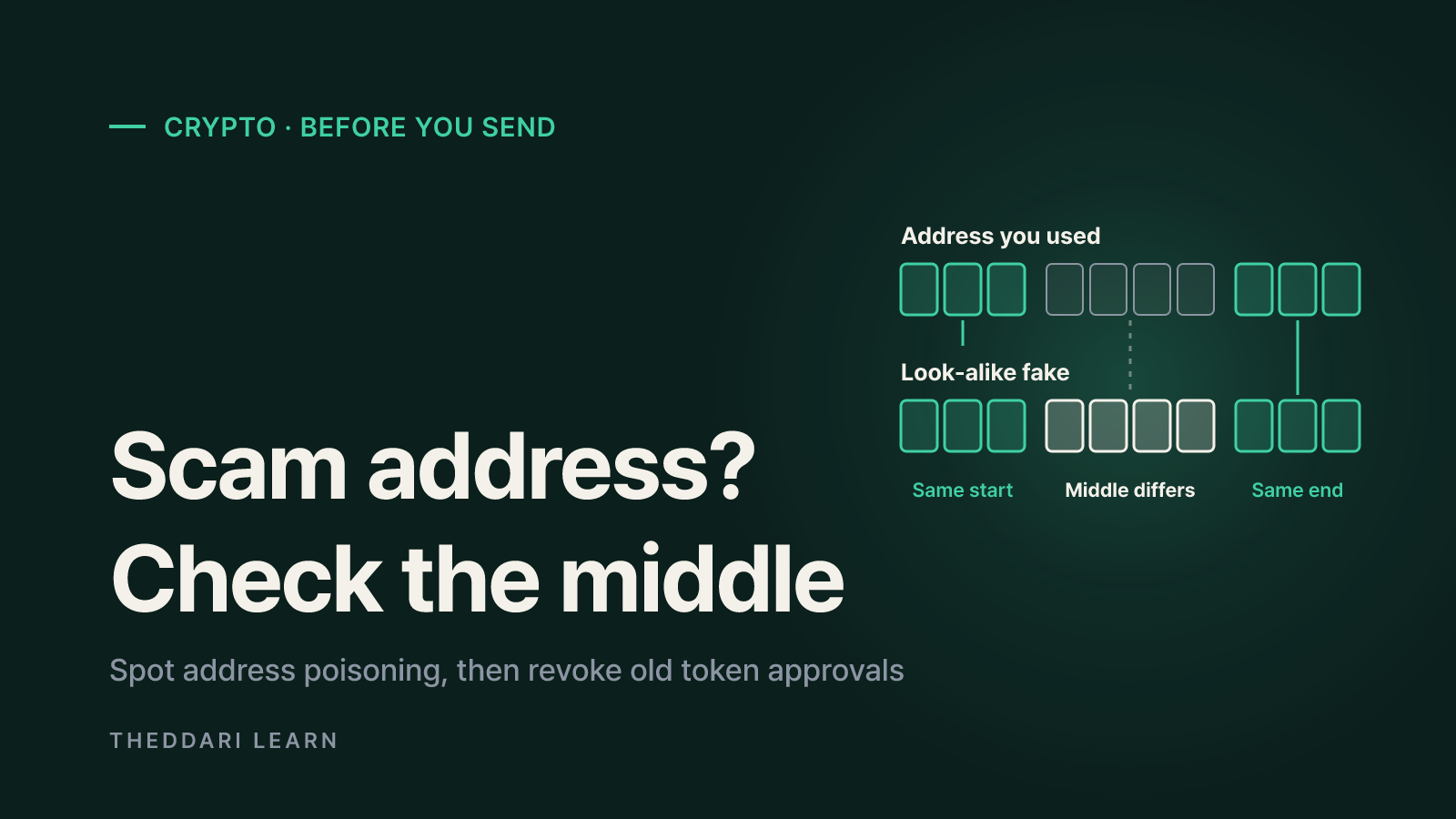
Address poisoning targets your copy-paste habit rather than your keys. As MetaMask explains, attackers generate a vanity address whose first and last characters match one you use, then send you a zero or tiny token transfer from it. Because wallets often shorten addresses to the start and end, the fake entry looks familiar the next time you scroll your history to copy a destination.
The Etherscan Information Center shows attackers watching for large stablecoin transfers and creating spoofed entries within one minute of the real one. The same article cites an August 2023 case in which about $20m went to a look-alike address that matched only the first and last few characters.
Habits that defeat address poisoning
- Never copy a destination from your transaction history, including your own address; use the Receive screen or the exchange deposit page.
- Save verified addresses in your wallet's address book and use explorer private name tags.
- Check the middle characters. MetaMask says it shows a blocking warning when the first four and last four characters match a past address but the middle differs.
- Hide unknown zero-value transfers and odd tokens instead of interacting with them.
What is a token approval, and why disconnecting is not enough
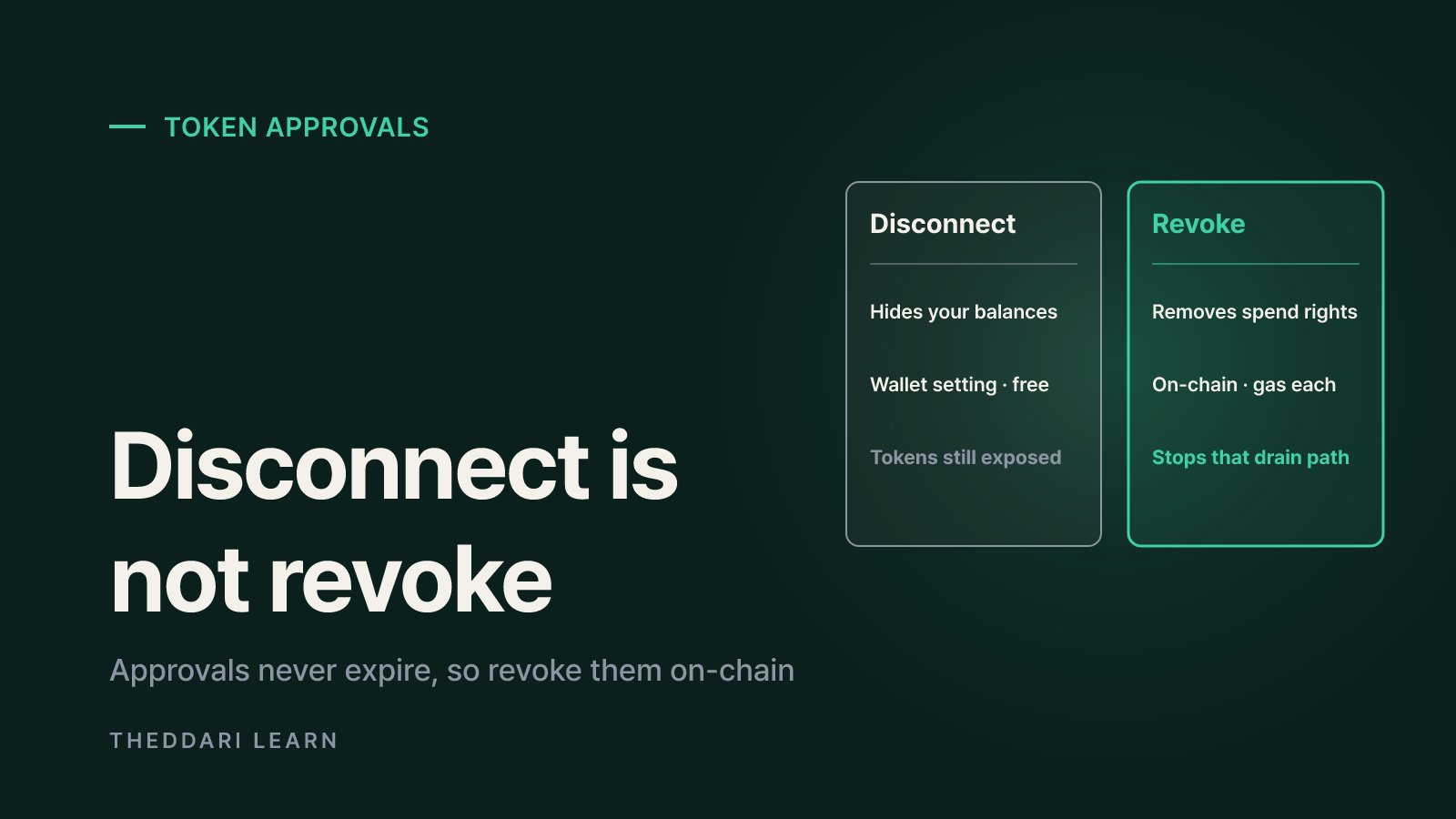
When you use a decentralized exchange or NFT marketplace, you sign an approval that lets its smart contract move a token on your behalf. MetaMask points out that some approvals are unavoidable in web3, but many apps request an unlimited allowance for convenience.
ethereum.org warns that a platform with unlimited access can still spend those tokens after you withdraw from it, and that approvals have no expiration date. If the contract is later exploited, or was malicious from the start, the approved tokens can be drained.
What it removes
- Disconnect a dapp
- The site's view of your address and balances
- Revoke an approval
- The contract's right to move your tokens
Where it lives
- Disconnect a dapp
- Wallet app settings
- Revoke an approval
- On-chain
Cost
- Disconnect a dapp
- Free
- Revoke an approval
- Gas fee per revoke
Stops token drain
- Disconnect a dapp
- No
- Revoke an approval
- Yes, for that approval
How to revoke token approvals step by step
ethereum.org and MetaMask list explorer approval checkers (Etherscan, BscScan, Polygonscan) and multi-chain tools such as Revoke.cash. MetaMask says its Portfolio can view and revoke allowances on Ethereum Mainnet, Polygon and BNB Chain. Supported chains differ by tool, so confirm yours is covered first.
- 1
Look up by address first
Many tools list approvals from a plain address search without connecting a wallet. Note each token, the approved spender contract and the allowance.
- 2
Match the network
You only see approvals for the selected chain. Ethereum Mainnet will not show your Polygon approvals.
- 3
Pick what to remove
Start with unknown spenders, unlimited allowances and apps you no longer use. If unsure, revoking everything is fine; you re-approve when needed.
- 4
Read the wallet prompt
Clicking Revoke opens a transaction in your wallet. It should set the allowance to zero. If it looks like a new or unlimited approval, reject it.
- 5
Recheck after confirmation
Refresh the tool after a few minutes and confirm the approval is gone. MetaMask suggests repeating the review regularly, for example monthly.
When approving something new, many wallets let you set a custom spending cap instead of unlimited. It means an extra signature later, but it limits what you can lose if that contract is compromised.
Fake checkers, and what to do if you already sent or approved
Wallet checkers and revoke sites are easy for scammers to clone. Type the official URL or use a bookmark rather than ads or links from chats. No legitimate approval tool needs your seed phrase or private key; any site asking for one is a scam. If a revoke click produces an unexpected signature request, stop.
If funds already went to a suspicious address, the transfer cannot be reversed, but you can limit further damage:
- Revoke suspicious approvals on wallets that still hold funds; if you ever typed your seed phrase into a site, move assets to a brand-new wallet.
- Contact the exchange or wallet provider you sent from through its official support channel.
- Save transaction hashes, addresses and screenshots of conversations or ads.
- Report to law enforcement where you live, and file a public report on Chainabuse so others are warned.
- Ignore paid recovery offers; they are frequently a second scam.
If you move coins between exchanges to compare prices on our exchange arbitrage tracker or kimchi premium page, always copy the deposit address from the receiving exchange's own app. Telegram is also where many airdrop and token-promo links spread, so use our crypto channel tracker to follow what is being discussed without clicking unknown links.

The realistic defense is a routine: full-address comparison, label and report lookups, and a test transaction before every new send, plus a monthly approval review. Treat every lookup result as one signal, not proof, and slow down whenever someone is rushing you.