Contents7 sections
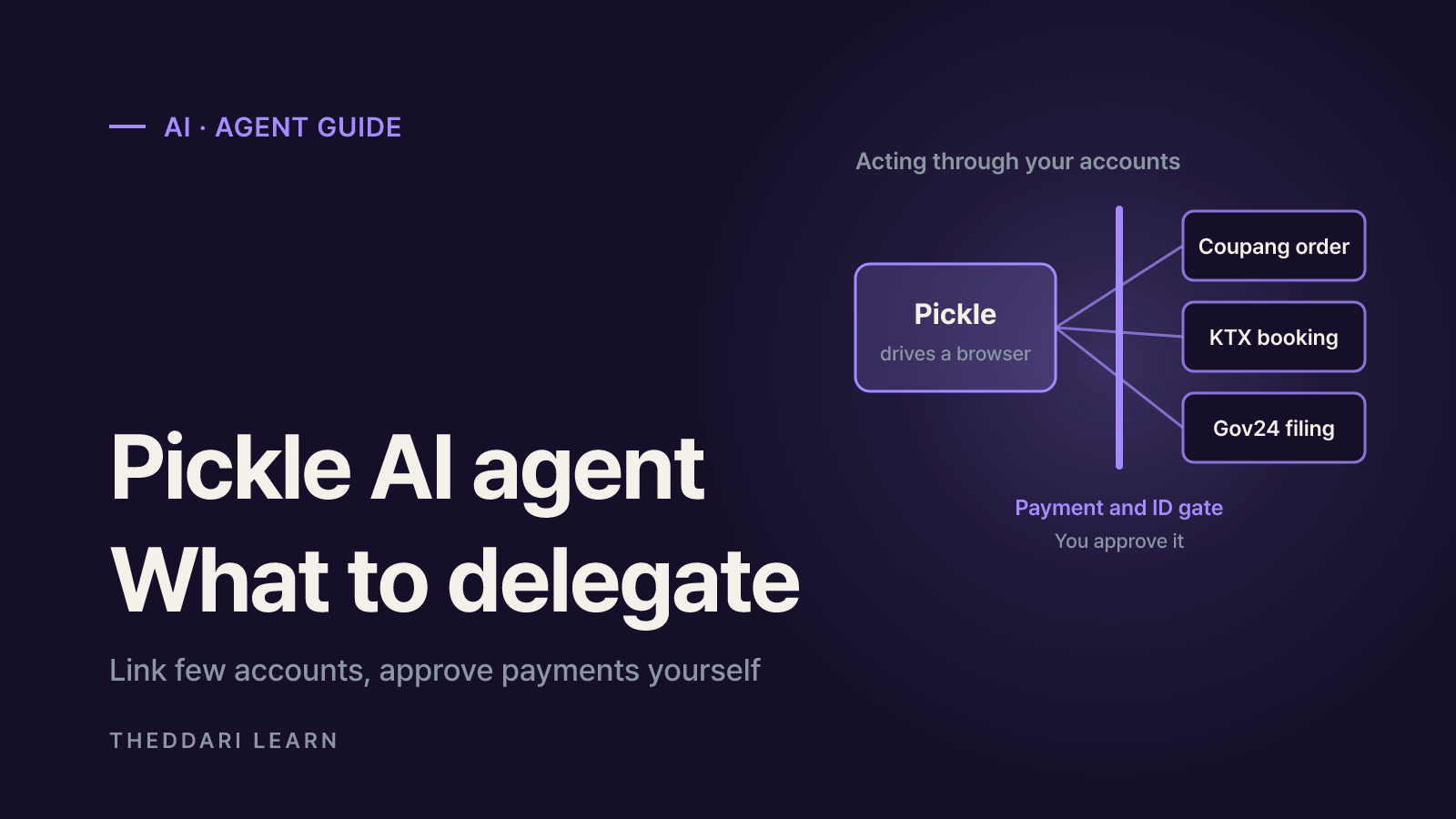
The Pickle AI agent is a phone-based assistant that does not just answer questions: it places Coupang orders, books KTX high-speed train seats, files Gov24 government document requests and makes phone calls on your behalf through accounts you link. As of November 2026 it is free for Korean accounts within a daily usage cap. Because it works by taking over logged-in sessions and payment methods, the real decision is which accounts to connect and how much it may do without asking. This guide covers how it works, what it can and cannot do, and a practical security checklist, based on Korean press coverage and the company's own statements.
What is the Pickle AI agent?
Pickle is built by Pickle, Inc., a Silicon Valley startup founded by Korean co-founders and backed by Y Combinator, according to Maeil Business News Korea. On November 8, 2026 the paper reported Pickle at No. 2 among free apps on the Korean Apple App Store, ahead of Claude (No. 3) and Gemini (No. 12). Its pitch is simple: global agents rarely work with everyday Korean services, while Pickle connects to Naver, Coupang (Korea's largest online retailer), Korail and Gov24, the national e-government portal.
It is still early. As summarized by NuGuNaAi, CEO Daniel Park announced an invite-only iOS closed beta for the Korean version on October 14, and the app later appeared on Google Play. It requires iOS 17 or later on iPhone, or Android, and users must be 18 or older. Downloading the app may not be enough; you may need an invite link or waitlist approval.
| Item | What we confirmed (November 2026) |
|---|---|
| Developer | Pickle, Inc. (US, Korean founding team) |
| Platforms | iOS 17+ and Android (Google Play listing) |
| Access | Invite-based closed beta, ages 18+ |
| Pricing in Korea | Free, with a daily usage cap that resets at 4 a.m. Korea time |
| Phone calls | Daily limit raised from 10 to 20 on October 23 (CEO announcement) |
| Reset tickets | 5,900 won for a full reset, 3,500 won for half, per help pages; also earned by inviting friends |
How Pickle handles Coupang, KTX and Gov24 tasks
Pickle does not appear to rely on official partner APIs for each site. Diarypoint describes it as an agent that completes requests with its own web browser and your linked accounts, and Korea Agent Map notes that it enters the Korail website and Gov24 through a browser rather than an official integration. In other words, the AI is doing the taps and typing you would otherwise do yourself.
Shopping on Coupang and other stores
After you link Coupang, Pickle can find an item in your order history, reorder it and show an approval card with the product and price before you pay. In one review, asked to buy 18 protein drinks for under 34,000 won (about US$23), it compared prices and coupons on Naver and Gmarket and found that paying for two boxes separately unlocked a coupon each time, landing at 29,530 won. Treat any best-price claim as a snapshot of what the agent saw, and recheck shipping fees and coupon terms.
Booking KTX trains
In a Digital Daily reporter's test, Pickle signed in to Korail's website through Kakao simple login, picked a train and seat, then asked which payment method to use; the reporter approved the final KakaoPay payment. The whole task took about 20 minutes, and an earlier lookup missed an existing ticket because the agent set the wrong search period. Pickle can also watch sold-out trains for cancellations, but if payment fails, no ticket is issued, so always confirm the ticket and receipt.
Gov24 documents
On Gov24, Pickle can request documents such as a resident registration copy. Identity verification through PASS, Korea's mobile authentication app, is handed back to you, and if a CAPTCHA appears Pickle passes the screen over for you to type. In the same test it first applied using an old address, hit an error, then asked for the new one and returned the PDF. For anything that needs identity checks, think of it as Pickle filling in the steps while you sign.
- 1
Ask with specifics
State dates, times, party size, seat type and the maximum you will pay.
- 2
Link the account
First use of a service needs login and payment setup. Put card details in the app's payment or vault menu, never in chat.
- 3
Let it browse
Pickle searches, compares and selects in its browser and reports progress.
- 4
Approve and verify
Check the approval card, then complete PASS or card-issuer verification yourself.
- 5
Reconcile
Match the order, ticket or PDF against the app's activity log.
The security trade-offs of AI agent permissions
An agent's failure mode is a wrong action, not just a wrong answer. The OWASP GenAI Security Project's LLM06 Excessive Agency entry explains that hallucinations or prompt injection turn into real damage when a system has excessive functionality, excessive permissions or excessive autonomy. Its example is an email assistant that only needs to read mail but can also send it, letting a malicious email trick it into forwarding sensitive data. OWASP recommends minimal permissions, human approval for high-impact actions, and logging.
Excessive autonomy
- How it can show up with Pickle
- Reported controversy over calls to several restaurants without a request
- Mitigation
- Tell it to ask before paying or calling
Task errors
- How it can show up with Pickle
- Old address on a Gov24 request, wrong booking search range
- Mitigation
- Check documents and bookings yourself
Excessive permissions
- How it can show up with Pickle
- Linking shopping, mail, calendar and Gov24 at once
- Mitigation
- Connect one service at a time, only as needed
Login anomalies
- How it can show up with Pickle
- A reviewer got repeated overseas-IP login alerts on Naver after shopping
- Mitigation
- Check alerts and unlink unused services
Data access
- How it can show up with Pickle
- Chats and memory can be viewed by authorized staff
- Mitigation
- Keep sensitive work data out of chats
The company says passwords and card numbers are encrypted with a key made on your phone, kept in a vault and filled straight into the site, so the AI never reads them. That design reduces credential leakage, but it does not limit what a logged-in session can do. Order history, addresses and email content shown on screen can still be processed during a task. When Pickle calls a business or person, its terms say it dials from a Pickle number, identifies itself as an AI assistant and records the call, and your profile name may be spoken.
Checklist before you hand tasks to Pickle
- Start with reversible tasks, such as asking a shop's opening hours, before anything involving money.
- Connect only the service you need right now, and unlink ones you no longer use.
- Never type card numbers, passwords or national ID numbers into the chat; use the app's payment and vault settings.
- Be careful with conditional instructions like book it if under a set price, because they can go straight to payment.
- Keep login and payment alerts on for linked accounts and match each alert to a task you actually requested.
- Review what your Pickle may share with friends' Pickles before using the scheduling feature.
- Check your employer's policy before linking work email, calendars or Slack.
Agent news moves fast. You can follow AI agent discussions on theddari's AI Telegram trends page and see real user reactions on the blog trends page.
 theddari.comTrendsBlog PostsSummarized Naver blog posts
Bottom line
Pickle stands out as an action-taking AI agent built around Korean daily-life services: reordering on Coupang, watching KTX cancellations, pulling Gov24 documents and making customer-service calls. It is also an invite-only beta with documented task errors and at least one reported case of unrequested actions, and identity checks and final payments still sit with you. Keep linked accounts to a minimum, require approval before payments and calls, and verify results on the original site. Pricing, limits and supported services may change during the beta, so treat the in-app notice as the latest word.