Linux Kernel Patch Check After OpenAI's 948 Root Exploits
What OpenAI's 948 Linux root exploits actually count, how many are fixed, and a Linux kernel patch check for admins: running kernel, reboot, livepatch, EOL.
Contents6 sections
Key takeaways
- OpenAI's Nov 4, 2026 post counts 948 distinct local privilege escalation (LPE) bugs in Linux. They need local code execution first; they are not remote exploits.
- When the scan and manual analysis finished, OpenAI counted 61 LPEs patched upstream, 43 with staging patches and 299 under public discussion. Updating today does not close all 948.
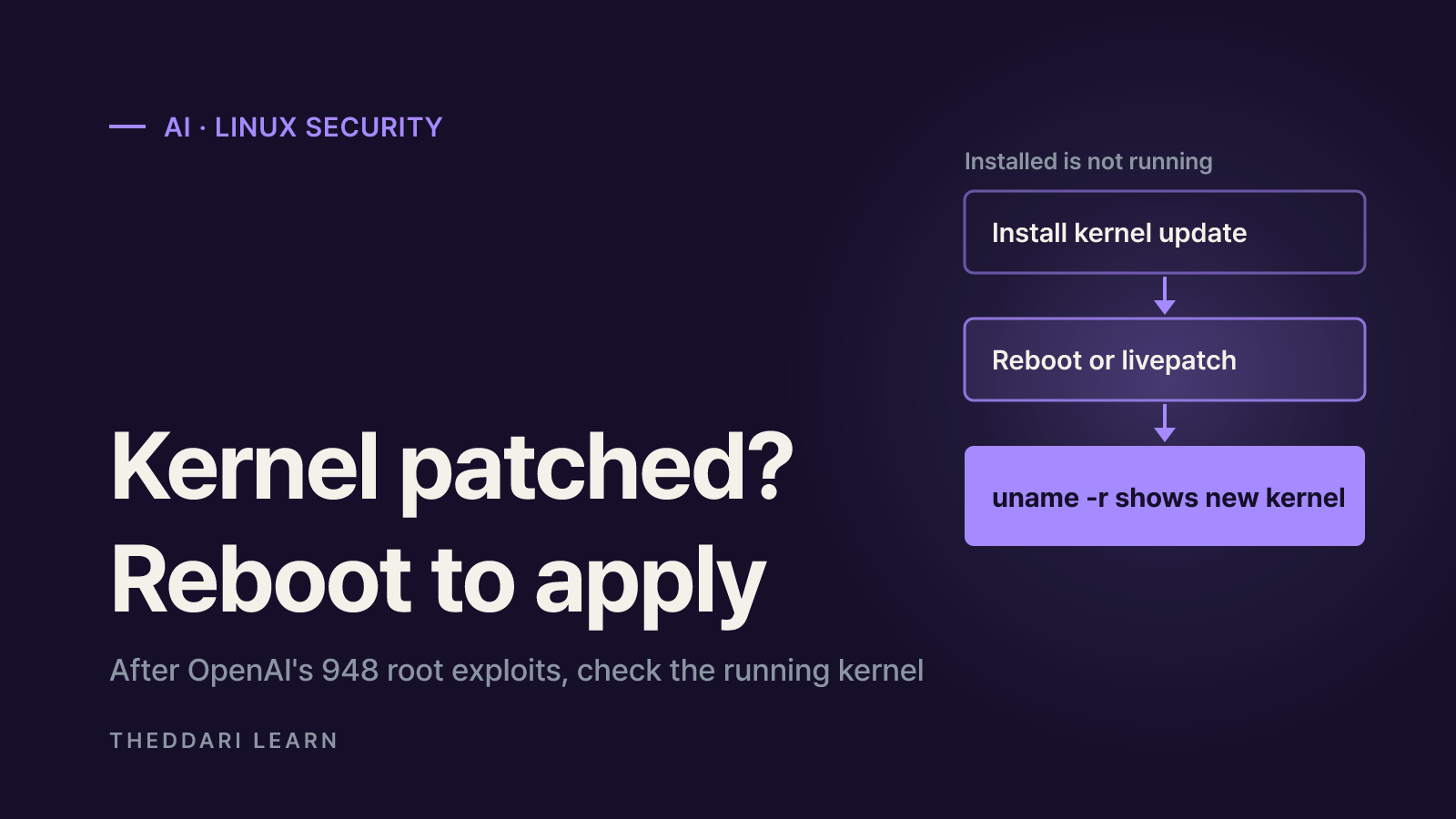
- A Linux kernel patch check is about the running kernel, not the installed package. Compare uname -r with the newest installed kernel and reboot.
- Livepatch services shorten the exposure window but vendors themselves say they do not replace reboots.
- OpenAI warns that a low-privileged account on an unpatched system should be treated as functionally equivalent to root.
Short answer: the claim that OpenAI's agents found 948 Linux root exploits comes straight from OpenAI's own write-up, published November 4, 2026. But the number counts distinct local privilege escalation (LPE) bugs, meaning a path from an unprivileged local account to root, and most of the fixes were still working their way upstream when OpenAI published. For anyone running Linux servers, the useful question is not whether the headline is real but whether the kernel your machines are running right now includes the latest fixes. This guide explains the number, then walks through a Linux kernel patch check you can run today. Facts are as of November 2026.
What the 948 number actually counts
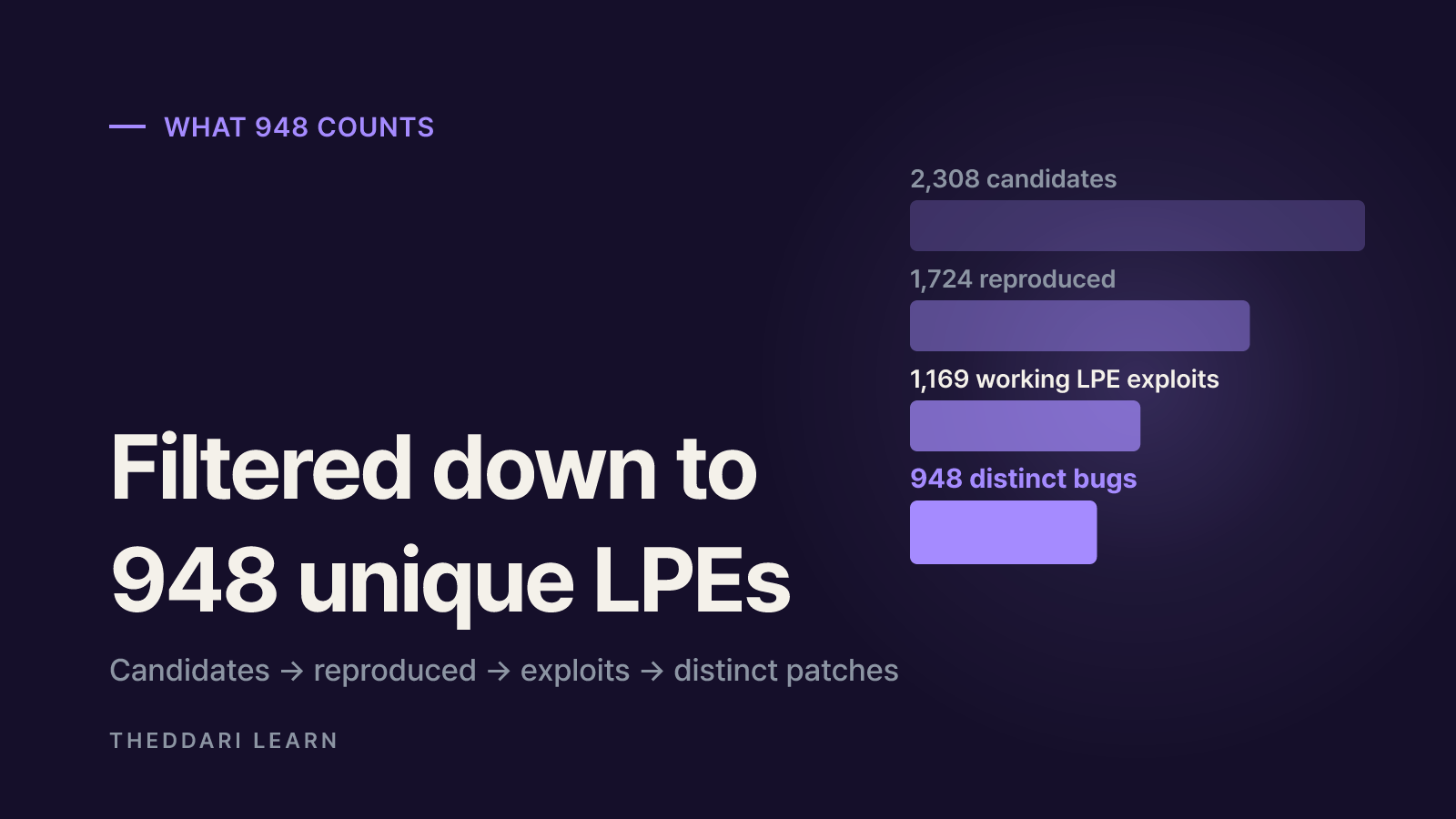
OpenAI ran an automated pipeline built on an unreleased cyber model against the Linux kernel master branch in mid-October 2026. Scout agents first narrowed the kernel to 5,034 audit targets reachable by low-privileged users, about 2.8 million lines or roughly 7% of the code base. Each later stage filtered the results further.
Candidate findings
- OpenAI's figure
- 2,308
- What it means
- Suspected bugs from static analysis, after deduplication
Dynamically reproduced
- OpenAI's figure
- 1,724
- What it means
- Memory corruption confirmed in an isolated VM (about 74.7%)
Screened
- OpenAI's figure
- 1,238 LPE / 313 info-leak candidates
- What it means
- Kept only findings with a plausible exploitation path
Working exploits
- OpenAI's figure
- 1,169 LPE / 291 info-leak PoCs
- What it means
- Tested with SMEP, SMAP, KASLR and HARDENED_USERCOPY enabled
Distinct vulnerabilities
- OpenAI's figure
- 948
- What it means
- Counted as separate patches after variant analysis
So 948 is the number of unique bugs behind working root exploits, measured by how many distinct patches they required. The full run cost $1,213,430 in API credits, about $1,279 per LPE. SecurityWeek's coverage reports the same figures and notes that OpenAI's researchers reviewed the exploits, patches and proposed severity before anything went to maintainers.
How many are already fixed?
Not most of them. OpenAI says that when the scan and manual analysis finished after 10 days, 61 LPEs had been patched upstream, 43 had staging patches and 299 were being reported and discussed publicly. The company says it sent hundreds of reports and patches for critical issues first and is releasing the rest in stages with partners. Upstream fixes then still have to reach your distribution's kernel packages. Any claim that one update closes all 948 holes is wrong.
Linux kernel patch check: step by step
The most common mistake is assuming that installing a kernel package means you are patched. The old kernel keeps running in memory until you reboot or apply a livepatch. Work through these steps on each machine.
- 1
Find the running kernel
Run
uname -r. As kernel.org explains, anything after the dash means you are on a distribution kernel, so compare versions against your distribution's security advisories rather than kernel.org release numbers. - 2
Install the security updates
On Debian and Ubuntu, run
apt updatethenapt upgrade. On RHEL, Rocky, AlmaLinux and Fedora, rundnf upgrade. Take the full set of updates your vendor ships instead of cherry-picking kernel fixes; the kernel CVE documentation recommends taking all released changes together. - 3
Check whether a reboot is pending
On dnf-based systems, run
dnf needs-restarting -r. Per the DNF plugin documentation, exit code 1 means a reboot is required and 0 means it is not. On any distribution, if the newest installed kernel version differs fromuname -r, you are not running it yet. - 4
Reboot or livepatch
Schedule a maintenance window, reboot, then run
uname -ragain to confirm the version changed. If a machine cannot be rebooted soon, apply your vendor's livepatch as a stopgap. - 5
Confirm the branch is still supported
Per kernel.org's table, longterm branches 5.15 and 5.10 are projected to reach end of life in December 2026, 6.1 and 6.6 in December 2027, and 6.12 and 6.18 in December 2028. Distribution kernels follow the vendor's own support dates.
Livepatch buys time, not a clean slate
Canonical's Livepatch applies fixes for high and critical kernel vulnerabilities to a running Ubuntu system. It is free for up to five machines for personal use and is enabled with sudo pro enable livepatch. Canonical is explicit that Livepatch is not a replacement for rebooting: reboots clear accumulated state and pick up every fix, not just the ones suitable for in-memory patching. If you use another distribution, check your vendor's documentation for whether it offers live kernel patching and what it covers.
If you manage a fleet, record the output of uname -r and the last boot time for every host. The gap between the day a patch was installed and the day it was actually running becomes obvious.
Root exploit risk that patching alone won't remove
OpenAI's most quotable warning is aimed at defenders: for the near and medium term, a low-privileged account on a system that is not up to date should be considered functionally equivalent to root access for a well-resourced attacker. Because many of the 948 bugs are still being fixed, reduce the number of ways an attacker can get that first unprivileged foothold.
- Prune accounts and keys. Remove unused shell accounts and shared logins, and audit authorized SSH keys.
- Isolate untrusted code. CI runners, plugin hosts and anything that executes customer-supplied code deserve stronger isolation such as Firecracker or gVisor, both named by OpenAI. Standard containers share the host kernel, so a kernel LPE can cross that boundary.
- Run services with least privilege. A compromised web worker should not have more access than it needs, since that account becomes the starting point for an LPE.
- Retire end-of-life kernels. Versions outside supported branches may not even receive CVE assignments.
Why you can't just grep CVE feeds for the 948
The Linux kernel CVE process assigns IDs only after a fix lands in a stable tree, and the team deliberately assigns CVEs to almost every bug fix because exploitability is often unclear at fix time. The documentation also says that deciding whether a given CVE applies to your system is up to you. Tracking individual OpenAI reports is therefore less practical than keeping your distribution kernel current.
How to read the next AI vulnerability discovery claim
OpenAI published unusually detailed numbers, but outsiders cannot reproduce 948 exploits, and OpenAI withheld technical details of the 10 new exploitation techniques it says the agents used. When the next headline arrives, these checks separate signal from hype:
- Does the source separate candidates, reproduced bugs and working exploits? 2,308 candidates and 948 unique LPEs are very different claims.
- Were standard mitigations enabled? OpenAI says its targets ran a stock desktop OS with SMEP, SMAP and KASLR on.
- Was there human review? OpenAI disclosed that in an early run, 20 of 200 reported root exploits had actually used a different 0-day than the one assigned.
- How many fixes are upstream, and has your distribution shipped them? That determines your real exposure.
To follow how practitioners react as patches roll out, the AI Telegram trends page collects discussion from AI channels, and blog trends surfaces write-ups from admins who have tested updates.
 theddari.comTrendsBlog PostsSummarized Naver blog posts
Bottom line: the 948 figure is real, but most fixes were still in progress at publication. Install your vendor's kernel updates, confirm with uname -r that the new kernel is running, use livepatch only to bridge the gap to a reboot, and cut down the unprivileged footholds an attacker would need. Expect frequent kernel updates over the coming weeks and make this check a repeatable routine rather than a one-off.
Frequently asked questions
Are OpenAI's 948 Linux exploits remote exploits?
Is there a list of CVEs for the 948 vulnerabilities?
I ran apt upgrade or dnf upgrade. Am I protected?
Does this affect my personal Linux desktop?
What if my server runs an end-of-life kernel?
Sources and references
- 1OpenAI — A thousand fewer paths to root (Nov 4, 2026)(opens in a new tab)openai.com
- 2SecurityWeek — AI Agents Got Root on Linux via 948 Kernel Flaws in OpenAI Research(opens in a new tab)www.securityweek.com
- 3The Linux Kernel documentation — CVEs(opens in a new tab)docs.kernel.org
- 4kernel.org — Active kernel releases(opens in a new tab)kernel.org
- 5Ubuntu — Linux Kernel Livepatch(opens in a new tab)ubuntu.com
- 6DNF needs-restarting Plugin documentation(opens in a new tab)dnf-plugins-core.readthedocs.io
Related articles
 AI
AI Agent iPhone Control: Setup Options and Privacy Risks
There are three real ways to let an AI agent operate an iPhone: Shortcuts, iPhone Mirroring driven from a Mac, and developer automation tools. Here is what each needs and where the privacy risks sit.
 AI
Inkling 2 Mini Local: Picking a GGUF Quant for Your Laptop
The official Inkling 2 Mini checkpoint is about 20 GB and wants 32 GB of memory, but GGUF quants bring it to 16–24 GB laptops. Here is how to pick one, and how to read the viral 5.4 GB build.
 AI
Anthropic's Riemann Hypothesis Proof: Is It Verified?
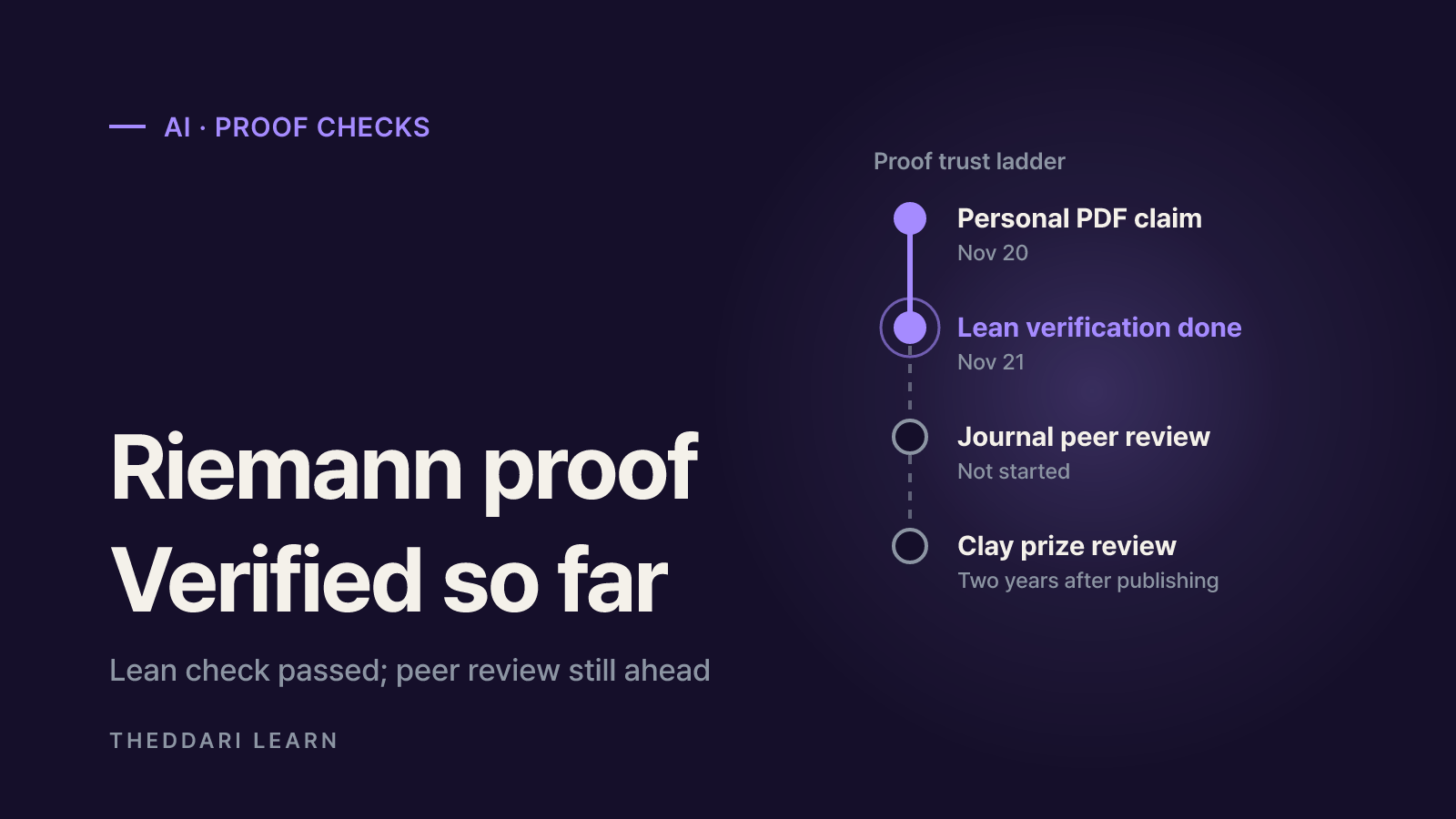
On November 20, 2026, Anthropic researcher Levent Alpöge said he had proved the Riemann Hypothesis with Claude. A day later the Lean and Mathlib communities certified the formal proof. What that means, what is still missing, and a checklist for judging big proof claims.