Contents9 sections
- What are Perplexity Teammates?
- Perplexity Computer vs. Teammates
- What Perplexity Teammates can do at work
- Pricing: Max plan and Computer credits
- Permissions and security to check first
- How to compare Perplexity Teammates with other AI agents for work
- Setting up your first teammate
- Frequently asked questions
- Sources and references
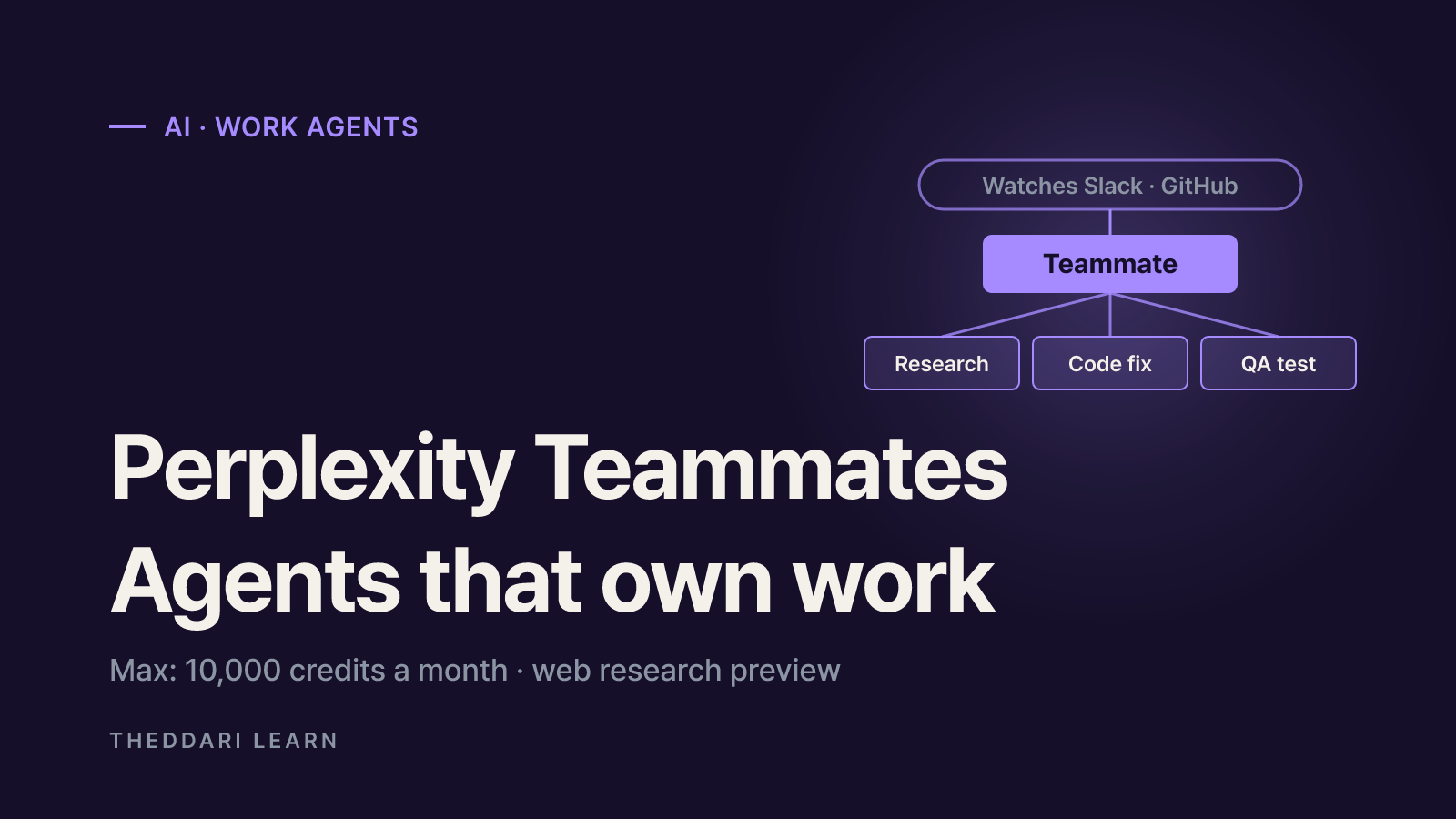
Perplexity Teammates are AI agents for work that take on a standing role, such as running campaigns, triaging bugs or chasing missing paperwork, and keep working on it in the background instead of waiting for your next prompt. Perplexity announced them in a November 4, 2026 blog post. This guide is based on the official blog, help center and pricing pages as checked on November 7, 2026. It covers what teammates can do, how they are billed, what access they get, and the questions worth asking before you pick one work agent over another. The feature is a research preview, so details may change.
What are Perplexity Teammates?
The help center defines a teammate as an AI agent that owns ongoing work. You give it a responsibility, it plans the tasks, and it follows through until the result is ready for your review. Each teammate has its own role, can monitor the tools you connect, acts when something changes, and reaches out when it needs a decision from you.
Teammates sit on top of Perplexity Computer, the company's existing agent for multi-step work. They inherit the Projects, skills and memory you have already set up there. Each one gets a single persistent thread in the sidebar that never closes, so you can scroll back through what it did and when. You hand off work in plain language, ask for a status update at any time, or change the plan midstream.
Capabilities Perplexity has documented
- Multi-agent orchestration: a teammate splits a goal into tasks, starts extra agents for work that can run in parallel, then collects and checks the results.
- Its own desktop and browser: it can use sites that have no connector and test a website end to end, and you can take over the desktop when needed.
- Proactive monitoring: it watches tools such as Slack, GitHub and Linear, starts work when something arrives, and follows up, for example by answering review comments on a pull request it opened.
- Ongoing responsibility: it keeps its role until you change it, schedules follow-ups and remembers feedback between conversations.
- Model choice: new teammates default to Claude Opus 5.5, and you can choose a different model per teammate or per task.
Perplexity Computer vs. Teammates
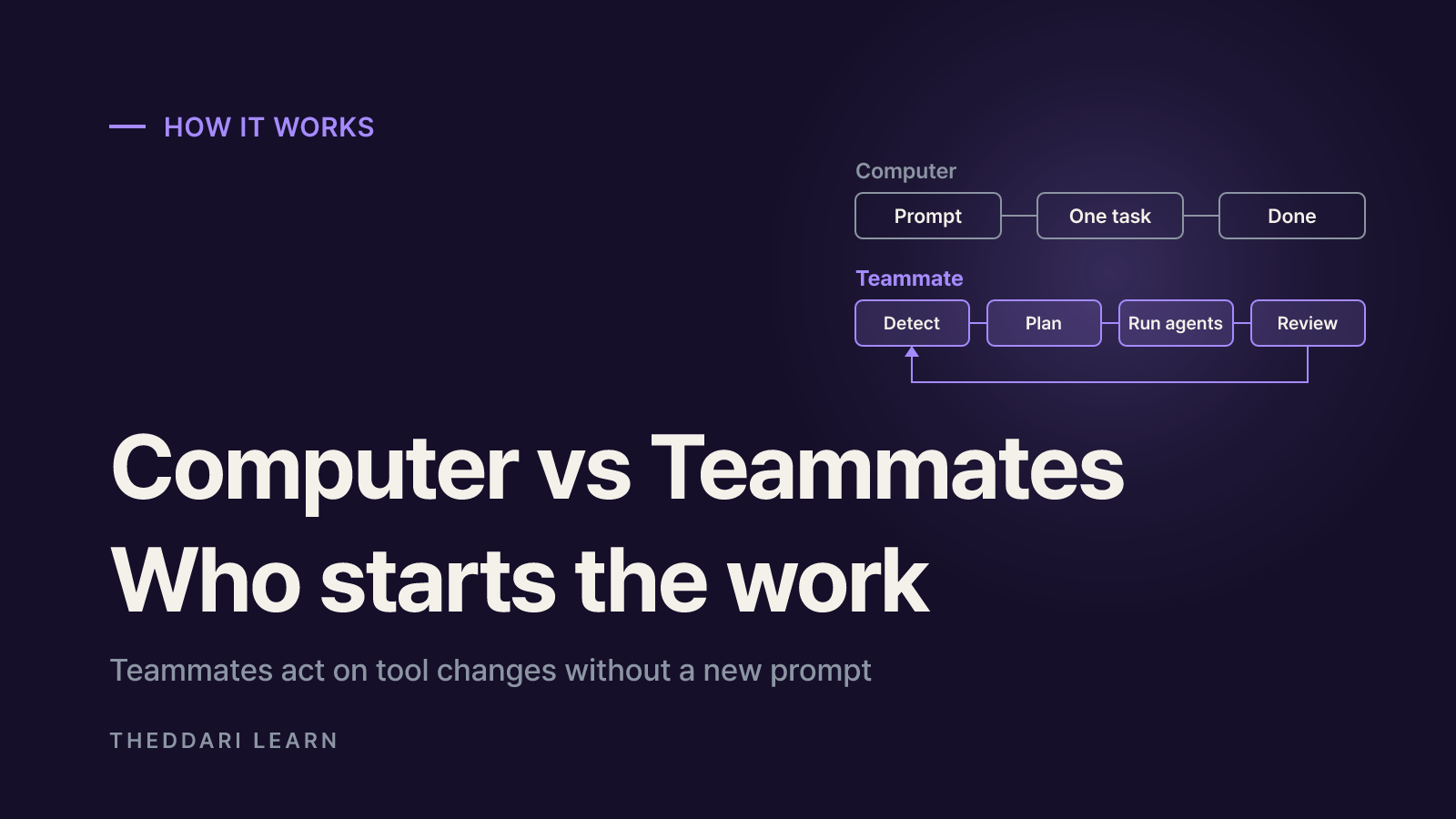
Perplexity says Computer could already handle complex projects, but giving an agent ongoing work meant you had to do the planning. Teammates add a coordination layer: a teammate manages Computer sessions and even other teammates to keep a project moving. Think of Computer as the worker for a single job and a teammate as the one who owns the workstream.
Unit of work
- Perplexity Computer
- One requested task
- Teammates
- A role and its ongoing projects
What starts it
- Perplexity Computer
- Your prompt
- Teammates
- Changes in connected tools, schedules or triggers
Memory
- Perplexity Computer
- Projects and memory features
- Teammates
- Goals, task history and files kept across runs
Collaboration
- Perplexity Computer
- Mostly one user
- Teammates
- Hands work to other teammates; works with colleagues in Slack
Environment
- Perplexity Computer
- A Computer session
- Teammates
- A separate isolated desktop and browser per teammate
Who can use it (Nov 7, 2026)
- Perplexity Computer
- Plans with Computer credits
- Teammates
- Individual Max subscribers, web, research preview
The key difference is who initiates the work. Perplexity says teammates investigate and act without waiting for a fresh query. Its example is a sales teammate that notices a regular customer has stopped ordering, reviews the order history and support tickets, then drafts a relevant offer or flags a problem to fix before anyone reaches out. That autonomy is the selling point, but it also means credits and permissions are being used while you are not watching.
What Perplexity Teammates can do at work
Perplexity published use cases by business function. These are the company's examples, not independently verified results, so treat them as a menu of things to test rather than proof of performance.
Marketing
- Perplexity's example
- Manages social posts, email, ads and SEO; drafts fixes when results slip; suggests responses to competitor price changes
- Where a human should sign off
- Ad budgets and anything published
Sales
- Perplexity's example
- Finds openings in inquiries, past purchases and stalled conversations; prepares outreach and quotes
- Where a human should sign off
- Messages sent to customers
Customer support
- Perplexity's example
- Summarizes the previous day's complaints, flags cases for a personal reply, drafts responses and tracks fixes
- Where a human should sign off
- Sensitive replies
Operations
- Perplexity's example
- Tracks deadlines, checklists, vendors and paperwork; chases missing items 72 hours before a deadline
- Where a human should sign off
- Requests sent to outside vendors
Engineering
- Perplexity's example
- Watches GitHub, Linear and Datadog; reproduces issues and opens a fix PR
- Where a human should sign off
- Merging and deploying
Teammates can also pass work to each other: in Perplexity's example, one finds bugs on a website and hands its findings to another to prepare fixes. Add a teammate to a Slack channel and colleagues can assign it work or ask for updates. When you write a role, the help center suggests spelling out four things: where the work comes from, what it should deliver, the schedule or trigger, and who receives the output.
Pricing: Max plan and Computer credits
There are two layers of cost. The first is the subscription. On November 7, 2026, Perplexity's pricing page listed Max at $167 per month billed annually, while The Verge described it as a $200-per-month plan. The amount you pay depends on billing cycle and where you subscribe, so confirm it at checkout.
The second layer is Computer credits. According to Perplexity's credits guide, 100 credits cost $1 and Max includes 10,000 credits per month. New subscribers may get a one-time 35,000-credit bonus that expires in about 30 days. Monthly credits do not roll over. The product page says every Max plan includes free teammate usage for a promotional period; after that, teammates draw on your monthly allotment.
Quick fact or definition
- Typical credits
- 15–70
- Note
- Short query
Multi-step research report
- Typical credits
- 350–950
- Note
- e.g. competitive landscape
Data dashboard
- Typical credits
- 2,400–9,800
- Note
- Includes data collection
Entire app or multi-day build
- Typical credits
- 15,000+
- Note
- Can exceed one month's 10,000 credits
Perplexity calls these ranges examples, not guarantees. The teammates help article warns that complex projects use more credits, particularly when agents run in parallel, work with large files or codebases, or run frequent automations. Those are exactly the features that make teammates useful. When credits run out, active tasks pause rather than cancel, and new credit-using tasks are blocked until you top up or the monthly reset arrives.
Auto-refill is off by default; if you turn it on, Max refills when the balance drops to 2,500 credits. The default monthly spending cap on Max is $200, adjustable up to $5,000. Credits used by a task that finished are not refunded just because the result disappointed you. Perplexity notes that local consumer law may allow refunds of unused credits within 14 days in the EU, UK and Turkey, and within 7 days in Brazil and South Korea. Set a cap before creating an always-on teammate.
Permissions and security to check first
The security model comes down to isolation plus inherited permissions. Each teammate runs on its own isolated computer with its own desktop and browser, and its browsing sessions and cookies stay with that teammate. Saved credentials are encrypted, entered securely, and not visible to the teammate. You can review finished work, take over the desktop, or redirect a teammate mid-task.
At the same time, teammates use your installed plugins and skills with the same permissions you granted, and those inside a Project follow its permissions and can message other teammates there. In practice the bigger risk is not a leaked password but access that is wider than the job requires. The help center explicitly recommends selecting only the GitHub repositories a teammate needs. A teammate's chat is visible only to its owner, and shared chats are read-only, but anyone in a Slack channel it monitors can work with it.
- Read the requested permissions on each connection screen and prefer read-only where it is enough.
- Limit GitHub to specific repositories and Slack to specific channels.
- Write approval rules into the role: customer messages, payments, deploys and ad budget changes should wait for you.
- Keep teammates that browse untrusted websites away from sensitive accounts, since hidden instructions on web pages can attempt indirect prompt injection.
How to compare Perplexity Teammates with other AI agents for work
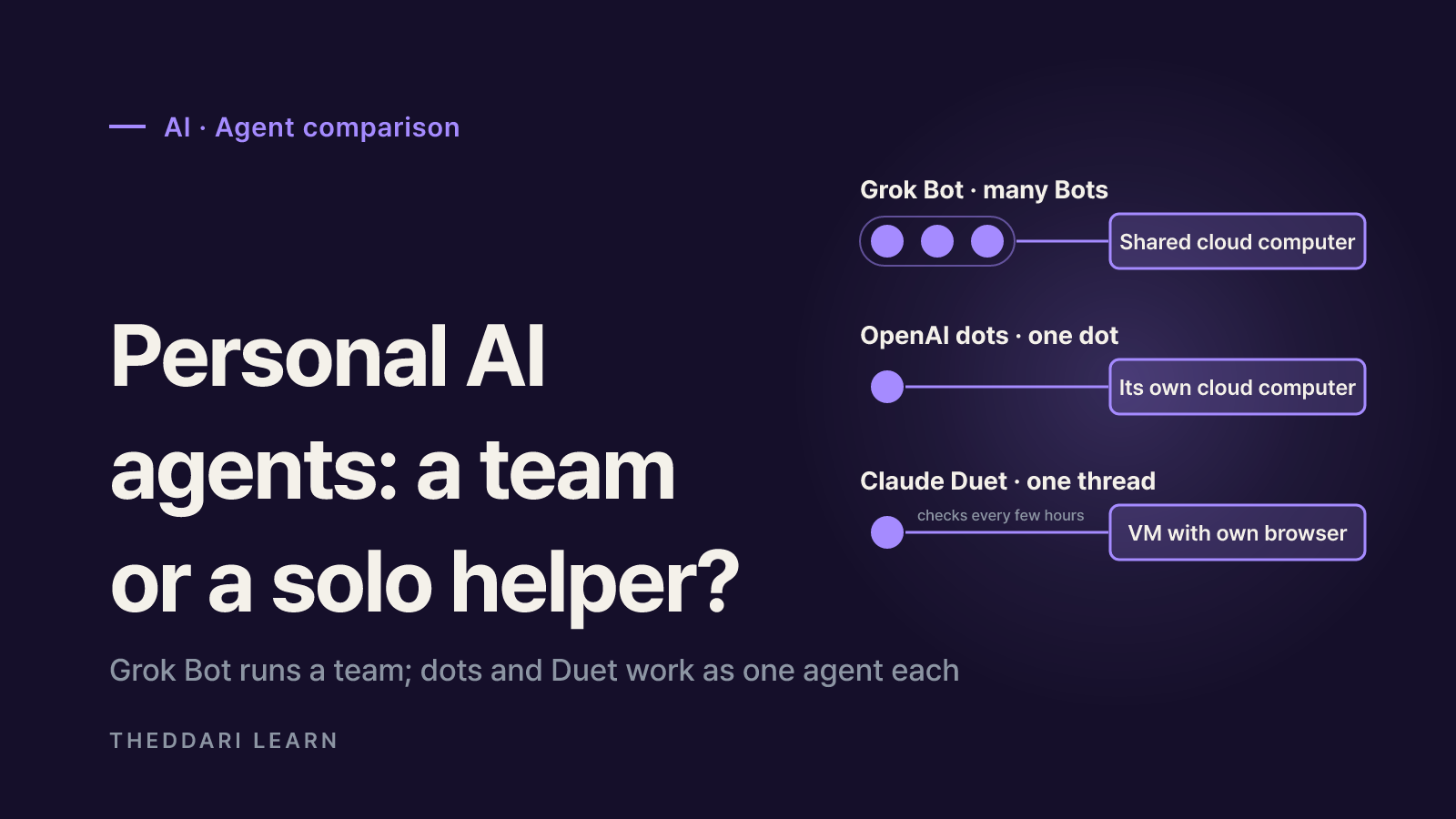
Teammates arrive in a crowded field of always-on agents. The Verge compared them with OpenAI's dots and Claude Duet, saying Perplexity's version is pricier because it requires Max. We found no independent head-to-head testing on the same workload, so a feature checklist is more useful than marketing claims.
Persistence
- What Perplexity confirms
- One thread per teammate; role and memory persist
- Question to ask any rival
- Does context vanish when a session ends?
Trigger
- What Perplexity confirms
- Watches tools, runs on schedules and triggers
- Question to ask any rival
- Does it only act when prompted?
Environment
- What Perplexity confirms
- Isolated desktop and browser per teammate
- Question to ask any rival
- Are sessions and cookies separated per agent?
Permissions
- What Perplexity confirms
- Inherits installed plugin permissions
- Question to ask any rival
- Can you scope access per agent?
Cost
- What Perplexity confirms
- Max plus 10,000 credits a month, spending cap
- Question to ask any rival
- Are there usage caps and alerts?
Audience
- What Perplexity confirms
- Individual Max, web first, Enterprise not default
- Question to ask any rival
- Do you need team admin and audit features?
If you already pay for Max and have Projects and skills built up in Computer, there is a clear case for trying a teammate. If you need organization-wide administration, or your team lives in another vendor's ecosystem, wait for Enterprise availability and admin controls. Agent launches move quickly; theddari's AI Telegram trends and blog trends dashboards are a way to follow how the conversation develops.

Setting up your first teammate
- 1
Confirm plan and spending controls
Make sure you are on an individual Max plan, then open the Usage page to check your balance, auto-refill and monthly cap. Note when the promotional free usage ends.
- 2
Start with one narrow role
On the web, hover over Teammates in the sidebar and select the plus button. Name it after its job. A good first role produces a clear output that stays internal, such as a weekly summary of competitor price changes sent to its own chat.
- 3
Connect tools with least privilege
Ask the teammate to connect only the services it needs, review the permissions, and limit repositories and channels.
- 4
Define approval points and give feedback
State in the job description that anything external, financial or production-facing needs your approval. Correct mistakes in the same chat so the teammate applies the feedback to future work.
- 5
Review usage, then expand
After a week or two, check credits per task before adding parallel work or more frequent automations.
Perplexity Teammates mark a shift from asking an AI questions to assigning it ongoing work. As of November 7, 2026, they are a web research preview for individual Max subscribers, cost comes from both the subscription and credits, and the main security question is how much access you grant. Validate the official examples against a small slice of your own workload, set caps and approval points first, and widen the scope only once the results and the bill make sense.