Contents6 sections
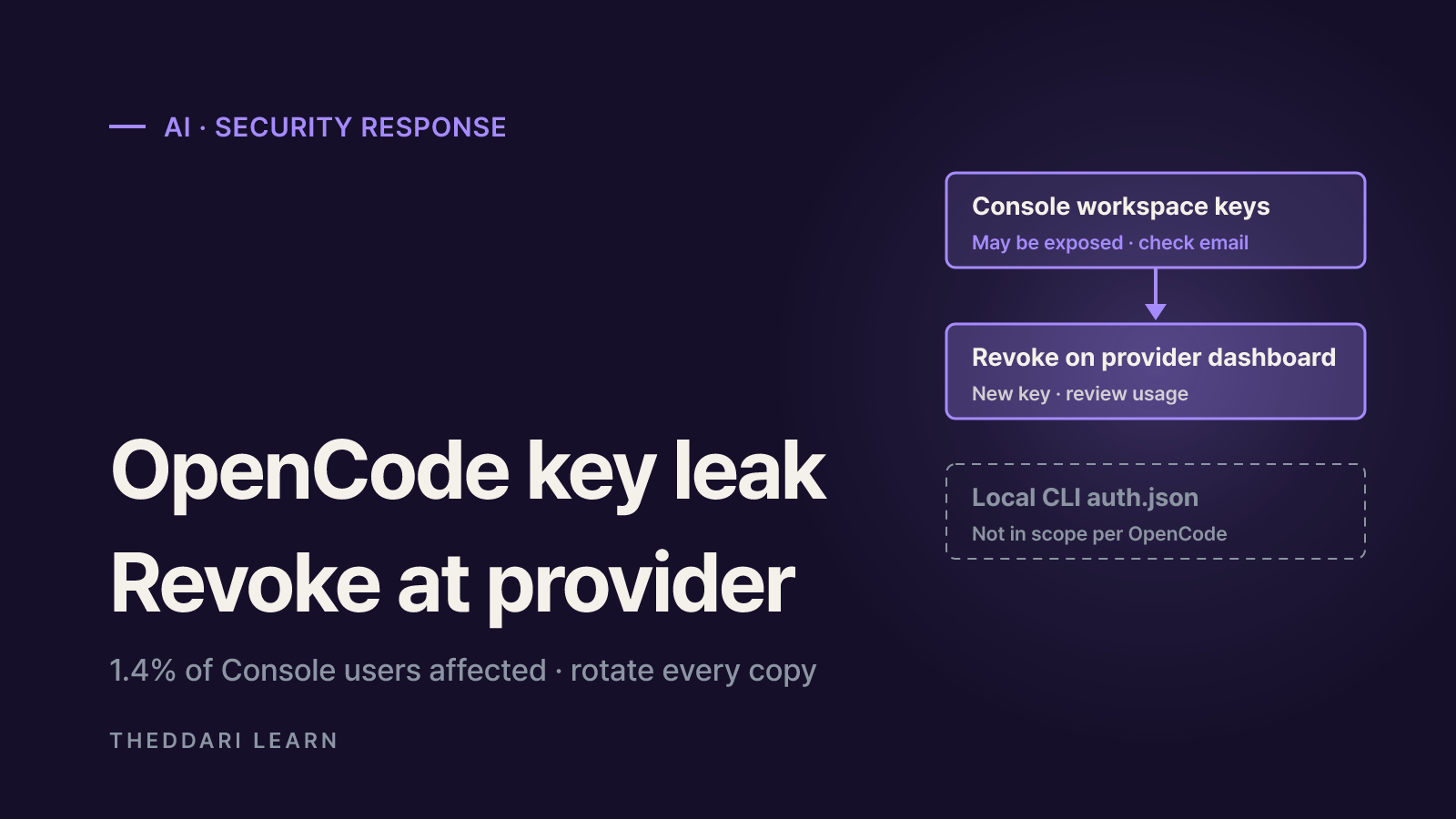
If you saved a provider key in OpenCode Console, treat it as a leaked API key: revoke it on the provider's own dashboard, replace it everywhere it is used, and review your usage and billing. If you only run the OpenCode coding agent locally and did not receive a breach email, OpenCode says you were not affected. This guide reflects public statements and official documentation available as of October 19, 2026. OpenCode has not yet disclosed how the intrusion happened, so nothing here assumes a root cause.
What OpenCode has confirmed so far
According to TechcityAuthority's report, OpenCode posted on X on October 17, 2026 that it had a security breach the previous night "related to a large scale distillation attack" that impacted 1.4% of OpenCode Console users. It emailed all of them that morning, said anyone without an email was not impacted, and described the affected group as a subset of users who had external providers linked. The company said the incident was ongoing and that it was working with Anthropic, OpenAI and Google.
The email users shared is more specific. It says OpenCode identified unauthorized access to a legacy system it was in the process of decommissioning and that third-party provider keys, such as OpenAI and Anthropic keys, saved in the workspace may have been exposed. It asks recipients to revoke and replace those keys through each provider's dashboard, update applications that use them and review recent usage. The same report says an Anthropic team member stated that Anthropic had revoked Claude API keys it believed were affected.
| Question | Status as of October 19, 2026 |
|---|---|
| Who is affected | 1.4% of OpenCode Console users with external providers linked |
| What may be exposed | Third-party provider API keys saved in a workspace |
| How users were told | Email to affected users; no email means not impacted |
| Entry point and dwell time | Not disclosed |
| Reimbursement | Not announced |
Several things remain unknown: the entry point, how long the intruder had access, how many keys were involved and exactly how the distillation framing connects to the exposed keys. Some social posts said keys were definitely stolen, while the email only says they may have been exposed. For incident response, that distinction matters less than it seems. If the email reached you, the safe assumption is that the key is compromised.
Console keys vs local CLI keys: who is actually at risk
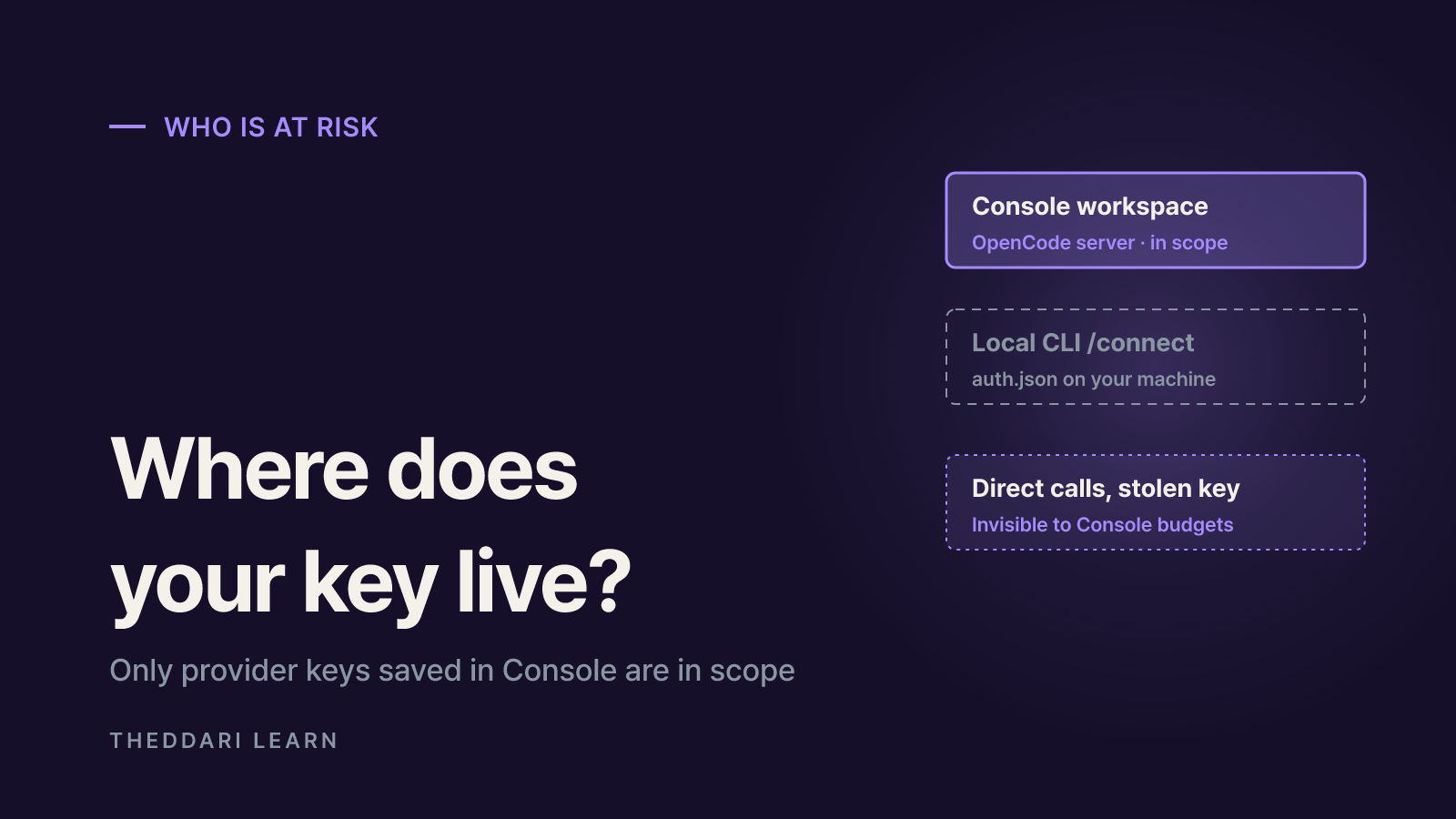
The OpenCode name covers two different things. One is the open-source coding agent you run in a terminal or desktop app. The other is OpenCode Console, a hosted web service for model access and team management. The Console Providers documentation explains that owners and admins can connect provider accounts they already pay for, such as Anthropic or OpenAI. Console stores the credential and serves each provider through its gateway, so members use the models without seeing the key. Those stored credentials are what the breach email refers to.
Keys you add to the local agent with /connect are different. The Providers documentation says they are stored in ~/.local/share/opencode/auth.json on your machine. TechcityAuthority also reported that co-founder Dax Raad said keys used in the regular OpenCode app never reach the company. If you only use the CLI and got no email, this incident gives you no specific reason to rotate. The exception is a key you pasted into both places: the Console copy is in scope.
Provider linked in a Console workspace
- Storage location
- OpenCode's hosted Console
- In scope of this notice?
- Possibly; check for the email
Local CLI or desktop /connect
- Storage location
- auth.json on your computer
- In scope of this notice?
- No, per OpenCode
Console's own API key for paid models
- Storage location
- Your Console account
- In scope of this notice?
- The notice names provider keys
Why Console budgets will not catch misuse
The Console docs say the provider bills you directly for tokens, while Console records each request so its usage reports and budgets stay accurate. That creates a blind spot. Someone holding a stolen key can call OpenAI or Anthropic directly, bypassing Console entirely. Those calls never appear in Console reports and never hit a workspace budget. The bill lands on your provider account, so the provider's usage and billing pages are where misuse will show up.
Leaked API key response: revoke, replace, review
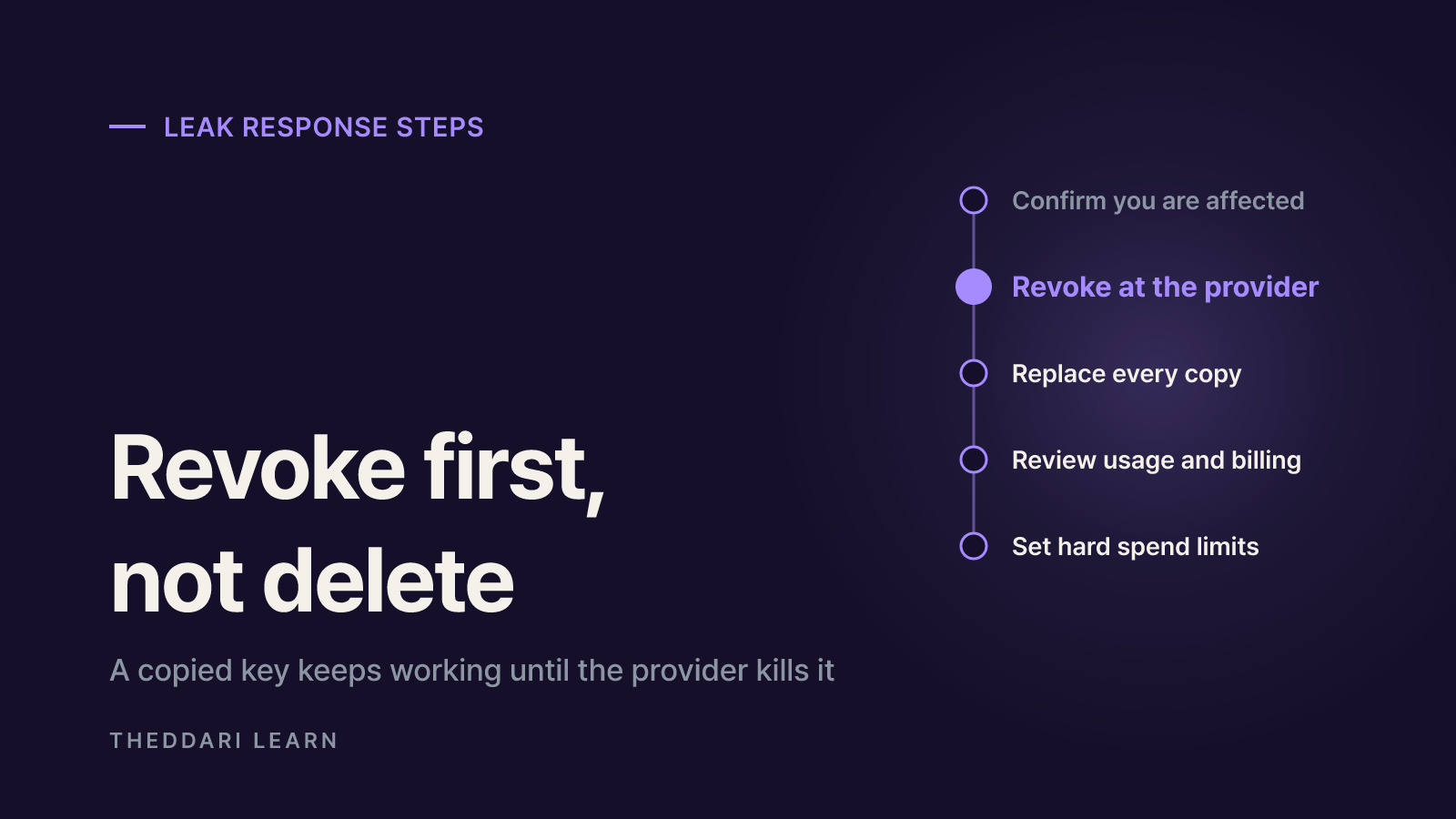
If you received the email, or you remember saving provider keys in Console, work through these steps. The key word is revoke, not delete. Removing a credential from Console only changes what Console uses. A copy that already left the building keeps working until the provider kills it.
- 1
Confirm whether you are affected
Search the inbox and spam folder of your Console login email for 'Potential provider key breach'. List every provider connected in your workspace's Providers tab. Reach dashboards by typing the address, not by clicking email links.
- 2
Revoke at the provider
Open the API keys page for each provider and revoke the affected key. Anthropic's guidance says to revoke a suspected compromised key immediately, and OpenAI's guidance says to rotate it right away from the API Keys page. Apply the same rule to Google or any other provider you linked.
- 3
Issue and deploy a replacement
Create a new key and enter it as the credential on the Console provider page. Then hunt down every other consumer of the old key: local auth.json, .env files, CI secrets and server environment variables. Missing one either breaks a service or tempts you to delay revoking the old key.
- 4
Review usage and billing
On each provider's usage or logs page, look for models you never use, calls at odd hours and sudden token spikes in the days around October 16 and 17. Screenshot anything unusual and contact the provider's support team.
- 5
Reset your spend limits
Set a monthly spend limit if you do not have one. OpenAI notes that spend alerts alone do not stop API traffic and recommends hard enforcement to cap costs from a leaked key.
TechcityAuthority noted one user who said a spending limit kept the damage down. Individual loss claims are unverified, but the principle is exactly what the provider docs describe: a hard limit caps how much a leaked key can cost you. Auto-reload works the other way. It keeps a service running, yet during a leak it can keep funding the attacker. Anthropic advises users to choose auto-reload thresholds carefully for this reason.
Hardening your AI coding tool setup before the next leak
Anthropic's documentation puts the trade-off plainly: uploading an API key to a third-party tool such as a web IDE, cloud platform or CI service gives that tool's developer access to your account. That is not an argument against hosted tools. It is an argument for knowing where each key lives and limiting what any single key can do.
- One key per tool and environment: separate development, testing and production keys, and give each tool its own key, so a leak only forces you to cut one integration.
- Expiration and rotation: OpenAI recommends project keys with an expiration date and a regular rotation process. Anthropic gives every 90 days as an example schedule.
- Hard spend limits: use limits that actually block requests, accepting that legitimate traffic may also stop at the cap.
- Keep keys out of repositories: add .env to .gitignore and enable secret scanning. Anthropic partners with GitHub to automatically deactivate Claude keys found in public repositories.
- Network restrictions: OpenAI's IP allowlisting rejects requests from unapproved addresses even when the key is valid, which suits server-only keys.
- Invite teammates instead of sharing keys: OpenAI does not support key sharing and expects each member to use their own key.
Security news around AI coding tools spreads fast and often gets corrected. The theddari AI Telegram trends page shows what developer channels are discussing, and the blog trends page is a starting point for follow-up analysis. Use them to notice incidents early, then confirm the actual steps against the vendor's announcement and the provider's documentation.
 theddari.comTrendsBlog PostsSummarized Naver blog posts
Quick checklist
- Checked for the breach email and listed every provider linked in Console.
- Revoked affected keys on each provider's dashboard, not just in Console.
- Deployed the new keys to Console, local auth.json, .env files, CI and servers.
- Reviewed provider usage and billing around October 16 and 17 and recorded anomalies.
- Turned on hard spend limits, key expiration and per-tool keys.
OpenCode says it will share a fuller account once the incident is closed. New details about the entry point or scope could change the picture, so keep an eye on the company's official channels. Until then, if the email reached you, finishing revocation and replacement is the most reliable response you have.