Contents8 sections
- What is OpenAI Agent Builder? A node-based canvas for agents
- The November 30, 2026 shutdown: timeline and what changes
- Your options after the shutdown: Agents SDK, workspace agents or n8n
- OpenAI Agent Builder vs n8n: how they differ
- Risks of no-code AI agents and what to check
- Bottom line: a checklist by situation
- Frequently asked questions
- Sources and references
OpenAI Agent Builder is a visual canvas where you drag, drop and connect nodes to build multi-step AI agent workflows without writing code. The catch: as of November 3, 2026, OpenAI's deprecations page says Agent Builder is scheduled to shut down on November 30, 2026. So if you are searching for it now, the more useful questions are what to do with workflows you already built, and which tool to pick if you are starting fresh.
This guide covers how Agent Builder worked, the shutdown timeline, OpenAI's official migration paths, and how it compares with n8n, the open-source automation tool it is most often measured against. Everything below is based on OpenAI and n8n documentation checked in November 2026. Features and prices change often, so recheck before you commit.
What is OpenAI Agent Builder? A node-based canvas for agents
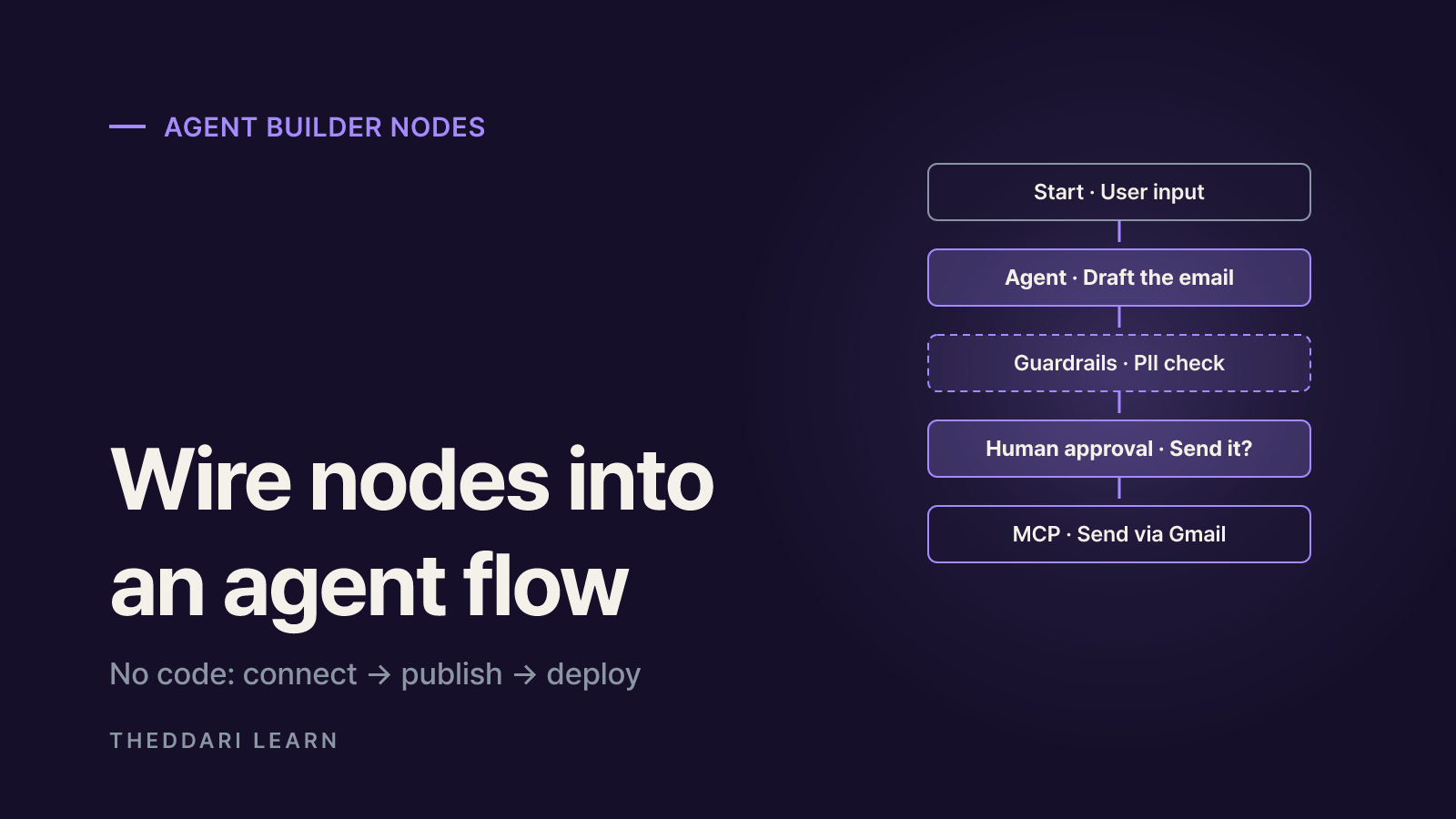
Agent Builder launched in beta on October 6, 2025 as part of AgentKit, OpenAI's bundle for building and shipping agents. AgentKit paired Agent Builder (workflow design) with ChatKit (an embeddable chat UI), a Connector Registry for admins, and expanded Evals. OpenAI said all of these tools were included with standard API model pricing, so there was no separate charge for the canvas itself. You paid for the model calls your workflow made.
In OpenAI's terms, a workflow is a combination of agents, tools and control-flow logic. According to the Agent Builder guide, every connection between nodes becomes a typed edge, and you configure each node's inputs and outputs so downstream steps receive the fields they expect. You could start from a template, such as a homework helper that rewrites a question, classifies it and routes it to a specialist agent, or from a blank canvas.
The node types
Core
- Node
- Start
- What it does
- Defines inputs; appends user input to history and exposes input_as_text
Core
- Node
- Agent
- What it does
- Instructions, tools and model settings; use as many as you need
Core
- Node
- Note
- What it does
- Comments for your team; does nothing at run time
Tool
- Node
- File search
- What it does
- Queries vector stores on the OpenAI platform
Tool
- Node
- Guardrails
- What it does
- Pass/fail checks for PII, jailbreaks, hallucinations and misuse
Tool
- Node
- MCP
- What it does
- Calls OpenAI connectors or third-party MCP servers
Logic
- Node
- If/else, While
- What it does
- Branching and loops using CEL expressions
Logic
- Node
- Human approval
- What it does
- Pauses for the end user to approve an action
Data
- Node
- Transform, Set state
- What it does
- Reshapes outputs and defines global variables
The grouping follows OpenAI's node reference. A typical pattern was a classifier agent feeding an If/else node that routes to specialist agents. Another was an email-drafting agent followed by a Human approval node asking "Would you like me to send this email?" before an MCP node connected to Gmail.
Design, publish, deploy
- 1
Design
Place and wire nodes, then use Preview to run the workflow with sample files and inspect each node's output. The Evaluate tab let you run trace graders over past runs.
- 2
Publish
Work autosaves. Publishing creates a versioned snapshot with its own workflow ID, and API calls can target older versions.
- 3
Deploy
From the Code menu, either pass the workflow ID to ChatKit to embed a chat experience in your site, or download Agents SDK code and run it on your own infrastructure.
The November 30, 2026 shutdown: timeline and what changes
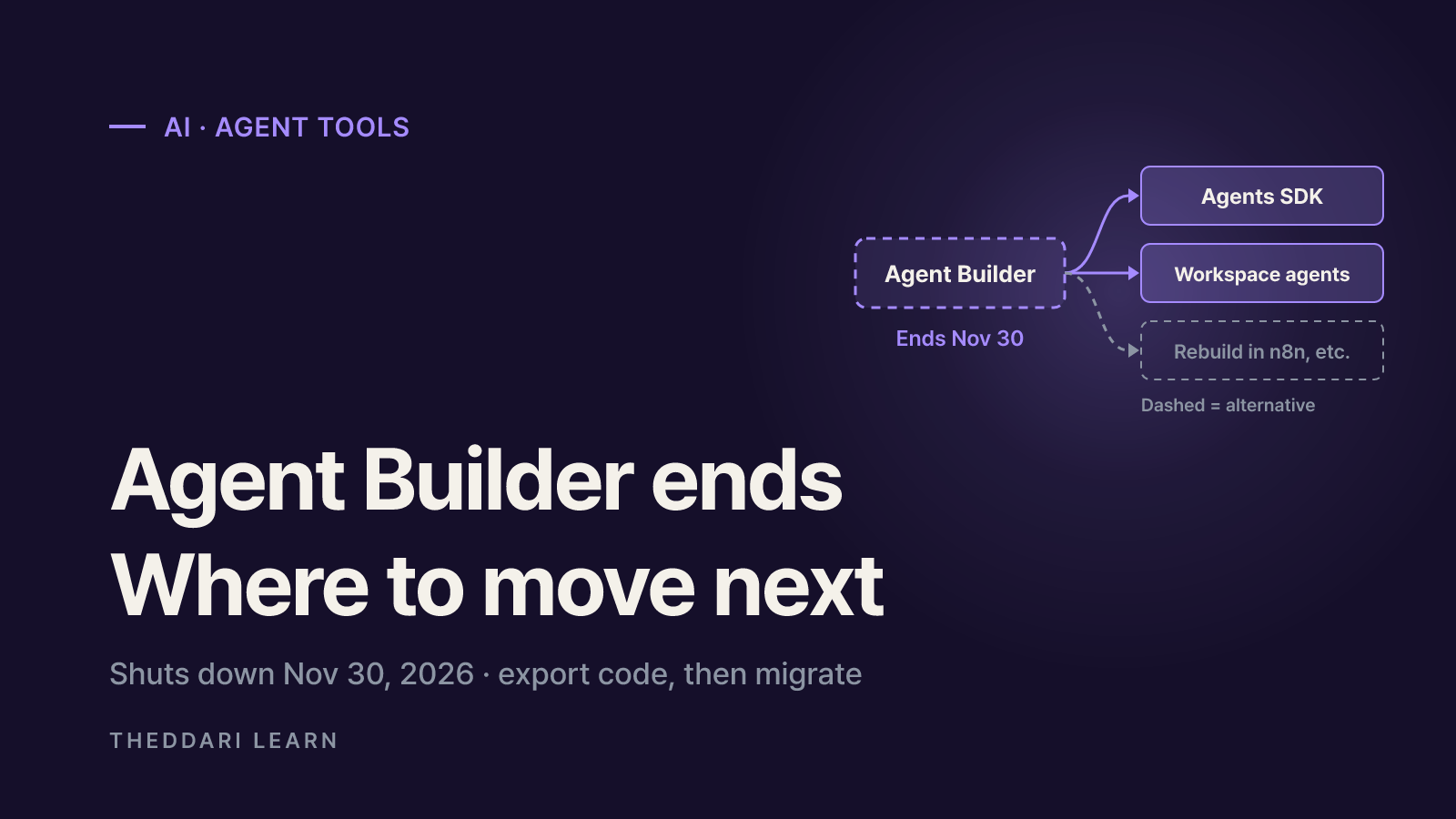
OpenAI notified Agent Builder users on June 3, 2026 that the product was being deprecated. An update added to the AgentKit announcement says Agent Builder and Evals will no longer be available on the OpenAI platform from November 30, 2026 onward. The deprecations page lists reusable prompt objects on the same schedule.
| Date | Event |
|---|---|
| Oct 6, 2025 | AgentKit announced; Agent Builder enters beta |
| Jun 3, 2026 | Deprecation notices for Agent Builder and the Evals platform |
| Oct 31, 2026 | Existing evals become read-only |
| Nov 30, 2026 | Agent Builder, the Evals dashboard and API, and v1/prompts scheduled to shut down |
ChatKit stays, but the hosted setup that points ChatKit at an Agent Builder workflow ID is for the transition window only. OpenAI's ChatKit docs direct new apps and migrations to the advanced integration, which runs your agent on your own server.
In practice, the thing going away is the fully hosted, no-code loop: sketch an agent on OpenAI's canvas and let OpenAI run it behind a chat widget. Because Evals is retiring on the same day, teams that graded workflows inside Agent Builder also need a new evaluation setup. OpenAI's deprecations page links a cookbook for moving evals to Promptfoo, an open-source testing tool.
Your options after the shutdown: Agents SDK, workspace agents or n8n
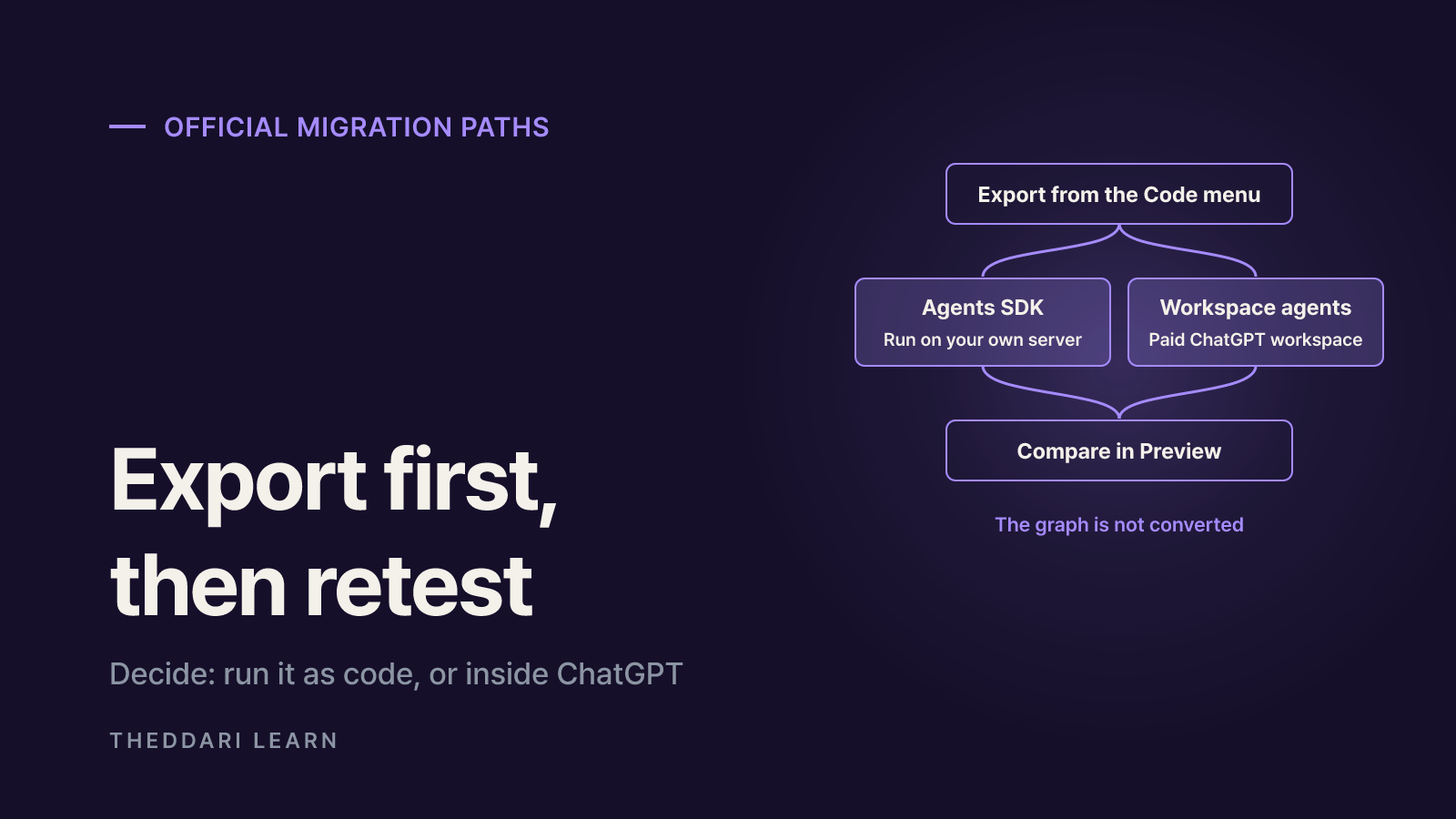
OpenAI's migration guide offers two official routes: the Agents SDK for teams building agents in code, and ChatGPT workspace agents for teams that want to build in natural language and share agents internally. A third route, not endorsed by OpenAI but common in practice, is rebuilding the flow in a general automation tool such as n8n.
- 1
1. Export your code
Open the workflow in Agent Builder, choose Code, then Agents SDK, pick TypeScript or Python, and copy the full export. You can only do this while Agent Builder is still available.
- 2
2a. Continue with the Agents SDK
Drop the export into your application, install and configure the matching SDK, and test it in your runtime. You are now responsible for validating tools, authentication, permissions and deployment.
- 3
2b. Convert to a workspace agent
You need a ChatGPT Business, Enterprise or Edu workspace with access to workspace agents and permission to create them. Paste the export into a new workspace agent and ask it to convert the workflow, then review anything it flags.
- 4
3. Compare before you launch
Run Preview with representative inputs from the original workflow, compare results, reconnect apps and credentials, and only then create or deploy the new agent.
Read the fine print: OpenAI states that the process does not convert your workflow graph and does not guarantee every behavior carries over. Workflows that depend on strict, deterministic branching may not migrate faithfully to a workspace agent. If you relied heavily on If/else and While nodes, the Agents SDK will usually stay closer to your original structure.
OpenAI Agent Builder vs n8n: how they differ
Both tools use a node canvas, but they start from different places. Agent Builder was an agent-orchestration tool centered on OpenAI models. n8n is a general-purpose workflow automation platform with hundreds of app integrations, an AI Agent node, and a newer Agents feature that is still labeled preview. The comparison below reflects what each vendor documented in November 2026.
Status
- OpenAI Agent Builder
- Shutting down Nov 30, 2026
- n8n
- Active; Agents feature in preview
Pricing model
- OpenAI Agent Builder
- Included; you pay API model usage
- n8n
- Plans priced by monthly workflow executions
Entry price
- OpenAI Agent Builder
- None beyond model usage
- n8n
- Cloud Starter: 20 euros/month billed annually, 2,500 executions
Self-hosting
- OpenAI Agent Builder
- No, OpenAI platform only
- n8n
- Free Community edition
Models
- OpenAI Agent Builder
- OpenAI-centric
- n8n
- Connect multiple model providers
Integrations
- OpenAI Agent Builder
- MCP node and OpenAI connectors
- n8n
- Built-in integration nodes, MCP client and MCP Server Trigger
Human review
- OpenAI Agent Builder
- Human approval node
- n8n
- Human approval for tool calls
Deployment
- OpenAI Agent Builder
- ChatKit embed or SDK export
- n8n
- Hosted and embedded chat, webhook and schedule triggers
How n8n pricing actually adds up
n8n's pricing page counts one run of an entire workflow as one execution, no matter how many steps it has. On annual billing, Starter is 20 euros a month for 2,500 executions with 5 concurrent runs, Pro is 50 euros a month for 10,000, and the self-hosted-only Business plan is 667 euros a month for 40,000. Enterprise is custom. For chatbots, n8n suggests estimating executions as weekly conversations multiplied by average messages per conversation, so a chatty agent can burn through a quota faster than a nightly batch job. Starter also caps execution time at 5 minutes, which can be tight for long-running agent tasks.
The free Community edition, per n8n's edition comparison, includes almost the full product but leaves out SSO, workflow and credential sharing, projects, environments, external secrets, log streaming and Git version control. If several people need to collaborate or you must meet internal security policies, budget for a paid plan and for someone to run the server. In every option, LLM API costs are billed separately by the model provider.
Which fits your situation
- Embedding an OpenAI-powered chat agent in your own product, with developers who can own code: Agents SDK plus ChatKit's advanced integration.
- Letting staff build repeatable-task agents in plain language inside an existing ChatGPT Business or Enterprise rollout: workspace agents.
- Wiring CRM, email, spreadsheets and chat apps together in a fixed order with a few AI steps: a workflow tool such as n8n.
- Strict data-residency needs: a self-hostable tool, checked together with the data terms of whichever model you call.
Risks of no-code AI agents and what to check
No-code tools make it easy to build agents and just as easy to hand them too much access. OpenAI's safety guidance for agent builders was written for Agent Builder, but most of it applies to any platform you move to.
- Pass untrusted content such as user messages, web pages and email bodies through user messages, never inside developer instructions.
- Use structured outputs like enums and fixed schemas between steps to close free-text channels that injected instructions can ride on.
- Put a human approval step in front of irreversible actions such as sending email, making payments or editing records.
- Treat guardrails for PII and jailbreak detection as a first layer, not a guarantee. OpenAI notes a model may send more data to a connected MCP server than you intended.
- If you use ChatKit, authenticate users on your server and pass a unique user value for each end user when creating sessions.
Migration adds its own risk. Once a workflow becomes code, you own the things the canvas used to handle: versioning, credential storage and logs. Keep API keys out of source code and set spending limits and usage alerts before going live. Agent tooling news moves fast, and you can follow how practitioners react on Theddari's AI Telegram trends feed.

Bottom line: a checklist by situation
Agent Builder showed what a hosted, no-code agent canvas could look like, and it is being retired a little over a year after launch. The lesson for anyone choosing a no-code platform is to weigh exit paths, such as code export and self-hosting, alongside features.
- Have Agent Builder workflows? Export Agents SDK code from the Code menu before November 30, 2026 and store it in version control.
- Running ChatKit against a workflow ID? Schedule the move to the advanced integration with your own backend.
- Used Evals or trace graders inside Agent Builder? Move your datasets and grading criteria to another tool.
- Starting fresh? Write down who will maintain the agent, whether you already pay for ChatGPT Business or Enterprise, how many apps you must connect and how often it will run, then pick the tool.
- Whatever you choose, make human approval, structured outputs and spending limits the default.
To see which agent tools keep coming up in blog and community discussions, check the Theddari blog trends page. Popularity is not the same as long-term support, so always check the vendor's deprecation notices before you build on a platform.