Inkling 2 Mini Local: Picking a GGUF Quant for Your Laptop
Run Inkling 2 Mini on a laptop: compare GGUF quant sizes and quality, match them to 16–32 GB of memory, and see what the 5.4 GB MLX build gives up.
Contents9 sections
- What to know before running Inkling 2 Mini local
- Inkling 2 Mini GGUF quants compared: size vs quality
- Matching a quant to your laptop's memory
- Reading the viral 5.4 GB Inkling 2 Mini build
- Runtimes, versions, and compatibility checks
- Uncensored variants, licensing, and risks
- A quick start checklist
- Frequently asked questions
- Sources and references
Key takeaways
- Inkling 2 Mini is a looped MoE model with 26.4B total and 3.4B active parameters; the official ~20 GB checkpoint is recommended for 32 GB or more of memory.
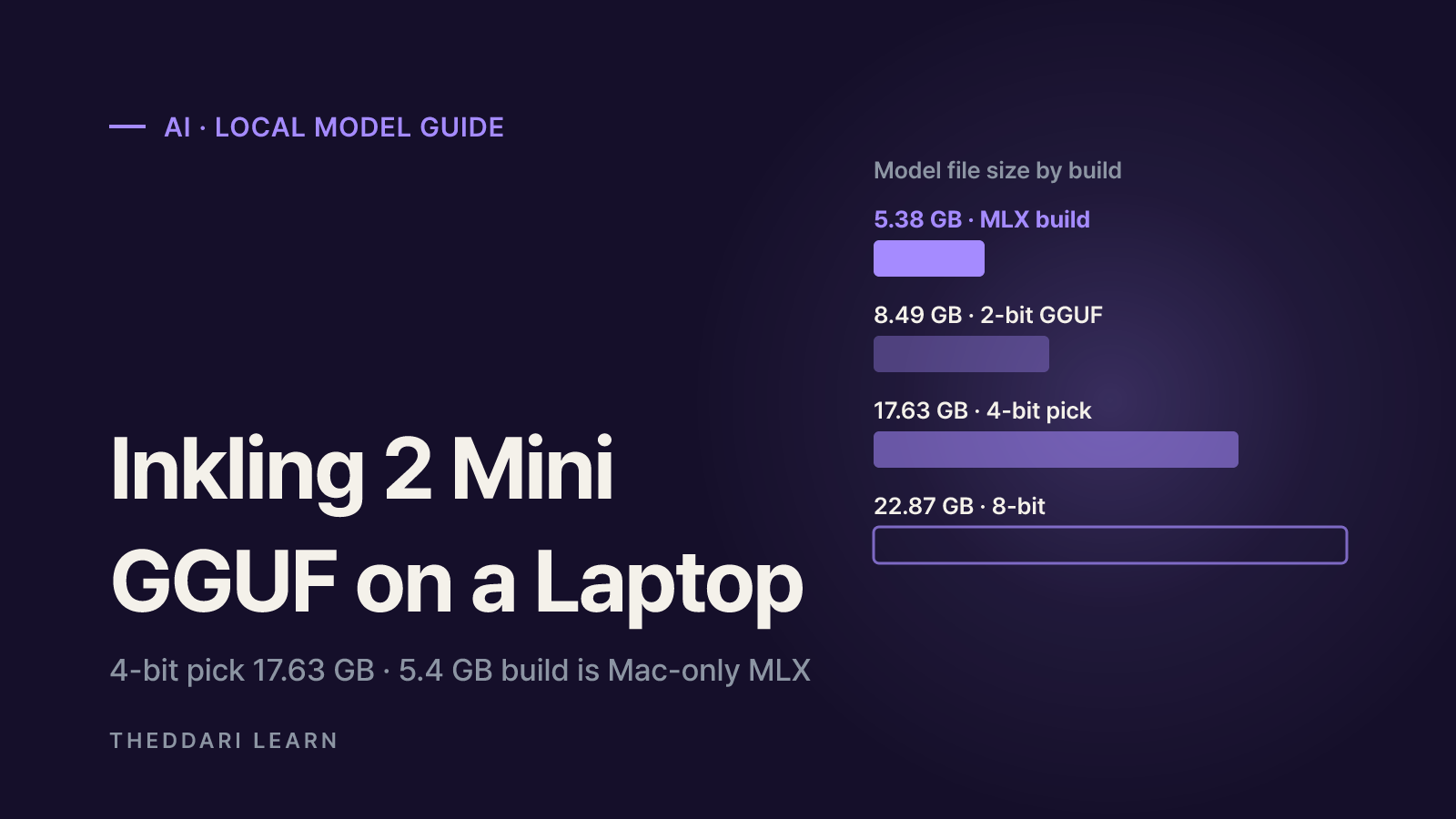
- Unsloth's GGUF quants range from 7.76 GB (1-bit) to 22.87 GB (8-bit); its recommended pick is UD-Q4_K_XL at 17.63 GB.
- The 5.4 GB build from Hacker News is an Apple Silicon MLX build, not a GGUF, and it scores clearly lower than the original on GSM8K and HumanEval.
- Context costs memory on top of the file: in llama.cpp, roughly 1.3 GB extra at 8K and 4.5 GB at 32K, according to Atomic Chat's estimate.
- Uncensored variants are unofficial edits with refusals removed; check the measured quality loss, the license terms, and sandbox any agent use.
Getting Inkling 2 Mini local on a laptop comes down to one decision: which quantized file fits your memory. The official checkpoint is about 20 GB and is recommended for 32 GB of memory, but a 4-bit GGUF (roughly 16–18 GB) runs on 24 GB machines, and 2- or 3-bit files fit 16 GB laptops. The "5.4 GB" build that trended on Hacker News is a different thing: an Apple Silicon MLX build with real quality trade-offs. This guide reflects the model card, the Unsloth and Atomic Chat release pages, and the LookAtMyQuant repository as checked on November 22, 2026.
What to know before running Inkling 2 Mini local
Per the official model card, Thinking Machines Lab released Inkling 2 Mini on November 20, 2026 under Apache 2.0. It takes text and image input, produces text, and supports up to a 1M-token context. It is a mixture-of-experts model with 26.4B total and 3.4B active parameters, routing each token to 8 of 128 experts per layer.
It is also a looped transformer: the middle 12 of its 24 layers run three times with shared weights, so every token passes through 48 layer applications. The card says each extra pass adds about 1.0B effective active parameters, for 5.4B effective active parameters per token. That number is easy to confuse with the viral 5.4 GB file. One is compute per token; the other is a compressed file size. They are unrelated.
Official hardware guidance: Apple Silicon Macs with 32 GB or more, GPUs with 32 GB or more of VRAM, or one NVIDIA DGX Spark. The weights ship as a single ~20 GB checkpoint in mixed NVFP4 and MXFP8 precision. Anything smaller means using a community quant.
Because it is a MoE, a small active count does not shrink the memory footprint: all experts still have to live somewhere. The upside is that pushing some expert layers to system RAM hurts speed less than it would on a dense 27B model, which helps on laptops that are a few gigabytes short of VRAM.
Inkling 2 Mini GGUF quants compared: size vs quality
GGUF is the file format used by llama.cpp and the apps built on it, such as LM Studio, Ollama, and Jan. Lower bit widths mean smaller files but more drift from the original. Two metrics matter: mean KL divergence (KLD), where lower is better, and same-top-token agreement, the share of positions where the quant picks the same next token as the reference.
Here are the numbers published in the Unsloth GGUF repository, measured against its UD-Q8_K_XL (22.87 GB) reference:
UD-IQ1_S
- Bits
- 1-bit
- File size
- 7.76 GB
- Same top token
- 89.4%
UD-IQ2_XXS
- Bits
- 2-bit
- File size
- 8.49 GB
- Same top token
- 90.6%
UD-Q2_K_XL
- Bits
- 2-bit
- File size
- 9.14 GB
- Same top token
- 91.6%
UD-IQ3_XXS
- Bits
- 3-bit
- File size
- 11.66 GB
- Same top token
- 94.7%
UD-Q3_K_XL
- Bits
- 3-bit
- File size
- 13.63 GB
- Same top token
- 96.3%
UD-Q4_K_M
- Bits
- 4-bit
- File size
- 16.61 GB
- Same top token
- 97.9%
UD-Q4_K_XL
- Bits
- 4-bit
- File size
- 17.63 GB
- Same top token
- 98.0%
UD-Q8_K_XL
- Bits
- 8-bit
- File size
- 22.87 GB
- Same top token
- reference
Agreement falls faster going from 3-bit to 2-bit than from 4-bit to 3-bit. The Unsloth run guide recommends UD-Q4_K_XL and lists total memory needs (RAM plus VRAM, or unified memory) of 9 GB for 1-bit, 10–11 GB for 2-bit, 13–15 GB for 3-bit, 17–18 GB for 4-bit, and 24 GB for 8-bit. Image input needs the mmproj-F16.gguf vision projector, another 639 MB.
Atomic Chat publishes 14 GGUF builds from 6.88 GB to 27.74 GB. In its local guide, AD-Q4_K is 16.53 GB at 96.3% top-1 match, AD-IQ3_S is 13.34 GB at 94.2%, and AD-IQ2_M is 8.67 GB at 85.7%. The two uploaders use different references and corpora, so compare quants within one repository rather than across them.
Matching a quant to your laptop's memory
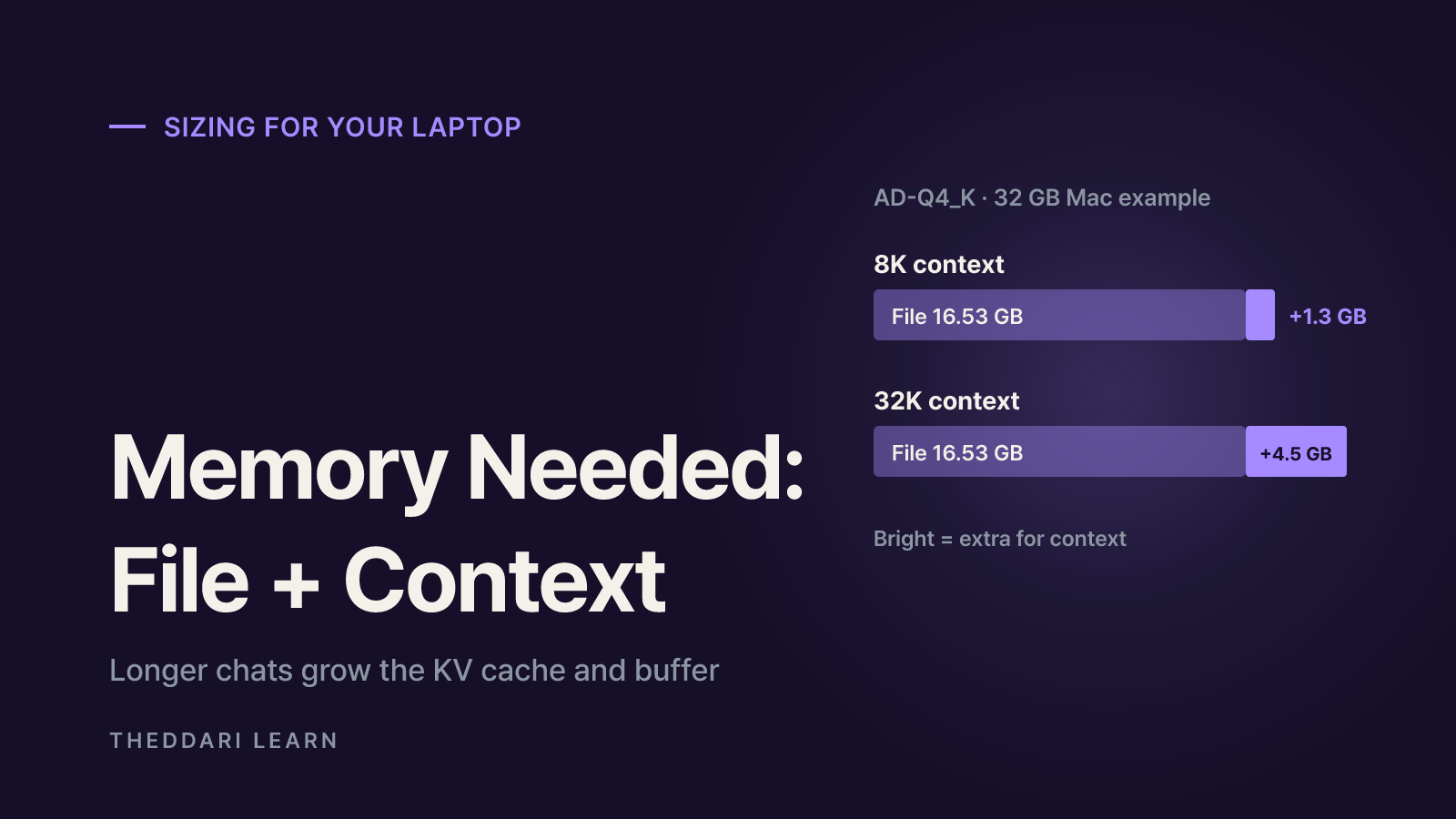
File size is only the starting point. The KV cache and llama.cpp's compute buffer grow with context length. Atomic Chat notes that five of every six layers use a 1,024-token sliding window, which keeps the cache small, but still estimates roughly 1.3 GB extra at 8K context, 4.5 GB at 32K, and 17 GB at 128K with default settings.
Macs add one more constraint. According to Atomic Chat, on Macs with 32 GB or less, macOS hands the GPU only about two thirds of unified memory. Its suggested pairings:
16 GB Mac
- Suggested build (Atomic Chat)
- AD-IQ2_M
- File size
- 8.67 GB
- Context left
- ~8K
24 GB Mac
- Suggested build (Atomic Chat)
- AD-IQ3_S
- File size
- 13.34 GB
- Context left
- ~8K
32 GB Mac
- Suggested build (Atomic Chat)
- AD-Q4_K
- File size
- 16.53 GB
- Context left
- ~32K
Laptop with 16 GB VRAM
- Suggested build (Atomic Chat)
- AD-IQ3_S
- File size
- 13.34 GB
- Context left
- ~8K
Laptop with 8 GB VRAM
- Suggested build (Atomic Chat)
- AD-IQ1_S
- File size
- 6.88 GB
- Context left
- Short, some layers on CPU
- When torn between neighboring quants, Atomic Chat suggests taking the larger one; quality drops fastest below 12 GB.
- Start at 8K context and set it explicitly with -c. If you run short, -ub 256 halves the compute buffer at some cost to prompt-processing speed.
- If the file is slightly too big for VRAM, --n-cpu-moe keeps the expert weights of the first layers in system RAM; raise the number until the model loads.
- Subtract what your browser, IDE, and chat apps already use. The figures above assume a mostly idle machine.
Reading the viral 5.4 GB Inkling 2 Mini build
The LookAtMyQuant repository is a quantization compiler that measures how much each tensor hurts output when compressed and allocates bits accordingly. Its author compressed Inkling 2 Mini's 18.89 GB of text weights into four Apple Silicon MLX builds: 5.38 GB (1.65 bits per parameter), 8.87 GB, 11.18 GB, and 12.76 GB. The scores below are the author's own measurements.
Original BF16
- Text weights
- 18.89 GB
- GSM8K (200)
- 193 (96.5%)
- HumanEval (164)
- 152 (92.7%)
12.8 GB build
- Text weights
- 12.76 GB
- GSM8K (200)
- 193 (96.5%)
- HumanEval (164)
- 152 (92.7%)
8.9 GB build
- Text weights
- 8.87 GB
- GSM8K (200)
- 192 (96.0%)
- HumanEval (164)
- 149 (90.9%)
5.4 GB build
- Text weights
- 5.38 GB
- GSM8K (200)
- 176 (88.0%)
- HumanEval (164)
- 116 (70.7%)
A few caveats. The 5.4 GB build solved 17 fewer math problems and 36 fewer coding problems than the original, a large loss if you want a coding assistant. Speed and memory were measured on an Apple M5 Max, where it used 5.98 GB of active RAM and decoded 75.3 tokens per second serially; a typical laptop will differ. It runs through the repository's lamq runtime, not GGUF apps, so it is Mac-only. And the 637 MB vision tower sits outside that 5.4 GB. The 8.87 GB build lands much closer to the original, so try it first if memory allows. None of these results have been independently reproduced yet.
Runtimes, versions, and compatibility checks
Tooling is changing quickly after launch, and the model card itself says looped-model support in local runtimes is new and speed varies by runtime and hardware. Work through these checks before downloading 17 GB:
- 1
Check the runtime version
Atomic Chat reports that upstream llama.cpp has supported the model since release b12600 on November 20. Apps bundling an older llama.cpp may fail to load it.
- 2
Match the file layout
GGUFs in the Unsloth repository root use Unsloth's own looped layout, so open them with Unsloth Desktop or Unsloth's llama.cpp build (b12588-mix-c0c3de8). For mainline llama.cpp, follow the Mainline_Support folder and its README.
- 3
Inspect metadata
Before downloading from another uploader, confirm general.architecture is inkling2_loop with block_count 24. Files with block_count 48 follow the early PR #32695 layout and won't load on current llama.cpp.
- 4
Pick an app
On a Mac, Ollama's inkling-2-mini pulls a ~20 GB NVFP4 build for its MLX engine, which realistically needs a 32 GB machine. LM Studio and Jan load GGUFs, and Unsloth Desktop handles builds for you.
- 5
Set limits
The model card warns about long reasoning loops and recommends caps on output tokens and agent turns. Unsloth suggests temperature 1.0, top-p 1.0, top-k 0, and min-p 0.0.
Fixes and new quants often surface in community channels first. The theddari AI Telegram trends page shows which models people are talking about; verify anything you find against the original repository before relying on it.
Uncensored variants, licensing, and risks
An "Uncensored" variant also trended. AtomicChat's uncensored GGUF applies a rank-1 LoRA that removes each layer's refusal direction. Its own measurements show harmful-prompt refusals dropping to zero and MMLU falling from 80.65% to 79.15% on 2,000 questions. The authors say it misses two of their quality gates, and that users are responsible for how they use a model that answers what the original refuses.
- The official weights are Apache 2.0, but Thinking Machines Lab also publishes a model acceptable use policy worth reading.
- Third-party repositories can carry their own license files or conditions; check them, and your employer's policies, before work use.
- The model card warns the model may delete or overwrite files without confirmation when using tools. Run agents in a sandbox and require approval for irreversible actions.
- Output quality can be lower outside English, so test it on your own languages and tasks.
- Be wary of GGUFs from unknown uploaders with no published measurements or clear base-model attribution.
New runtimes and quantization write-ups keep appearing. The theddari blog trends page is a quick way to spot compatibility news as it spreads.
 theddari.comTrendsBlog PostsSummarized Naver blog posts
A quick start checklist
- Check usable memory; on a Mac with 32 GB or less, count about two thirds of unified memory.
- Pick a bit width: 4-bit if you have room, 3-bit if tight, 2-bit on a 16 GB Mac.
- Choose one uploader and compare quants inside its own table.
- Match runtime and file layout (llama.cpp b12600 or newer, or the uploader's recommended build).
- Start with 8K context and an output-token cap, then raise them as needed.
- Treat the 5.4 GB MLX build as a light, Mac-only, text-first option and expect weaker coding and math.
Quantization is always a trade between size and quality. The most reliable test is to run the same few prompts from your real work through two or three quants and compare the answers yourself.
Frequently asked questions
Can I run Inkling 2 Mini on a 16GB MacBook?
Does the 5.4 GB Inkling 2 Mini work in LM Studio or Ollama?
What is the difference between UD-Q4_K_M and UD-Q4_K_XL?
Why does llama.cpp fail to load the model or print gibberish?
Is Inkling 2 Mini free for commercial use?
Sources and references
- 1thinkingmachines/Inkling-2-Mini model card (Hugging Face)(opens in a new tab)huggingface.co
- 2unsloth/Inkling-2-Mini-GGUF (Hugging Face)(opens in a new tab)huggingface.co
- 3Unsloth: Inkling 2 Mini - Run Locally Guide(opens in a new tab)unsloth.ai
- 4ShinMegamiBoson/lookatmyquant (GitHub)(opens in a new tab)github.com
- 5Atomic Chat: How to Run Inkling 2 Mini Locally(opens in a new tab)atomic.chat
- 6AtomicChat/Inkling-2-Mini-Uncensored-GGUF (Hugging Face)(opens in a new tab)huggingface.co
Related articles
 AI
AI Agent iPhone Control: Setup Options and Privacy Risks
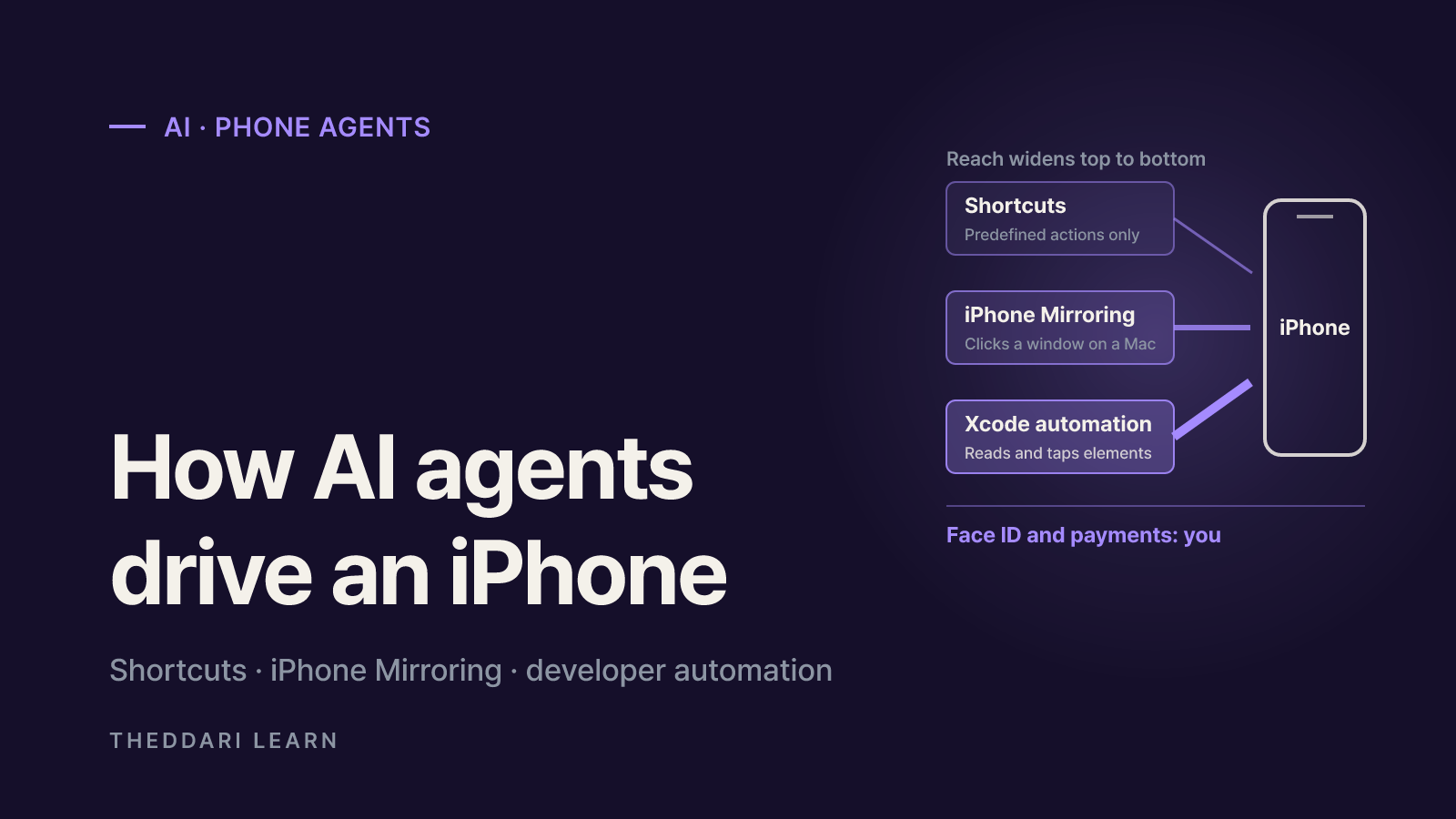
There are three real ways to let an AI agent operate an iPhone: Shortcuts, iPhone Mirroring driven from a Mac, and developer automation tools. Here is what each needs and where the privacy risks sit.
 AI
Anthropic's Riemann Hypothesis Proof: Is It Verified?
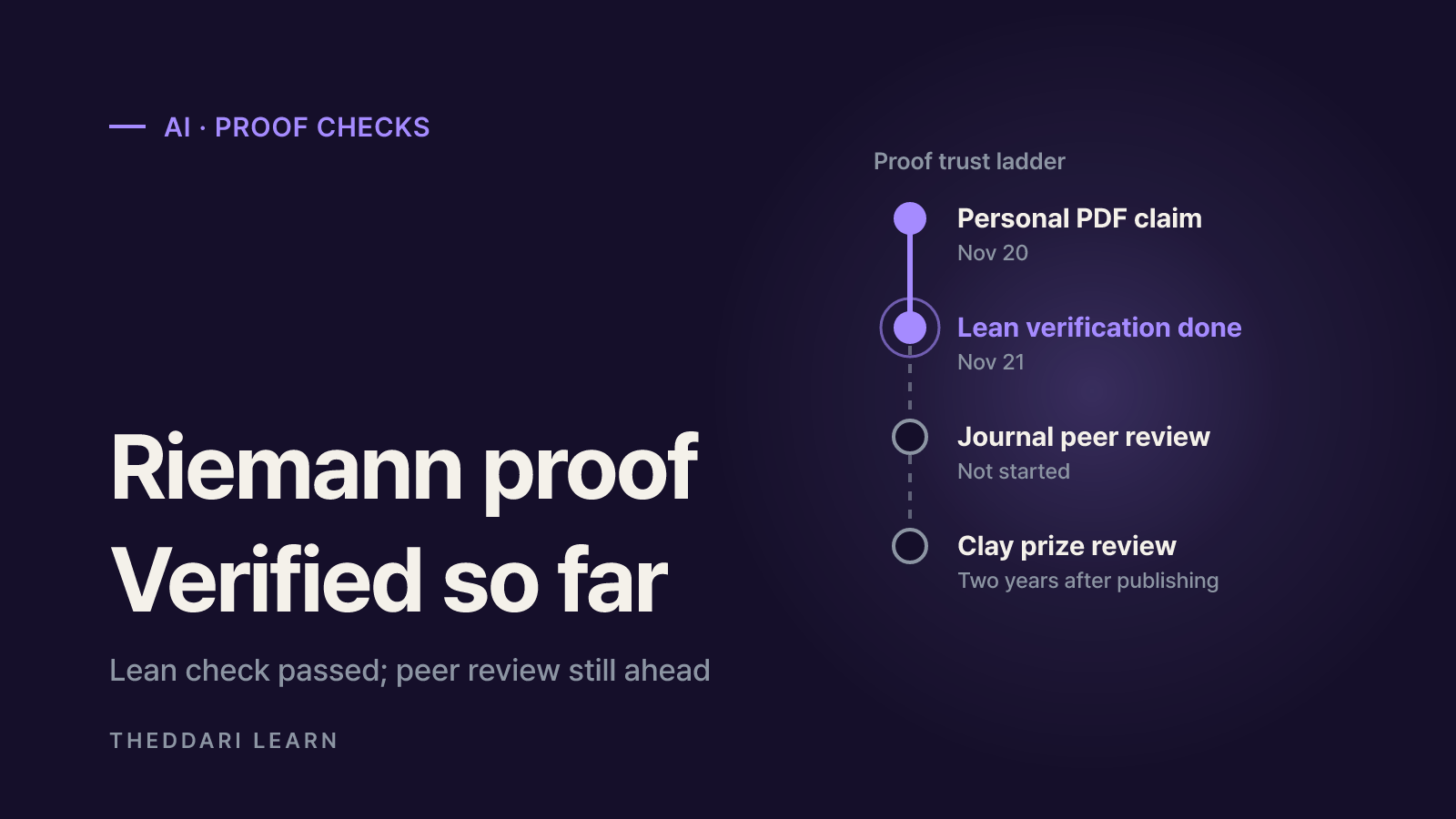
On November 20, 2026, Anthropic researcher Levent Alpöge said he had proved the Riemann Hypothesis with Claude. A day later the Lean and Mathlib communities certified the formal proof. What that means, what is still missing, and a checklist for judging big proof claims.
 AI
AgentRoboCritic: Can Frontier AI Agents Control Robots?
A November 2026 arXiv study from Carnegie Mellon, UIUC and Bosch scores every action a frontier AI agent sends to a robot. Here is what it found about recovery, grasping, alignment, zero-shot success and latency, and how far to trust it.