Contents8 sections
- Four types of open-source AI models, sorted by input and output
- Open-source LLM comparison: Qwen, MiniCPM, LFM and LTX side by side
- Reading size and hardware needs: dense vs MoE
- License check: open weights, different rules
- How to pick by use case: a four-step checklist
- Risks to check before choosing local AI models
- Frequently asked questions
- Sources and references
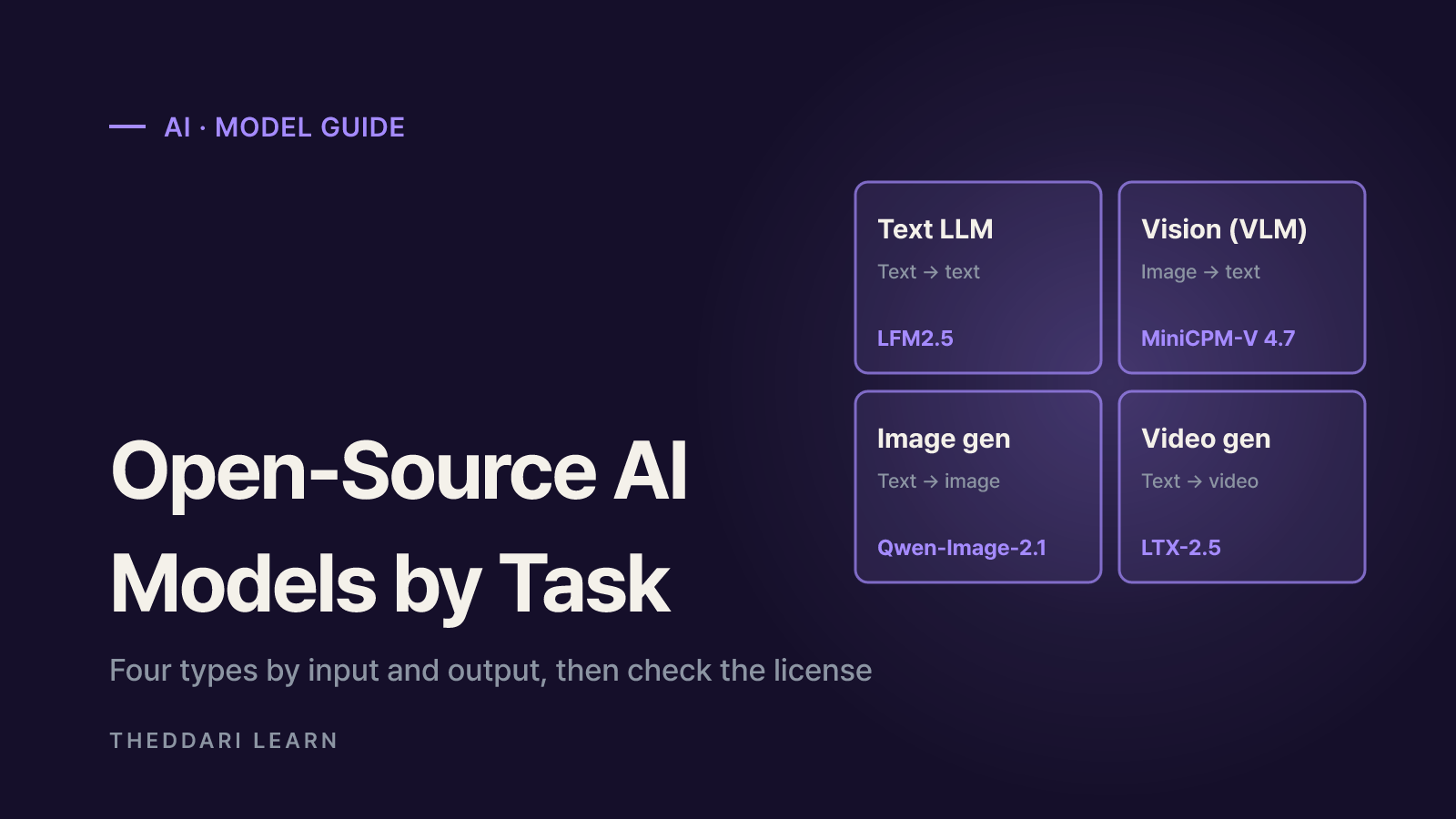
The easiest way to choose among open-source AI models is to ask what goes in and what comes out. Nearly every popular model falls into one of four types: text LLMs that read and write text, vision-language models (VLMs) that look at images or video and answer in text, image generators that turn prompts into pictures, and video generators that turn text or images into clips. This guide uses model cards checked on Hugging Face in October 2026 for Qwen, MiniCPM, LFM and LTX to show what each type looks like, how to read size and hardware needs, and which license details matter. It focuses on picking the right category, not on crowning a benchmark winner.
Four types of open-source AI models, sorted by input and output
Every Hugging Face model page carries a task tag such as Text Generation, Image-Text-to-Text, Text-to-Image or Image-to-Video. That tag tells you the input and output before you read anything else, so check it before you get attached to a model name.
Text LLM
- Input → output
- Text → text
- Typical jobs
- Chat, summaries, coding, agent tool calls
- October 2026 example
- LFM2.5-24B-A2B
Vision-language (VLM)
- Input → output
- Image/video + text → text
- Typical jobs
- OCR, document parsing, image Q&A, video summaries
- October 2026 example
- Qwen3.8-27B, MiniCPM-V 4.7
Image generation
- Input → output
- Text (+ reference images) → image
- Typical jobs
- Posters, illustrations, image editing
- October 2026 example
- Qwen-Image-2.1-Turbo
Video generation
- Input → output
- Text, image or video → video (+ audio)
- Typical jobs
- Short clips, animating stills
- October 2026 example
- LTX-2.5
Speech recognition, text-to-speech and embedding models for search are other categories, but most people comparing open models want one of these four. Text and vision models tend to share runtimes such as vLLM, SGLang, llama.cpp and Ollama. Image and video generators usually run through Diffusers or ComfyUI, which means a separate deployment rather than an add-on to your chat server.
Open-source LLM comparison: Qwen, MiniCPM, LFM and LTX side by side
The table below lists only details stated on each model card in October 2026. Speed figures are vendor measurements under the vendor's own settings, so treat them as a ceiling to verify, not a promise.
Qwen3.8-27B
- Type
- Text + image/video understanding
- Size
- 27B dense
- What stands out
- 262,144-token native context, extensible to about 1M; thinking mode on by default
- License
- Apache 2.0
MiniCPM-V 4.7
- Type
- Vision-language
- Size
- 35B-A3B MoE and 1B
- What stands out
- Single-image, multi-image and video understanding; iOS, Android and HarmonyOS deployment
- License
- Apache 2.0
LFM2.5-24B-A2B
- Type
- Text-only reasoning and agents
- Size
- 24.0B total, 2.45B active
- What stands out
- 131,072-token context, 16 languages, always reasons before answering
- License
- lfm1.0 (Liquid AI license)
Qwen-Image-2.1-Turbo
- Type
- Image generation and editing
- Size
- 7B
- What stands out
- 8 denoising steps; runs in Diffusers
- License
- Qwen Research License
LTX-2.5
- Type
- Video + audio generation
- Size
- 22B transformer + Gemma 4 12B text encoder
- What stands out
- Text, image and video inputs; synchronized audio; multi-shot scenes
- License
- LTX-2.x Community License
Text LLM: LFM2.5-24B-A2B
Liquid AI's LFM2.5-24B-A2B card pitches it as a reasoning model for fast, private agents on your own device. Only about 2.45B of its 24.0B parameters run per token, and the vendor reports 184 tokens per second on an Apple M5 Max using llama.cpp with Q4_K_M quantization and a 4K-token prompt. The card is candid about limits: it does not recommend the model for knowledge-heavy tasks on its own and suggests pairing it with retrieval or web search. Think of it as a tool-calling worker, not an encyclopedia.
Vision-language: Qwen3.8-27B and MiniCPM-V 4.7
Qwen3.8-27B is a 27B dense model with native image and video understanding, a good candidate if you want one model for coding, documents and agent work on a server GPU. MiniCPM-V 4.7 is built for phones and laptops. Its card says the 35B-A3B version decodes at 13+ tokens per second with about 3 GB of memory on an iPhone 17 Pro Max, and a lighter 1B variant is also available. It credits Qwen3.5 and Qwen3.6 for the language backbone and SigLIP2 for vision.
Image and video generation: Qwen-Image-2.1-Turbo and LTX-2.5
Qwen-Image-2.1-Turbo is an accelerated checkpoint of Qwen-Image-2.1 that generates and edits images in 8 denoising steps on the same 7B architecture. LTX-2.5 from Lightricks generates video with synchronized audio from text, image and video inputs. It ships as a split pack: a 22B transformer, a Gemma 4 12B-based text encoder, video and audio VAEs and upscalers, so setup involves more pieces than a single checkpoint.
Reading size and hardware needs: dense vs MoE
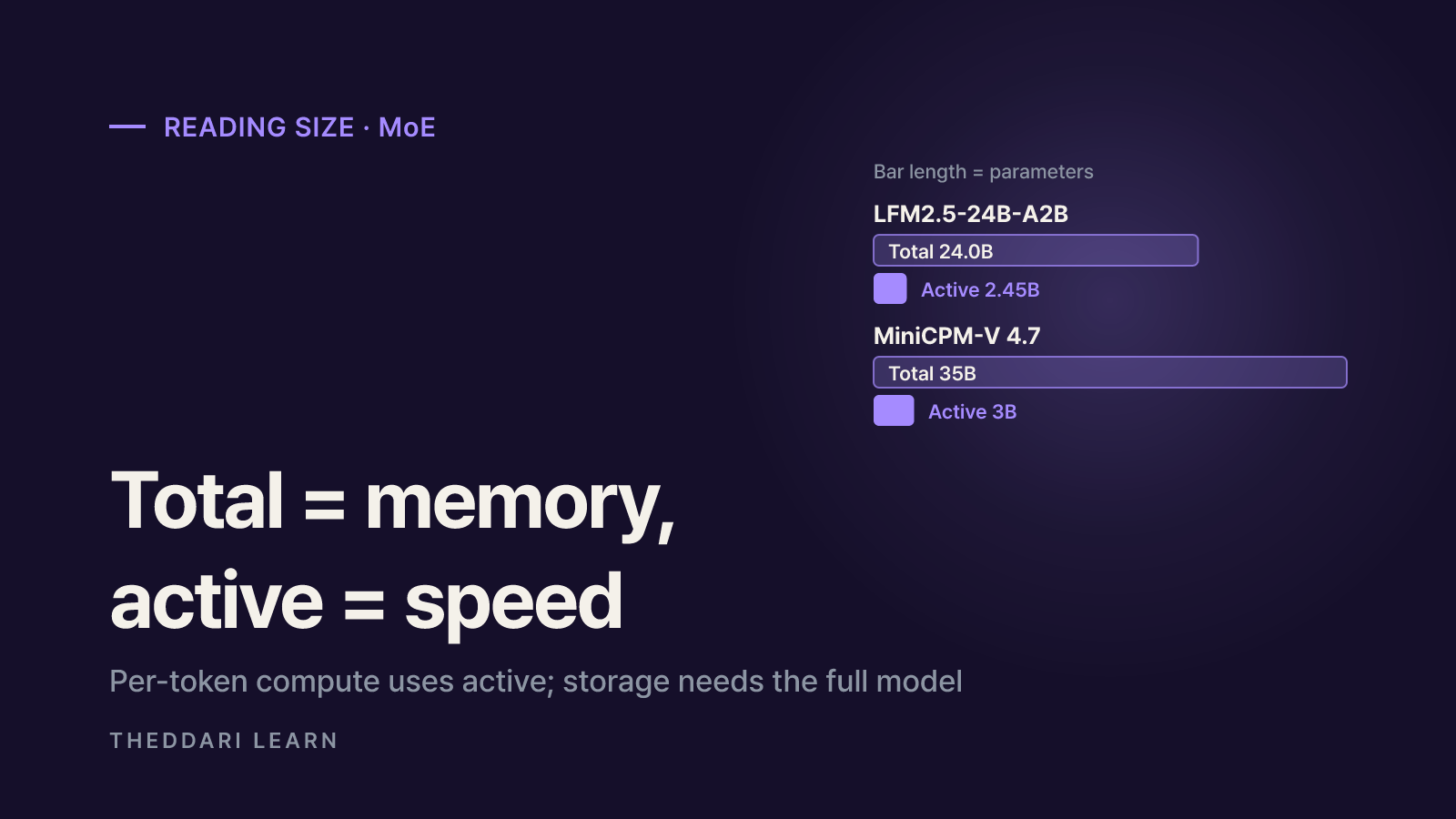
The number in a model name is its parameter count. A single number such as 27B usually means a dense model that uses every parameter for every token. A name like 24B-A2B signals a mixture-of-experts model with 24B total parameters and roughly 2B active per token.
- Active parameters drive speed. Less compute per token means faster replies than a dense model of the same total size.
- Total parameters drive storage and memory. The MiniCPM-V 4.7 card notes that different tokens can pick different experts, so memory needs are not limited to the active slice. Budget for the full model.
- Quantized files set the real requirement. GGUF (llama.cpp, Ollama), AWQ and GPTQ (GPU), FP8 and MLX (Apple Silicon) builds can shrink memory well below BF16, usually at some cost in quality.
- Generators add up their parts. When a model is split into transformer, text encoder, VAE and upscaler like LTX-2.5, those components all need to fit. That is why its card lists fp8 casting and CPU offload as low-VRAM options.
License check: open weights, different rules
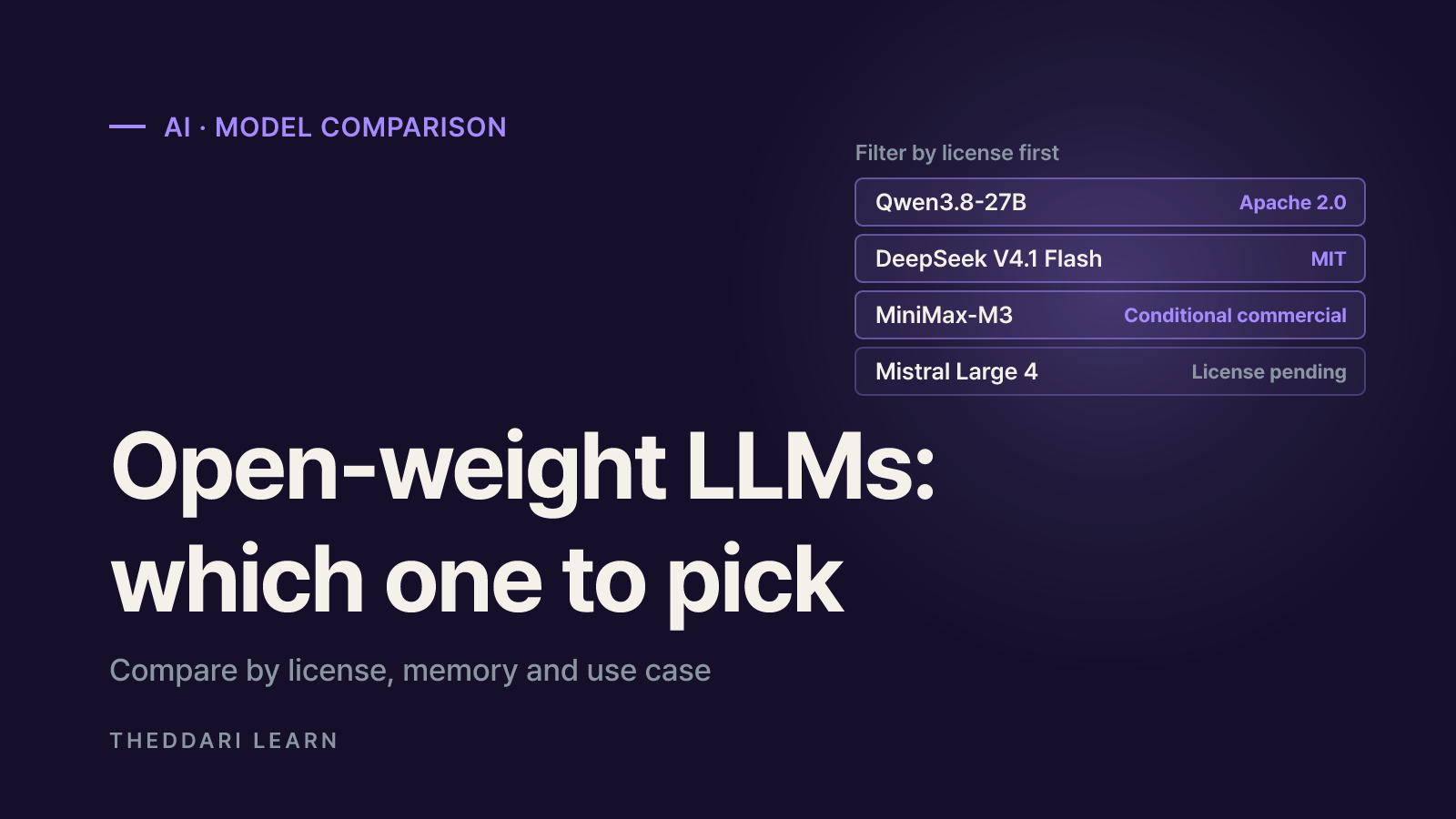
Licensing is the step people skip most often when they compare open-source AI models. Even one vendor can use different licenses across model types. Here is how the cards read in October 2026.
Apache 2.0
- Example
- Qwen3.8-27B, MiniCPM-V 4.7
- What to check
- Broad rights to use, modify and redistribute commercially; keep the notices
Vendor license
- Example
- LFM2.5-24B-A2B (lfm1.0)
- What to check
- Not a standard license; read commercial-use and company-size terms
Research license
- Example
- Qwen-Image-2.1-Turbo (Qwen Research License)
- What to check
- Confirm whether commercial use is allowed or needs separate permission
Revenue-threshold community license
- Example
- LTX-2.5 (LTX-2.x Community License)
- What to check
- Free commercial and production use under $10M annual revenue; above that, a paid agreement. Revenue counts the whole entity, including affiliates
The LTX-2.5 card also says transferring fine-tuned models may require a paid license, and the repository is gated: you must agree to share your Hugging Face account details before downloading. Terms like these decide not just whether you can run a model, but whether you can hand its outputs or derivatives to customers.
How to pick by use case: a four-step checklist
- 1
1. Write the job as input and output
Scanned contracts in, summaries out? That is a vision-language model. Product copy in, promo clip out? That is a video generator. One sentence usually narrows the field to a single type.
- 2
2. Decide where it runs
On a phone or laptop, small models and MoE designs that advertise on-device use, such as MiniCPM-V 4.7 1B or LFM2.5, have the edge. With a server GPU, dense models like Qwen3.8-27B and video generators become realistic. Size the hardware from the actual quantized file.
- 3
3. Filter by license
Personal experiments, internal tools and customer-facing products can land on different sides of the same license. For commercial products, start with Apache 2.0 options and document any research or revenue-based conditions.
- 4
4. Test on your own data
Model-card benchmarks come from the vendor's settings. Run 10 to 20 of your real prompts, documents or images through each candidate to judge quality and speed.
To keep up with new releases, you can watch which models are getting attention in theddari's AI Telegram trends and look for hands-on write-ups in the blog trends feed. Buzz shows what people are discussing, not what will work for you, so pair it with the checklist above.
 theddari.comTrendsBlog PostsSummarized Naver blog posts
Risks to check before choosing local AI models
- Cherry-picked benchmarks. The LFM2.5 card shows wins on agent benchmarks but also lower scores than the compared models on some coding tests. One or two numbers do not make a best model.
- Vendor speed claims. Tokens per second depend on chip, quantization, prompt length and runtime version.
- Generator output. The LTX-2.5 card states the model cannot provide factual information and may amplify biases or produce inappropriate content. Review outputs before publishing.
- Unofficial variants. Community fine-tunes and re-quantizations can carry different licenses and quality. Prefer files from the official organization account.
- Fast turnover. Image and video models change every few months, so design your stack to swap models without a rewrite.
In short, start with the type of model your task needs, not the brand. Narrow by hardware, filter by license, and make the final call with a test on your own data.