Mem Shutting Down: How to Export Notes and Choose an App
Mem shuts down January 15, 2027, and notes go read-only December 18, 2026. Learn how to export your Mem notes, keep meeting audio, and pick an alternative.
Contents7 sections
Key takeaways
- Mem shuts down on January 15, 2027. Notes become read-only on December 18, 2026, but you can still read and export until the shutdown date.
- Start by exporting a Markdown ZIP via Settings → Exports → My Computer. You can choose your next app later.
- Original meeting audio is only included if you select the recordings option. Notes, transcripts and recordings are separate items.
- Mem says you won't be charged again and all charging has been paused.
- When picking an alternative, check export formats, local file storage and whether the app is still useful without its AI features.
Mem shutting down is now official: the AI note-taking app closes on January 15, 2027, and your notes become read-only on December 18, 2026. The one thing to do right away is export a full copy of your library from Settings → Exports in Mem. You don't need to pick a new app first. This guide is based on Mem's official shutdown notice and its migration guide, as read in November 2026. It covers the timeline, the export steps, how to move into common apps, and how to choose an alternative that won't leave you stuck again.
Mem shutting down: the timeline and billing
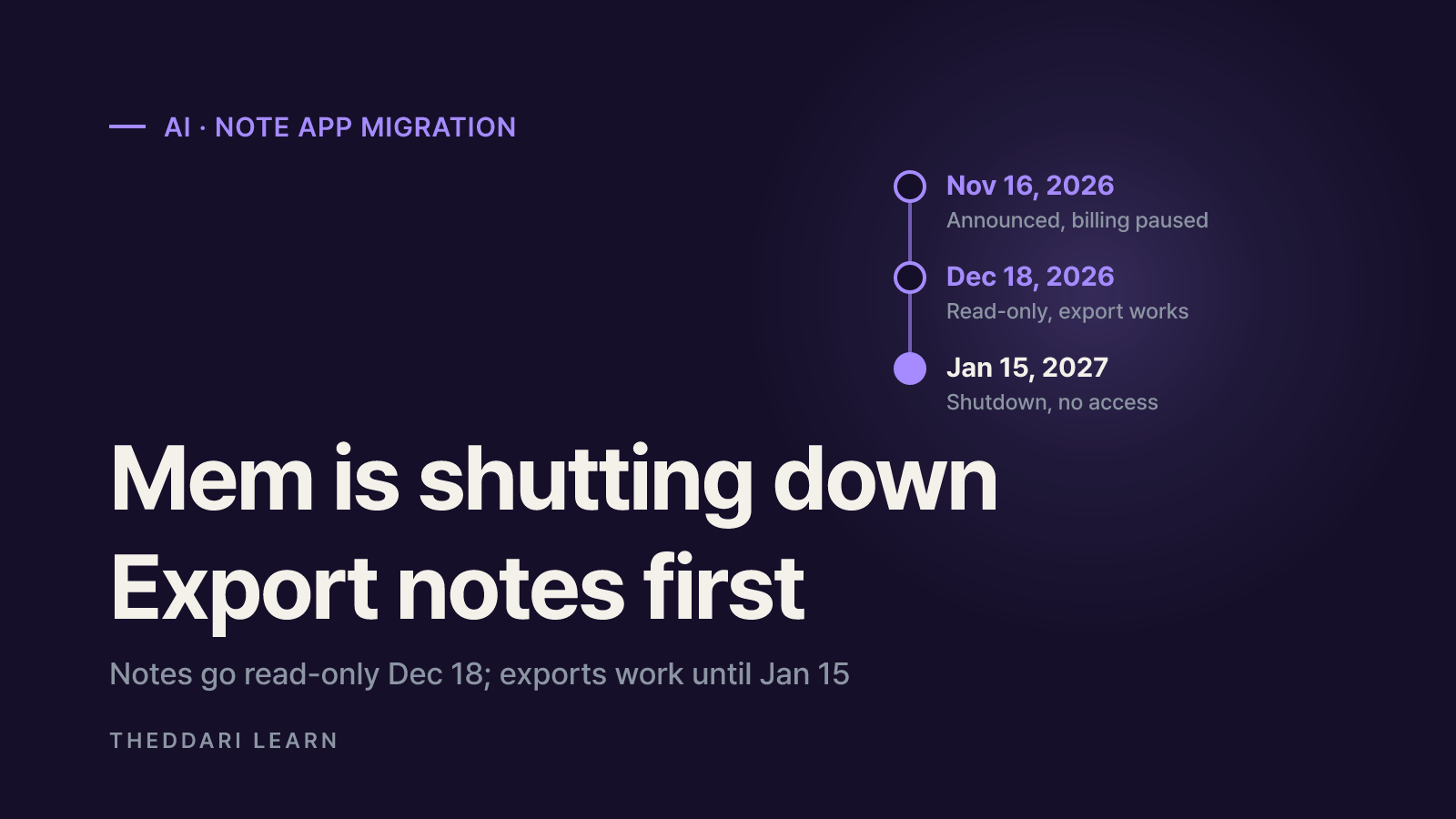
Mem built its reputation on AI features layered over ordinary notes: finding related notes by meaning, chatting with what you saved, recording meetings and, most recently, a proactive Mem Agent in messaging apps. Founder and CEO Kevin announced on November 16, 2026 that the company is closing the product. The key dates are:
Nov 16, 2026
- What changes
- Shutdown announced, charging paused
- What you can still do
- Write, edit and export as usual
Dec 18, 2026
- What changes
- Notes become read-only
- What you can still do
- Sign in, read and export only
Jan 15, 2027
- What changes
- Mem shuts down
- What you can still do
- Nothing; access ends
On billing, Mem says you won't be charged again, and the paid features and limits you already paid for will be honored until shutdown. The notice says nothing about refunds for unused subscription time, so if that matters, email support and keep an eye on your card statement for unexpected charges.
Exports still work after December 18, but don't wait for the final week. Mem's help center notes that large libraries take time to prepare, and you have to let one export finish before starting another.
How to export your Mem notes
Mem itself recommends saving a copy of your library before deciding where to go next. The steps below follow its save-a-copy guide.
- 1
Open Exports on a computer
Sign in on a desktop browser with the account whose notes you want, and go to Settings → Exports. If you have more than one Mem account, export each one separately.
- 2
Start new export → My Computer
Click Start new export, choose My Computer, click Next, review the options and click Start export. If you want original meeting audio, select the recordings option now.
- 3
Download when ready
Return to Exports and click Download on your entry when it's ready. You can leave the page while it prepares; the export keeps running.
- 4
Unzip and keep both copies
Double-click the ZIP on a Mac, or right-click and choose Extract All on Windows. Keep the original ZIP and the extracted folder until you've checked your move.
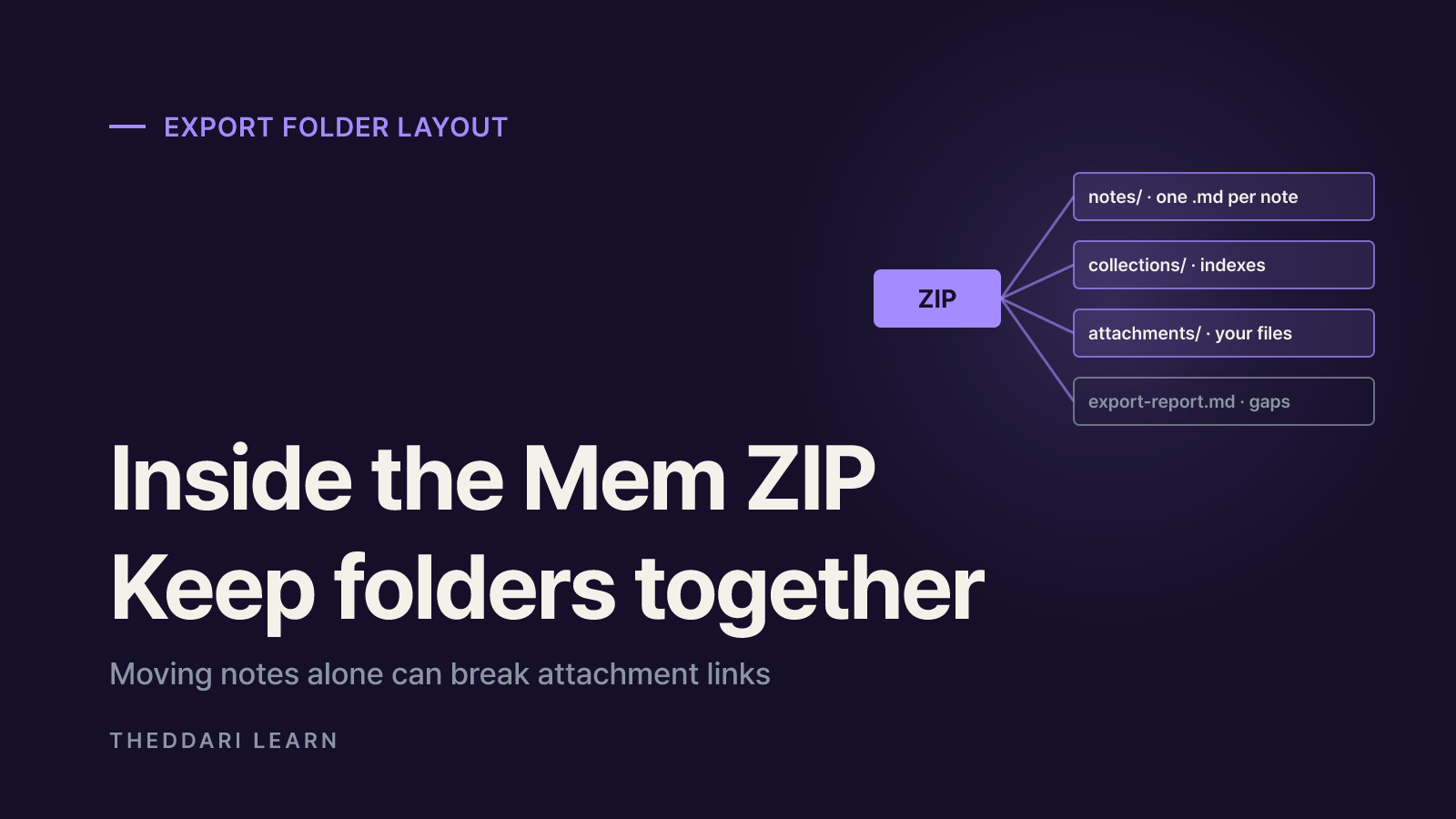
Inside the extracted folder you'll find a predictable structure. Knowing it is what keeps links and attachments working in your next app.
notes/
- Contents
- One Markdown (.md) file per note
- Watch out for
- Opens in any text editor
collections/
- Contents
- An index per collection with links to notes
- Watch out for
- A note in two collections appears in both
attachments/
- Contents
- Files referenced by your notes
- Watch out for
- Keep beside the other folders so relative links work
export-report.md
- Contents
- Items Mem couldn't include (if present)
- Watch out for
- Open this first if something is missing
Meeting transcripts and recordings
If you recorded meetings in Mem, this is where people lose data. Transcripts are included by default where available, but original audio is only included if you select it, and it can make the download much larger. A written meeting note, a transcript and a recording are three separate things; having one doesn't guarantee the others. If you need the sound and exported without it, run a new export with audio selected while Mem is still up.
Re-export after editing
An export is a snapshot. If you keep editing notes after your first copy, Mem's guide says to export again. A clean approach is to take a first copy now and a final copy right after notes go read-only on December 18.
Moving Mem notes to Obsidian, Notion, Bear or Evernote
Mem's migration guide has dedicated instructions for Apple Notes, Obsidian, Notion, Google Docs or Drive, Microsoft OneNote, and Bear or Evernote, plus tips for Joplin, iA Writer, Typora and VS Code. The main paths compare like this:
Obsidian
- Export to choose in Mem
- My Computer or Obsidian (Markdown)
- How to import
- Open folder as vault, pick the parent folder
- What structure survives
- Plain Markdown files and folders
Notion
- Export to choose in Mem
- Notion direct transfer or file
- How to import
- Connect account, or Settings → Import → Text & Markdown with the ZIP
- What structure survives
- Pages under a Mem export page
Bear (Mac)
- Export to choose in Mem
- Bear (ENEX)
- How to import
- File → Import From → Evernote
- What structure survives
- Collections become tags
Evernote
- Export to choose in Mem
- Evernote (ENEX)
- How to import
- Desktop app File → Import
- What structure survives
- Collections become tags
- Obsidian: per the Obsidian steps, open the folder that contains notes, collections and attachments as your vault. Selecting only notes leaves images and indexes outside the vault.
- Notion: the Notion steps warn to use one import method per set of notes, because importing the same files twice can create duplicate pages.
- Bear and Evernote: the ENEX steps turn collections into tags. If collection indexes and links between notes matter, keep the Markdown download too.
You can also use more than one destination, for example a complete archive in Google Drive plus only your writing in a notes app. Mem suggests working from a copy of the extracted folder so the original ZIP stays untouched.
How to choose a Mem AI alternative
The uncomfortable lesson is that Mem's AI features don't come with you. Related-note suggestions, chat over your notes and Mem Agent ran on Mem's servers; your export contains the data, not the intelligence. So instead of hunting for an identical AI note-taking app, rank candidates on these four questions:
- Can you get everything out in a standard format?
- Look for a full export to Markdown or another widely supported format, including attachments and links between notes. Assume you may have to move again one day.
- Do your notes live as files you control?
- File-based tools like Obsidian keep notes as ordinary files in a folder, so they stay readable even if the company disappears. Cloud-only workspaces make syncing and sharing easier but depend more on the service staying alive.
- Is it still useful with AI switched off?
- If search, links and tags work well on their own, losing an AI feature is an inconvenience rather than a crisis. If AI is your only organizing system, it disappears with the feature.
- How does its AI handle your data?
- Check whether AI summaries or chat send notes to third-party models, whether your content is used for training, and whether you can turn that off. This matters more for meeting transcripts that include other people.
AI tools launch, change pricing and shut down quickly. If you want earlier warning about changes to the tools you rely on, theddari's AI Telegram trends and blog trend dashboard surface what people are discussing.

Checking your move before Mem goes dark
Seeing notes in a new app isn't proof that everything arrived. Mem's checking guide suggests testing with notes you know well:
- Text: search for a note you remember writing and read a paragraph from the middle.
- Collections: open an index and follow a note that belonged to two collections. ENEX-based apps may show tags instead.
- Files: open a photo or PDF from inside a note. If the link fails, find the file in the extracted archive; moving only the note can break the link.
- Meetings: find a meeting by title, open its transcript and, if you included audio, play the recording.
If an export shows Couldn't finish, use Retry. Needs attention means a result exists but has issues, so download the original ZIP and read export-report.md. Even a ready file can be missing an attachment or transcript. If you're stuck, Mem asks you to email [email protected] with the app you're moving to, when you started the export, and the status or error you see.
Final checklist: 1) export a Markdown ZIP now; 2) re-export with audio if you need meeting recordings; 3) take a final copy after December 18; 4) store the original ZIP somewhere separate from your new app; 5) finish every Mem account before January 15, 2027.
Frequently asked questions
When exactly is Mem shutting down?
Will I keep getting charged for Mem, and do I get a refund?
What format does a Mem export use?
What is the best Mem alternative?
Can I export my Mem notes after January 15, 2027?
Sources and references
- 1Mem is shutting down (Mem blog, Nov 16, 2026)(opens in a new tab)get.mem.ai
- 2Take your notes with you (Mem migration guide)(opens in a new tab)help.mem.ai
- 3Save a copy on your computer (Mem help)(opens in a new tab)help.mem.ai
- 4Check your move and find missing items (Mem help)(opens in a new tab)help.mem.ai
- 5Move to Obsidian (Mem help)(opens in a new tab)help.mem.ai
- 6Move to Notion (Mem help)(opens in a new tab)help.mem.ai
- 7Move to Bear or Evernote (Mem help)(opens in a new tab)help.mem.ai
Related articles
 AI
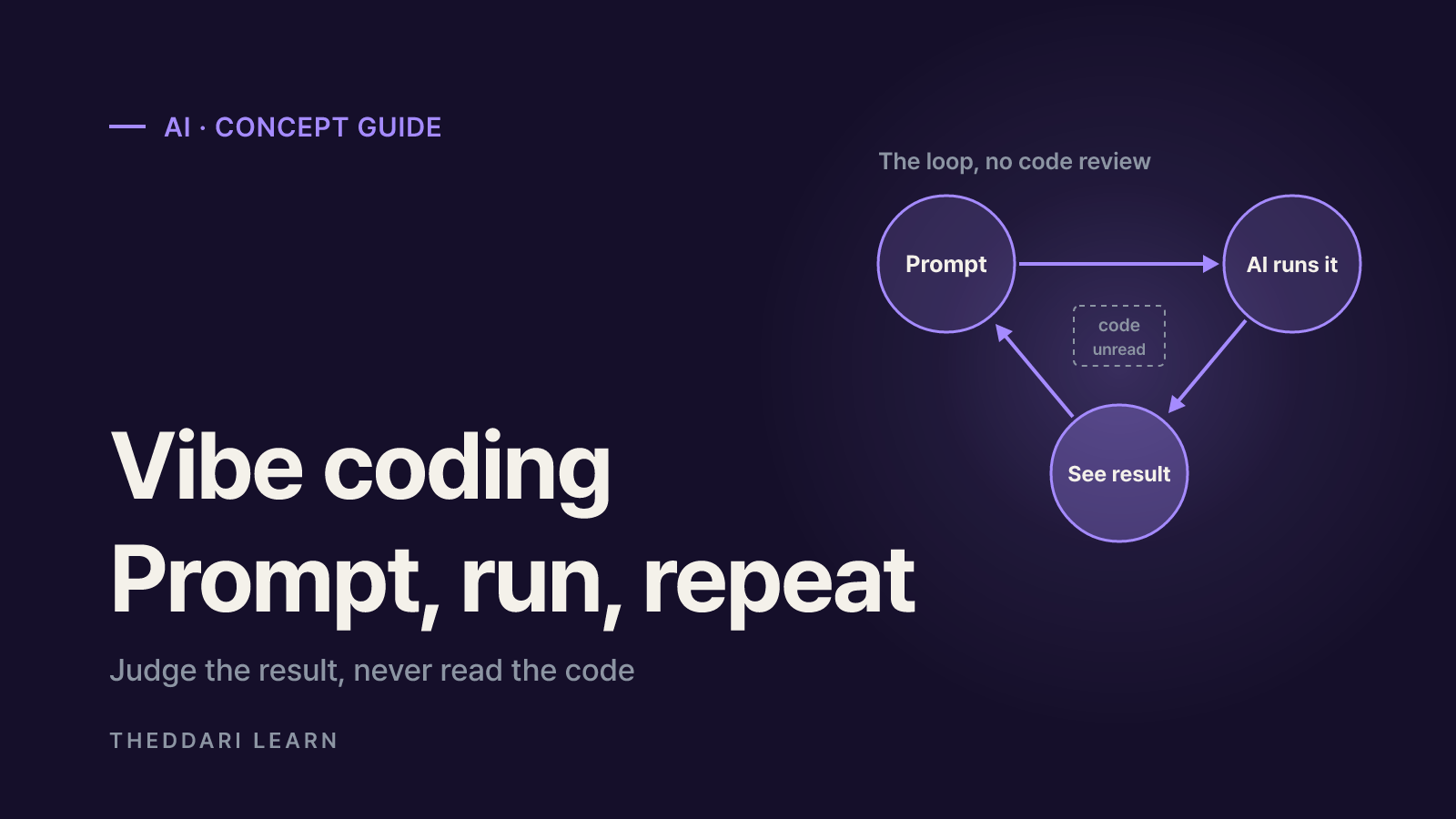
What Is Vibe Coding? How It Works and Where It Breaks
Vibe coding means building software by prompting an AI and judging only the result, never the code. Here is what it can realistically do, which tools fit which job, and where it fails.
 AI
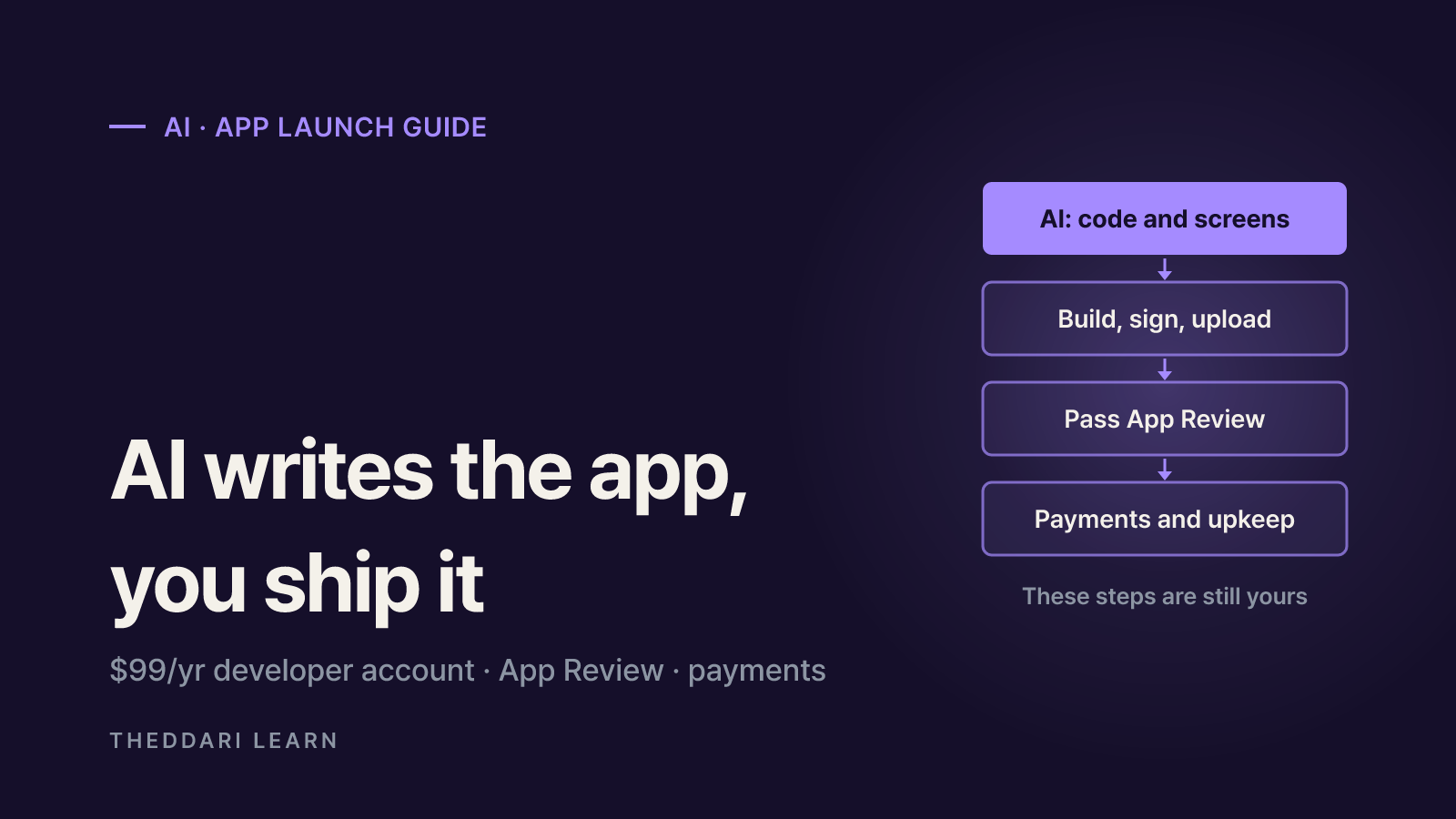
Can You Publish an AI-Built iOS App Without Coding?
AI tools can write the code, but the developer account, signing, App Review, payment rules and long-term maintenance are still yours. Here is what Apple's own documents require, as of November 2026.
 AI
OpenAI's 948 Linux Root Exploits: What It Means for Admins
The viral '948 ways to root your Linux box' claim traces back to a real OpenAI research post, but the number comes with conditions. Here is how to read it, how to vet AI vulnerability claims, and what to check on your servers.