Contents7 sections
Short answer: among today's personal AI agents, Grok Bot suits people who want several specialized agents working in parallel, OpenAI dots suit ChatGPT Pro subscribers who live in Slack or Teams, and Claude Duet suits US professionals who want a daily brief and conservative approval rules. All three run on their own cloud computers and keep working when you step away. The real differences are access, how usage is counted, and what they ask you before acting. This comparison is based on the official announcements and help documentation we read on November 6, 2026. All three products are in beta, gradual rollout or research preview, so details change often.
What makes a personal AI agent different from a chatbot
A chatbot waits for you to open a window and type. A personal agent flips that around. The three products share a common design:
- Its own computer. A cloud virtual machine with a browser, so work continues when your laptop or phone is off.
- Connected apps. Email, calendar, chat and business tools that the agent can read and act in.
- Memory. It learns your preferences and how you like work done.
- It reaches out first. You get a message when a task is done, a decision is needed or something looks important.
- Approval steps. Consequential actions are held for your confirmation by default.
Because these agents hold broad access to your accounts, permissions and data handling matter far more than they do when you pick a chatbot.
Personal AI agents compared: access, apps and approvals
The table only includes what the official pages stated as of November 6, 2026. We left prices out because plan pages change frequently; check the current pricing page before you subscribe.
Maker
- Grok Bot
- SpaceXSI (formerly xAI) with Cursor
- OpenAI dots
- OpenAI
- Claude Duet
- Anthropic
Stage
- Grok Bot
- Beta, launched August 2026
- OpenAI dots
- Gradual rollout, announced September 29, 2026
- Claude Duet
- Waitlisted research preview, October 21, 2026
Included with
- Grok Bot
- The X Subscription Premium, Super and Ultra; paid Cursor individual plans and Teams; linked SuperGrok plans
- OpenAI dots
- ChatGPT Pro and Business Premium (first dot at no extra cost); Enterprise beta
- Claude Duet
- Claude Pro, Max and Ultra (US first)
Number of agents
- Grok Bot
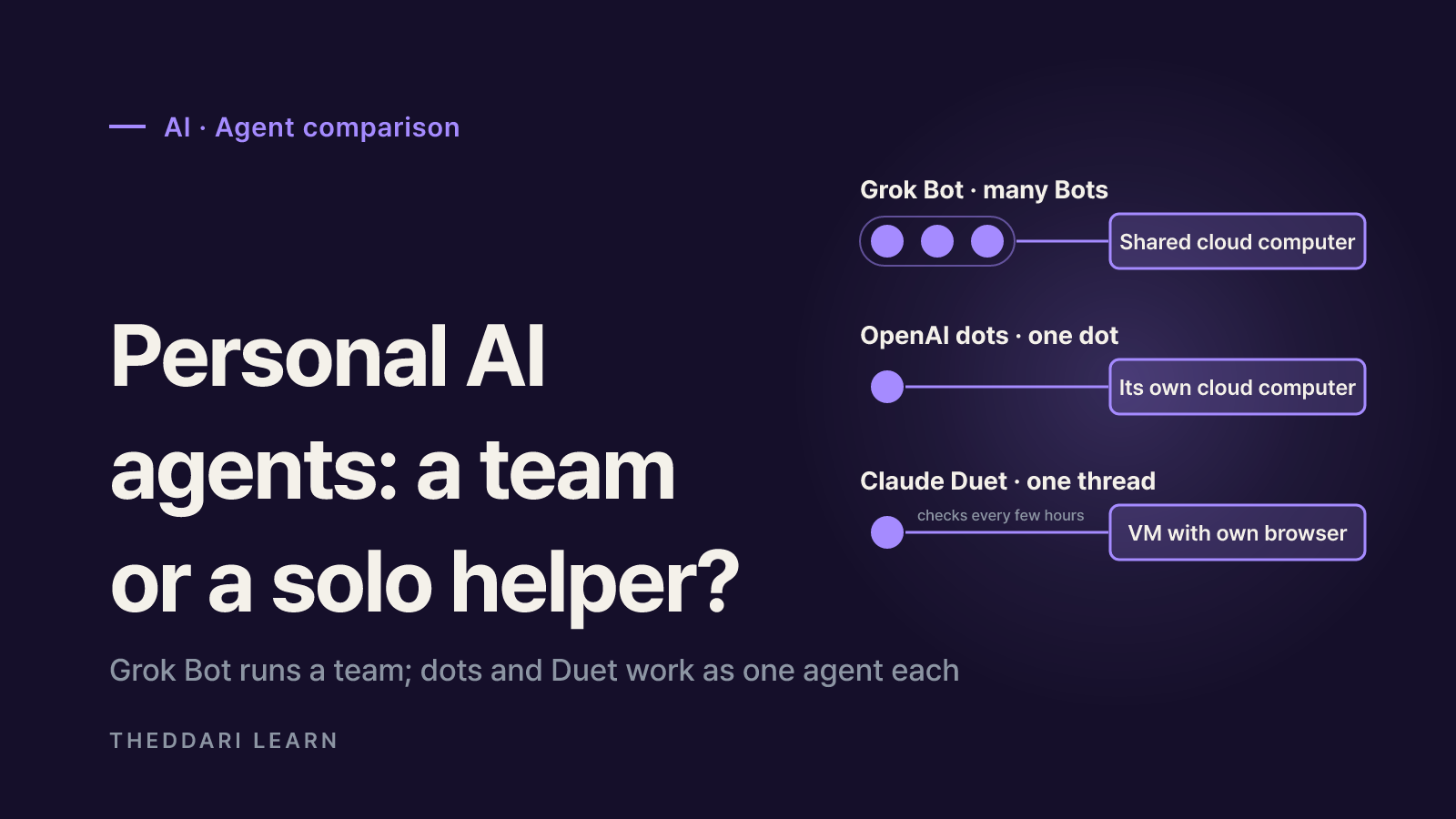
- Many Bots in parallel, with group chats
- OpenAI dots
- One primary dot for now; more planned
- Claude Duet
- One ongoing thread
Workspace
- Grok Bot
- One cloud computer per account, shared by all Bots (browser, files, terminal)
- OpenAI dots
- Each dot has its own cloud computer; linking your laptop is optional
- Claude Duet
- Virtual machine with its own browser; cannot show the browser yet
Where you talk to it
- Grok Bot
- Desktop, iOS and Android apps; tag @bot on X in some regions
- OpenAI dots
- ChatGPT desktop, web and mobile apps; Slack; Teams; texting in a limited US beta
- Claude Duet
- Standalone iOS and Android app; claude.ai
App reach
- Grok Bot
- Connected apps plus computer use on sites without an API
- OpenAI dots
- Over 4,000 apps through plugins
- Claude Duet
- Over 6,000 connectors and plugins in Claude Marketplace
Usage
- Grok Bot
- Weekly pool that resets each week
- OpenAI dots
- Dot chats excluded from ChatGPT limits; Codex and Work tasks count
- Claude Duet
- Shares Claude plan limits; background checks count
Each product up close
Grok Bot: a team of named Bots
According to the Grok Bot documentation, each Bot has a name, a job and memory that compounds over time. Bots can run in parallel, message each other, share context in group chats and pass ownership of a task, so you are not the router between tools. Walk a Bot through a multi-step job once and it can save the path as a skill and rerun it on a schedule. Where no connected app exists, Bots use computer use to operate the website directly.
The trade-off: all your Bots share one cloud computer, including its files, browser sessions and app logins. The docs say to treat anything on that computer as available to every Bot you run, and deleting a Bot does not remove its files or browser sessions. Grok Bot also picks models for you, with no model picker, and its computers run in the United States.
OpenAI dots: one always-on extension of you
OpenAI's announcement says dots are powered by GPT-6 Astra, and a November 3, 2026 update added GPT-6.1 Terra to the model mix. A dot starts with context from your ChatGPT memory and carries it across ChatGPT, Slack and Teams, and you can hop on a voice call with it. When you are not working with it, it does proactive research using read-only tools that cannot send messages, change app content or control your computer.
The help center adds practical limits: access to your local computer is off by default, mobile web is not supported, and messaging channels such as Slack are set up from desktop. Disconnecting an app does not delete information the dot already pulled from it; you have to reset the dot to remove it.
Claude Duet: a daily brief and careful approvals
Anthropic says Claude Duet is designed around Claude Opus 5.5 for professionals and small business owners. Each morning it sends a short brief from your connected apps, then checks those accounts every few hours rather than nonstop, because constant checking would drain plan limits. It reuses the memory, skills and connected apps from your Claude account. Anthropic is candid that the early version may misread a thread or misjudge urgency, that personal errands like booking tickets are weaker, and that it cannot yet show you its browser. If you need real-time monitoring, a check every few hours may not be enough.
Permissions and privacy: set the boundaries first
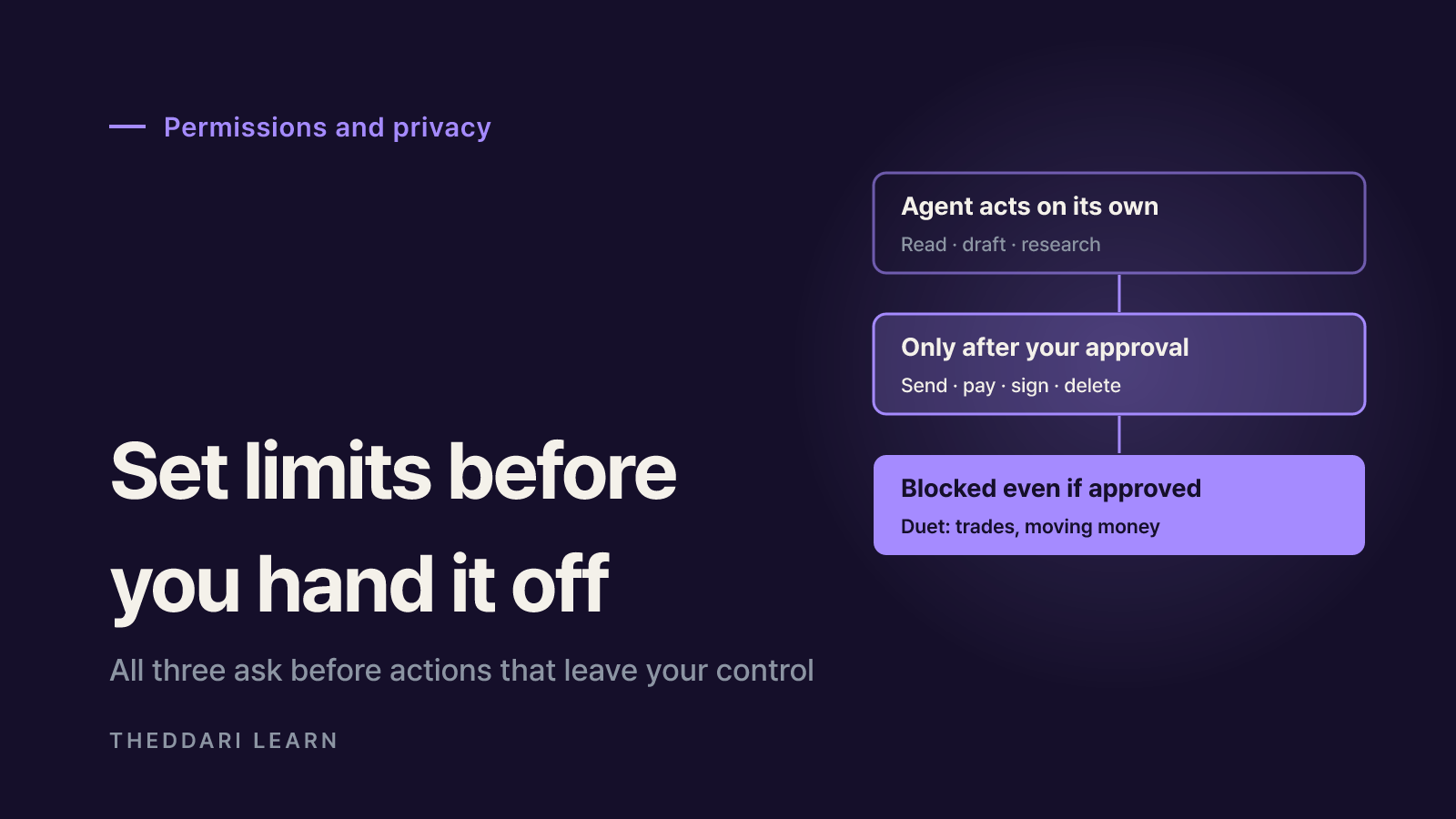
All three follow the same broad rule: read and draft on their own, ask before anything that leaves your control. The details differ.
Approval prompts show the proposed operation and its inputs, with Allow once, Always allow and Deny. Auto Review, an independent review model, checks risky actions such as shell commands, app calls and computer use before they run. Bots act as the signed-in member and never hold more access than you. Saved passwords and card numbers are filled in by reference, so the model never sees them. Running commands on your own machine asks every time by default.
Custom Rules let you allow specific actions, require approval or block them, on top of built-in rules. Actions that could affect your accounts or share information go through auto-review, and steps like changing a password always stay with you. On personal plans you control whether dot conversations and work are used to improve models.
Before it sends a message, makes a payment, signs a document or deletes anything, it shows exactly what it will do and waits. Trading securities and moving money between accounts are off-limits even with approval. A dedicated classifier rejects requests to share credit card numbers and government IDs, and Duet never directly sees your passwords or sign-in tokens.
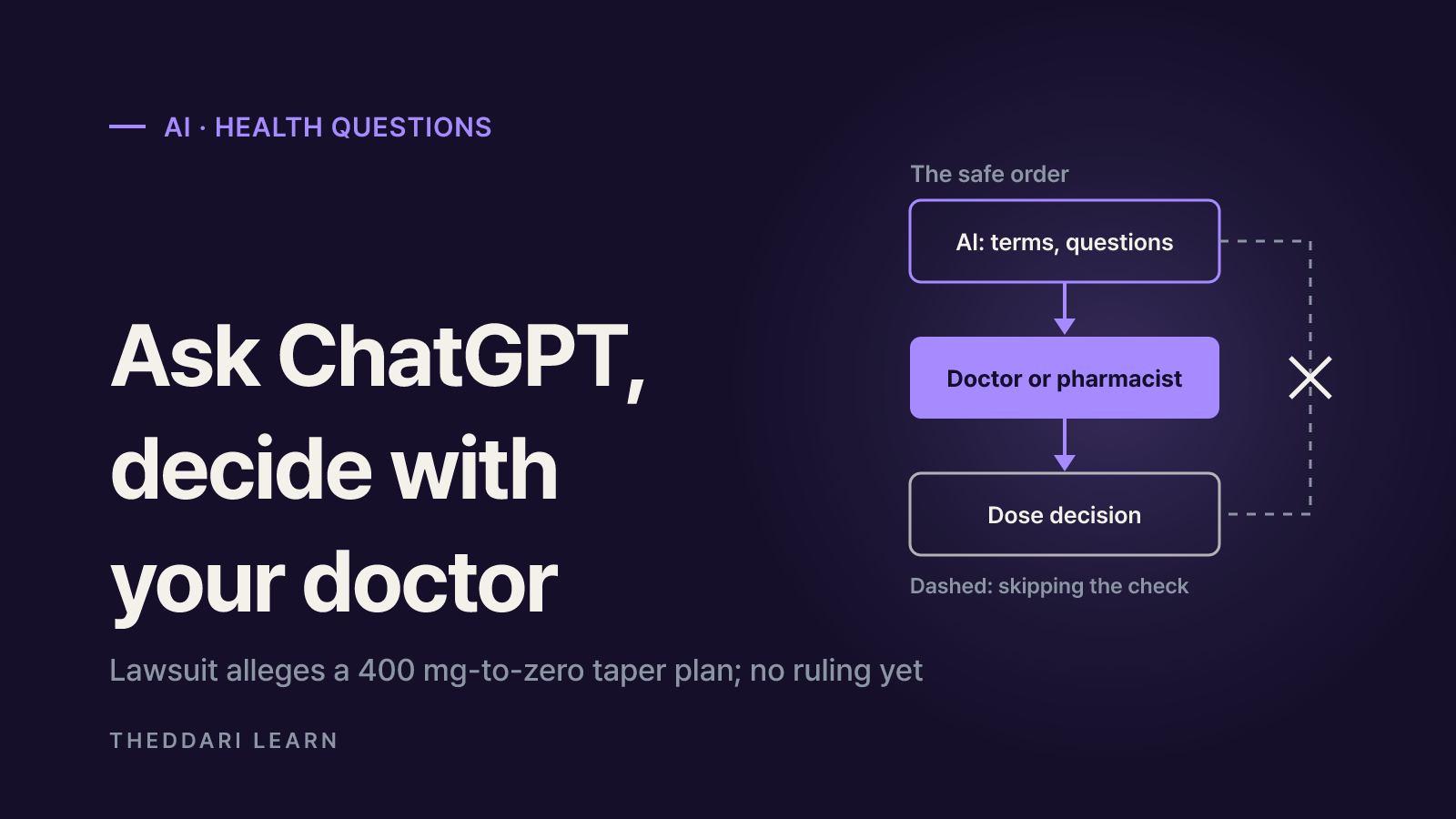
Approval prompts reduce risk but do not remove it. Hidden instructions in web pages or emails (prompt injection) can still push an agent toward actions you did not intend. Never approve an action whose target or effect you cannot identify, and review consequential work before you rely on it.
How to choose (and test) one
- 1
Confirm you can get it
In the US, all three are options. In the UK and EU, dots on Pro are excluded for now and Duet is US-only, which leaves Grok Bot as the most likely route. The subscription you already pay for usually decides the cost.
- 2
Start with one reversible task
Inbox triage, meeting scheduling or a weekly report draft are easy to review and undo. If you want separate agents for sales, research and writing, Grok Bot's parallel Bots fit that shape best.
- 3
Connect the minimum
Link one or two apps the task needs. Leave banking and payment accounts disconnected, and ask whether read-only access is enough.
- 4
Write your stop points
Set outbound email, calendar changes and purchases to ask first. Grok Bot's docs also recommend stating limits in the request itself, such as draft only and do not send.
- 5
Review the activity log after two weeks
Check what the agent read and did, then tune rules and notification frequency. If it is not working out, disconnect apps, and remember that dots keeps pulled data until you reset it.
Models, plans and regions for these agents are changing every few weeks. You can follow new launches and regional rollouts in theddari's AI Telegram trends feed and see how hands-on reviews are trending on the blog trends page.
 theddari.comTrendsBlog PostsSummarized Naver blog posts
Bottom line: choose by access first, then by shape. One assistant that follows you across ChatGPT and Slack points to dots, a roster of specialized coworkers points to Grok Bot, and a cautious, brief-first partner points to Claude Duet if you are in the US. Whichever you try, keep irreversible actions behind approval and widen access only after the agent has earned it.