Contents8 sections
- How to pick the best AI agents: three jobs, three risk profiles
- AI agent comparison by job: what access each one needs
- Pricing: look at included usage, not just the sticker price
- Permissions: what runs without asking
- A five-step check before you commit
- Risks and exceptions: over-permissioning is the common failure
- Frequently asked questions
- Sources and references
The best AI agents are the ones matched to a specific job. As of October 2026, coding work fits agents that operate on your repository and terminal (Codex, Claude Code or GitHub Copilot's cloud agent, for example), research and finished documents fit general work agents such as ChatGPT Work, and recurring workflow automation fits agents that connect to your apps and run on schedules or triggers. Once you know the job, compare two things: how you are billed (flat fee versus metered credits or tokens) and how much the agent can do without asking you first.
This guide does not rank products. Prices and features change often, so it sticks to the structures and numbers confirmed in official documentation this month and tells you what to re-check before you pay.
How to pick the best AI agents: three jobs, three risk profiles
An AI agent is a system that takes a goal, plans steps and calls tools to deliver an outcome. Unlike a chatbot, it acts: it searches, edits files, runs commands and calls connected apps. That means the same model can be harmless in a chat window and high-impact once it is wired into your inbox or codebase. The tools and permissions attached to it define both its usefulness and its blast radius.
Coding agents
These read and change code, run tests and commands, and review diffs. OpenAI's help center describes Codex as the experience for writing or debugging code, running tests and commands, reviewing changes and working with a repository (OpenAI Help Center). Because they touch local folders and a shell, permission settings matter most here.
Research and document agents
These gather sources, analyze them and produce reports, spreadsheets or slide decks. OpenAI now splits ChatGPT into Chat for quick conversations and Work for longer, multi-step tasks, and its help center says the older ChatGPT agent is no longer available (ChatGPT agent help). The work is mostly read-only, but you still need to know where outputs and context are stored.
Workflow automation agents
These connect to email, chat, calendars and drives to take over recurring tasks. ChatGPT Work, for instance, supports scheduled tasks that run once, repeat or monitor for changes, plus event-triggered tasks that fire on a new Gmail message, a new Slack channel message or GitHub pull request activity; event triggers are not available on the Free or Go plans. Because these agents send and modify things other people see, approval settings deserve the closest look.
AI agent comparison by job: what access each one needs
Coding
- Typical tasks
- Bug fixes, running tests, refactors, PR review
- Access it usually needs
- Repository, terminal, package installs, network
- Check first
- How shell commands are approved; can it run isolated?
Research and documents
- Typical tasks
- Market scans, competitor comparisons, reports and decks
- Access it usually needs
- Web search, uploaded files, read access to apps
- Check first
- Source citations, output formats, what is stored in the cloud
Workflow automation
- Typical tasks
- Email triage and draft replies, weekly reports, alerts
- Access it usually needs
- Write access to email, chat and drives; schedules and triggers
- Check first
- Approval before send or delete; how to disconnect
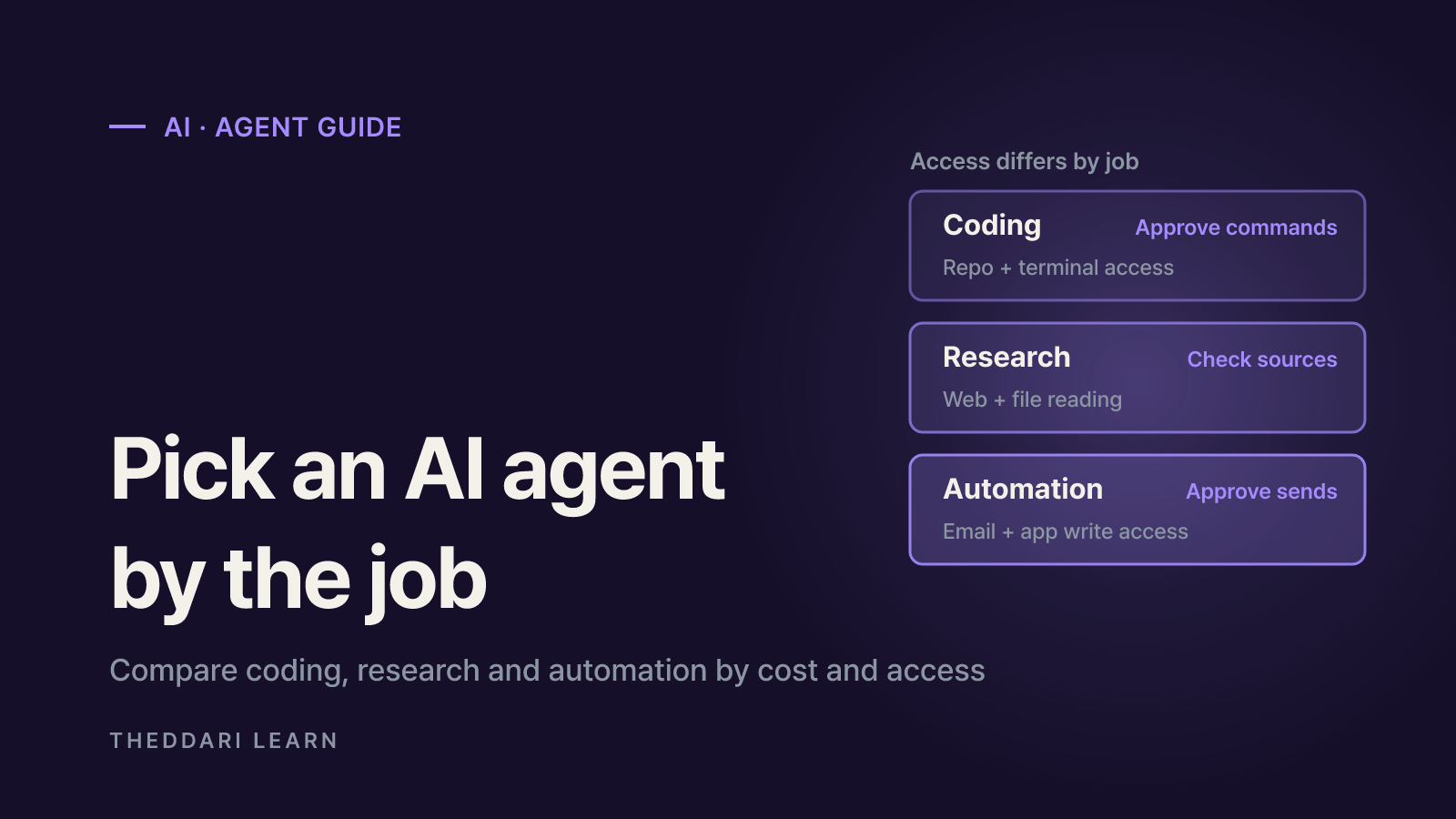
The pattern is clear: coding happens inside your machine or repo, research is mostly reading, and automation centers on writing and sending things that reach other people. Even if one product covers all three, start each kind of task with its own, narrower permission set.
Rather than giving one agent everything, scope coding to a single repository, keep research on read-only settings and leave an approval step in automations. You cut both cost and the damage a mistake can do.
Pricing: look at included usage, not just the sticker price
Agent pricing has largely moved away from all-you-can-eat subscriptions toward an included allowance of credits plus metered overage. Agents call the model repeatedly inside a single request, so one agent task can burn far more than the same question asked in chat.
GitHub Copilot: a credit-based example
According to GitHub's docs, as of October 2026 individual Copilot plans meter usage in GitHub AI Credits, where 1 credit equals $0.01. Included credits do not carry over; the allowance resets at 00:00 UTC on the first day of each calendar month (GitHub Docs).
Copilot Pro
- Price per month
- $10
- Base credits
- 1,000
- Flex allotment
- 500
- Total monthly credits
- 1,500
Copilot Pro+
- Price per month
- $39
- Base credits
- 3,900
- Flex allotment
- 3,100
- Total monthly credits
- 7,000
Copilot Max
- Price per month
- $100
- Base credits
- 10,000
- Flex allotment
- 10,000
- Total monthly credits
- 20,000
Chat, the CLI, the cloud agent and third-party coding agents draw on credits, while code completions and next edit suggestions stay unlimited on paid plans. GitHub warns that a complex agent session across a large codebase uses significantly more than a quick chat question. When you run out, you can upgrade or set a dollar budget for additional usage. The flex allotment is designed to change as model economics shift, so do not treat it as fixed.
ChatGPT Work and Codex: usage varies by task
OpenAI says Work follows the same usage structure as Codex: you consume your plan's included allowance first, then optional credits. Consumption depends on task length, input and output size, reasoning level and speed setting. Signing in to Codex with ChatGPT uses your plan's usage, while using your own API key is billed at API rates (OpenAI Help Center).
- Compare included usage and overage rates side by side, not only the monthly fee.
- Model choice changes the unit cost; pin a cheaper model for simple tasks.
- Set spending limits and budget alerts before the first big run.
- For teams, check per-seat pricing and whether usage is pooled.
Permissions: what runs without asking
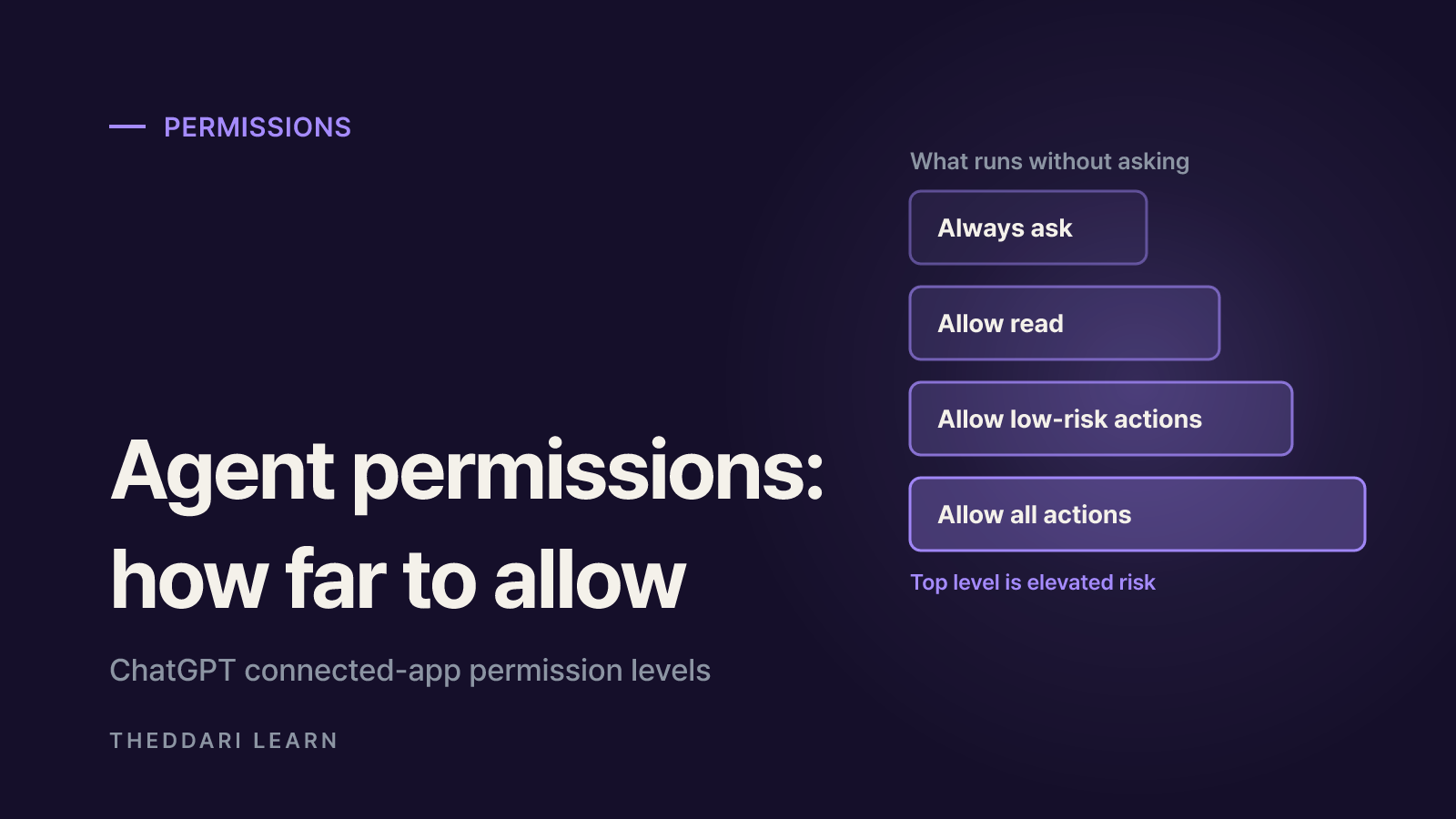
Permissions are the more important filter. The same task carries a very different risk when the agent asks before every action versus when it approves everything itself. Major products now expose these levels as explicit settings.
Claude Code permission modes
Anthropic documents six permission modes for Claude Code (Claude Code Docs).
default (Manual)
- Runs without asking
- Reads only
- Best for
- Sensitive work, unfamiliar code
acceptEdits
- Runs without asking
- Reads, file edits, common filesystem commands
- Best for
- Iterating on code you are reviewing
plan
- Runs without asking
- Reads, plus classifier-approved commands when auto mode is available
- Best for
- Exploring before changing anything
auto
- Runs without asking
- Everything, with background safety checks
- Best for
- Long tasks, less prompt fatigue
dontAsk
- Runs without asking
- Reads in working directories and pre-approved tools
- Best for
- Locked-down CI and scripts
bypassPermissions
- Runs without asking
- Everything
- Best for
- Isolated containers and VMs only
One detail to watch: from v2.1.283, auto is the built-in starting mode for interactive terminal and VS Code sessions. The docs warn that auto mode reduces prompts but does not guarantee safety and is not a substitute for reviewing sensitive operations. Deny rules, by contrast, apply in every mode including bypassPermissions, so commands that must never run belong in a deny rule.
ChatGPT connected app permissions
For connected apps, ChatGPT offers Always ask, Allow read actions, Allow low-risk actions and Allow all actions. Allow all actions is labeled elevated risk and is not offered in the standard account-wide selector. Sending messages, creating, editing or deleting files, changing sharing or security settings, purchases and sharing sensitive data can trigger extra review. Changing a permission does not disconnect an app, so disconnect the account when you want access to end (OpenAI Help Center).
A five-step check before you commit
- 1
Write the task as one sentence
Avoid open-ended asks such as check my email and handle everything; OpenAI's own guidance warns against them. State the deliverable, the sources to use and where to stop for review.
- 2
Connect the minimum access
Read-only for research, a single app for an automation. Disconnect apps you no longer use once the task is done.
- 3
Keep a human approval step
Require approval for send, delete, payment and sharing changes. Start coding agents in Manual or plan mode until you know how they behave.
- 4
Cap the spend
Check included usage, overage rates and budget limits, and turn on alerts. Credits often expire monthly, so a bigger plan is not automatically better value.
- 5
Pilot on something small
Run the agent once or twice on a test repository or sample documents to measure usage and output quality before you point it at real data.
Agent features and pricing shift quickly. Theddari's AI Telegram trends show what the community is discussing, and blog trends surface hands-on reviews; confirm anything you act on against the vendor's official docs.

Risks and exceptions: over-permissioning is the common failure
OWASP lists Excessive Agency among its top 10 risks for LLM applications. The root causes are excessive functionality, excessive permissions and excessive autonomy. Triggers include hallucinations and indirect prompt injection hidden in web pages or emails, which can push an agent into actions you never intended (OWASP).
OWASP's example is an email-summarizing assistant whose plugin could also send mail. A single malicious message could instruct it to search the inbox for sensitive information and forward it to an attacker. Any one of three controls would have stopped it: a read-only plugin, a read-only OAuth scope, or requiring the user to press send. Logging and rate limits do not prevent the problem but limit the damage.
- Even when a task runs on your own computer, messages and task context may be stored in the cloud, according to OpenAI's help center.
- On company accounts, admin policy overrides personal settings; a feature you use at home may be switched off at work.
- Auto-approval classifiers and safety checks reduce risk rather than remove it. Stop the task the moment something looks wrong.
In short: choose by job first (coding, research or automation), then by billing model and spending cap, then by how much runs without asking, and only then by brand. Prices and features here reflect official docs as of October 2026 and can change, so re-check the vendor's pages before you pay.