Contents7 sections
Short answer: the claim that Apple capped engineers at $200 a day for AI comes from a Bloomberg report based on unnamed sources, and Apple has not confirmed it. The question it raises is still a practical one. As long as AI coding tools bill by the token, every team and every solo developer needs a deliberate AI spending limit. This guide, checked as of November 9, 2026, separates what was reported from what was inferred, explains why coding-agent bills grow so fast, and walks through how to cap spend in OpenAI, Claude and GitHub.
What the Apple report actually says
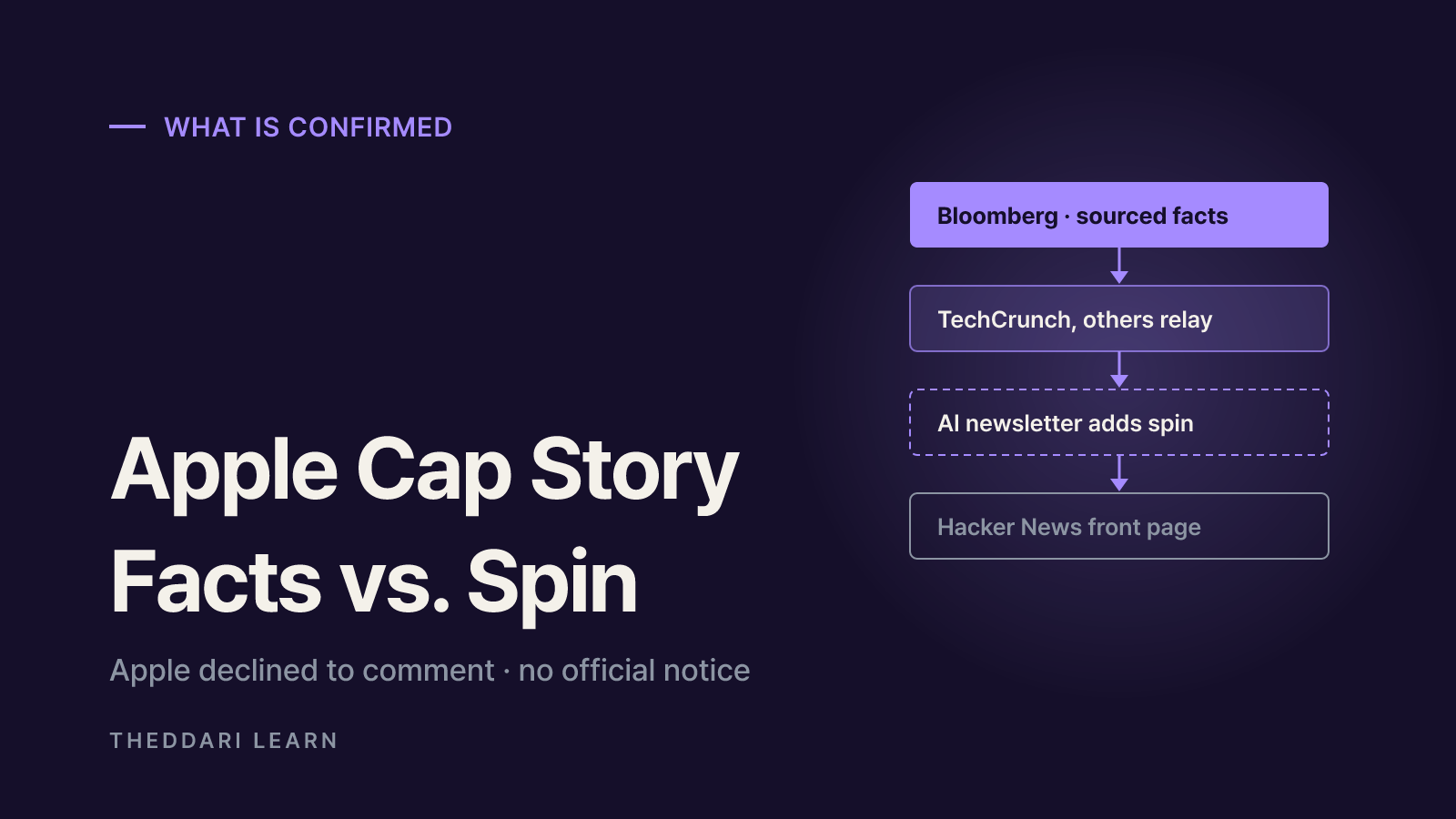
According to Bloomberg's November 4, 2026 story, as relayed by TechCrunch and Stock Analysis:
| Who | Reported change |
|---|---|
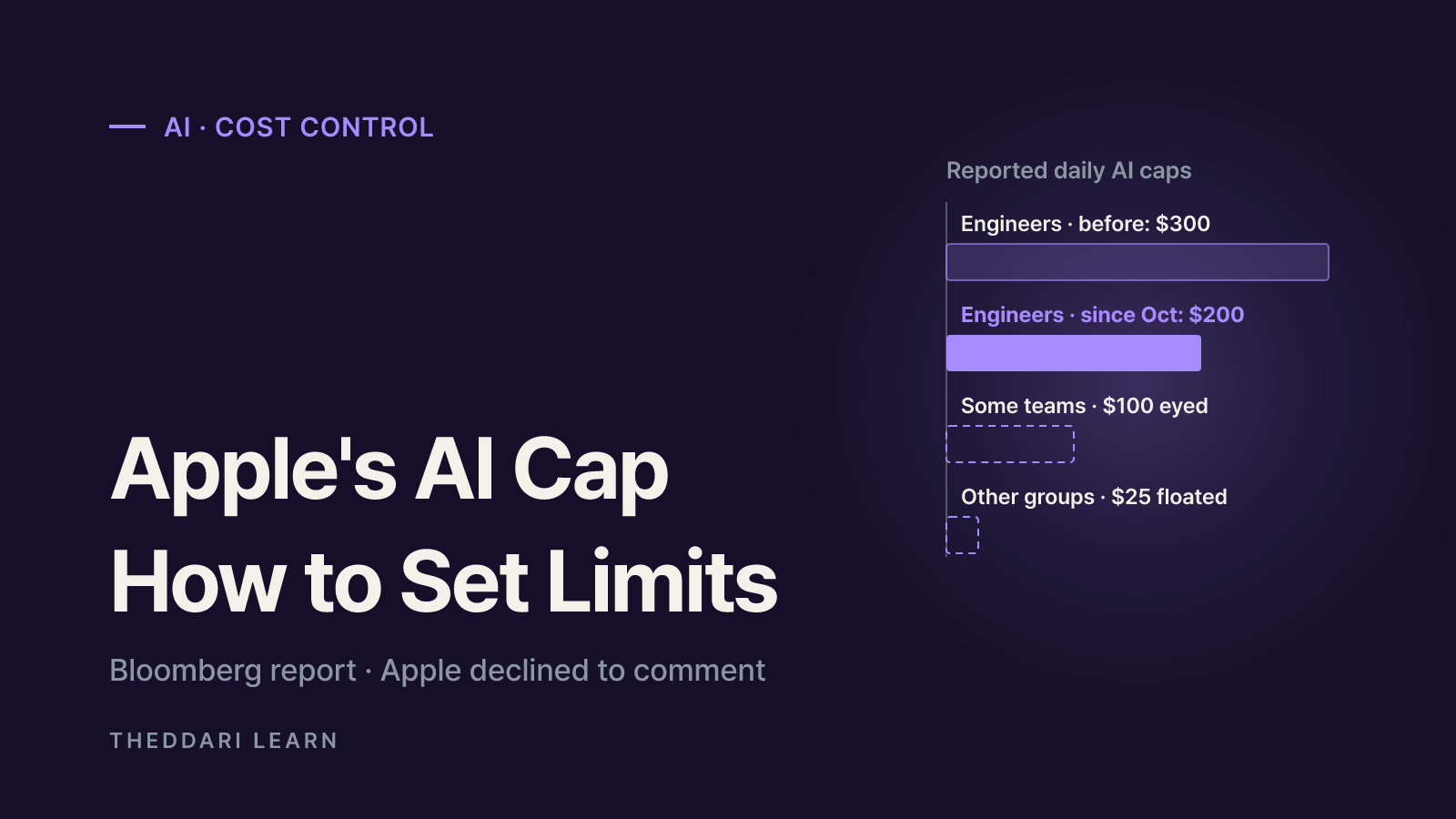
| Some engineers | Daily cap cut from $300 to $200 in October |
| Some engineering teams | Further cut to as little as $100 a day under consideration |
| Many non-engineering groups | Already at $100 a day; Apple has discussed $25 for some teams |
| Staff who need more | Can request an exception from senior leaders |
The budgets pay for tokens processed by models such as Anthropic's Claude, OpenAI's ChatGPT and Google's Gemini. Some teams were reportedly told to move to cheaper models or to models that run on the device itself. Apple declined to comment, and the expected savings are unknown. Some employees said few colleagues ever came close to the old $300 limit; others read the move as part of a broader cost push and worried about layoffs.
Newsletter spin versus the original report
The link that climbed Hacker News was not Bloomberg but the Stork AI Daily newsletter, which describes its editor as openly AI. It added the reading that Apple's AI spend was 'threatening to blow past' budgets. That is commentary. The defensible summary is: the dollar figures are Bloomberg's sourced reporting; the motive is someone else's interpretation.
Context reported alongside: Stock Analysis notes Apple's fiscal 2026 R&D expense rose 32% to $45.8 billion, with the company citing higher infrastructure costs including AI. The same piece says Tesla caps employee AI spend at $200 a week and Uber limits individual AI coding tools to $1,500 a month. You can track Apple's next report on the earnings calendar.
Why AI coding costs climb so fast
Coding agents are billed on input and output tokens multiplied by a per-model rate. Unlike a single chat reply, an agent resends file contents, tool output and conversation history on every turn. Anthropic's Claude Code cost guide warns that one debugging session can consume more than a day of chat, and tells admins to budget more for a coding seat than a chat seat.
- Context size: longer conversations mean more tokens per request. Not clearing between unrelated tasks keeps paying for stale context.
- Model choice: leaving the most capable model as the default bills simple edits at premium rates.
- Extended thinking: thinking tokens are billed as output and can run to tens of thousands per request.
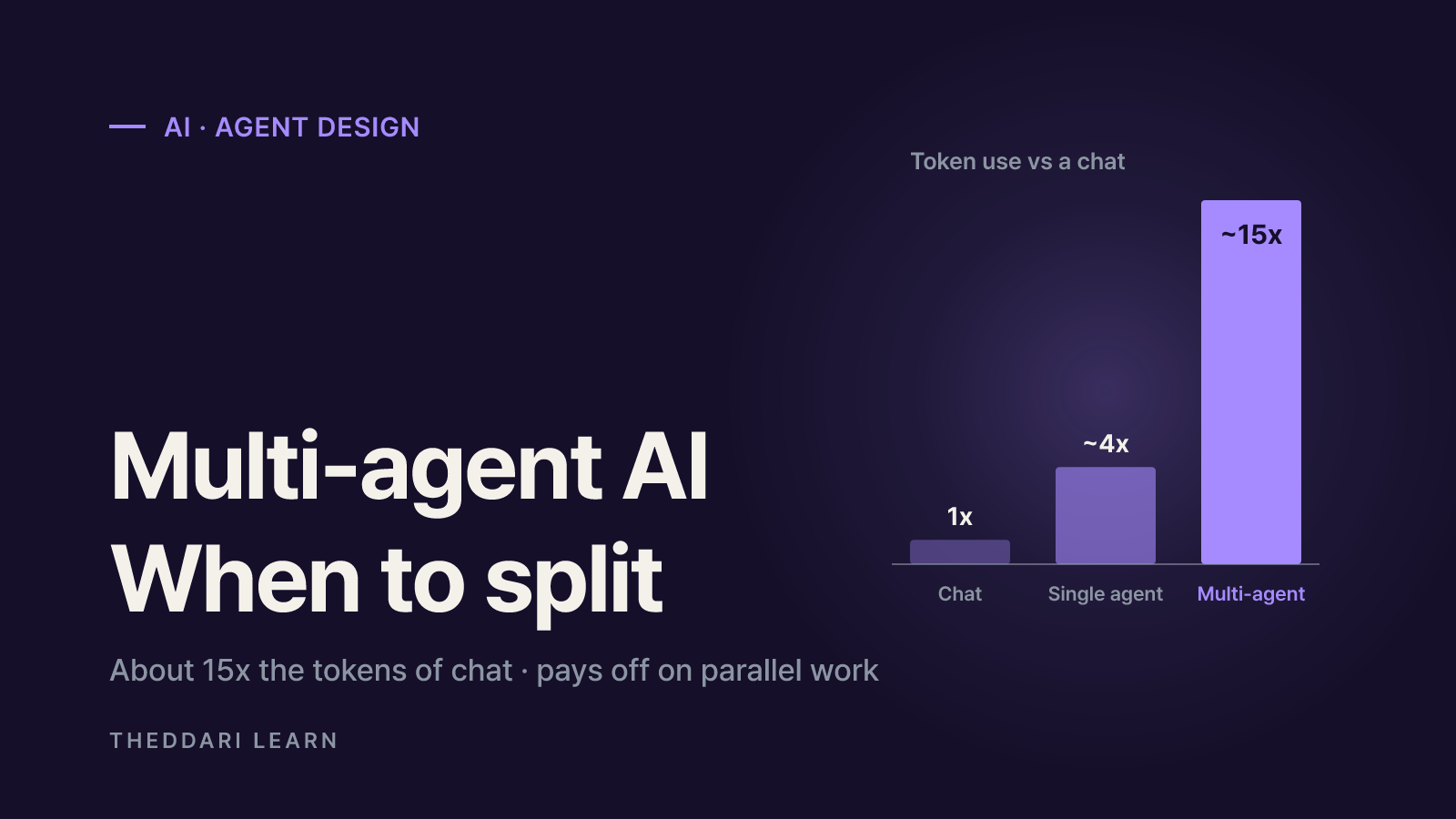
- Parallel agents: each teammate in an agent team has its own context window, so usage scales roughly with team size.
- Unattended loops: scheduled or looping tasks keep spending when nobody is watching.
So is $200 a day high? The same guide reports an enterprise average of about $13 per developer per active day, or $150 to $250 a month, with 90% of users under $30 a day. On averages alone, $200 is roomy. The catch is that a small group of heavy users drives most of the bill, so finance teams set caps with the top decile in mind, not the median. That fits the Apple story: most staff reportedly never hit the old cap, yet further cuts are still on the table.
How to set an AI spending limit for a team
- 1
Pilot first and measure
Anthropic recommends starting with a small pilot group and tracking usage to set a baseline before a wider rollout. Look at the median and the top 10% of daily and monthly spend by role.
- 2
Pick your layers
Organization caps are the final backstop, project or team caps assign budget ownership, and per-user caps stop one runaway session. Avoid overlapping limits that block people unexpectedly.
- 3
Separate alerts from hard stops
Alerts never block traffic. Start with staged alerts, then enforce a hard stop only at a clearly defined ceiling.
- 4
Set model routing defaults
Send routine work to cheaper models and reserve top-tier models for hard design problems. Apple reportedly told some teams to do exactly this.
- 5
Build an exception path
Large migrations legitimately burn tokens. A named approver and a time-boxed exception, as in Apple's reported process, keeps caps from halting real work.
Spend controls by vendor
OpenAI API
- Limit scope
- Monthly org and project spend limits
- Hard stop?
- Only with 'Enforce a hard limit' on
- Watch out for
- Enforcement lags, so spend can slightly exceed; default alert at 100%
Claude Team / Enterprise
- Limit scope
- Usage-credit limits per org, group or member
- Hard stop?
- Yes, usage beyond the limit stops
- Watch out for
- Seat allowance itself isn't metered in dollars
Claude Console (API)
- Limit scope
- Workspace spend limits
- Hard stop?
- Applied per workspace
- Watch out for
- Per-user numbers via dashboard or Analytics API
Via Bedrock, Google Cloud, Foundry
- Limit scope
- Your cloud budget tools
- Hard stop?
- Depends on cloud settings
- Watch out for
- Per-user attribution needs OpenTelemetry or a gateway
GitHub (Copilot and more)
- Limit scope
- Enterprise, org, cost center or user budgets
- Hard stop?
- Only with 'Stop usage' selected
- Watch out for
- Exhausting any overlapping budget can block users
Details come from the OpenAI Help Center, the Claude Code cost guide and GitHub's budget docs, checked November 9, 2026. GitHub sends alerts at 75%, 90% and 100%, and user-level budgets always hard-stop, so a developer can be blocked even while the org budget has room.
Managing AI coding cost as an individual
Solo developers have no finance team, so automatic stops matter more than dashboards. Pick a monthly budget, divide it by your working days, and treat that as your daily line. If you cross it often, revisit your model choice and session habits before raising the budget.
- Separate flat plans from metered use: a subscription covers usage inside the plan; usage credits add charges on top. Claude subscribers can set a monthly spend limit in claude.ai settings.
- One API project per purpose: OpenAI lets each project carry its own monthly and hard limit, so an experiment key can't eat your production budget.
- Check cost per session: Claude Code's /usage shows session tokens and an estimated cost, and the --max-budget-usd flag puts a ceiling on a single run.
- Clear context between tasks: a fresh session drops the cost of stale history.
- Route alerts to an inbox you read: an ignored alert is just a receipt.
Pricing and policies for these tools change often. To see which changes developers are talking about, browse the AI Telegram trends and blog trends, then confirm details in the vendor's own documentation.
Risks of caps and how to judge ROI
TechCrunch framed the Apple news as the end of this year's 'tokenmaxxing' push, when companies urged staff to use as much AI as possible, giving way to token rationing once the bills arrived. It also noted lingering concern about the gap between AI costs and often unclear productivity gains. Caps help, but they carry their own costs.
- Mid-task cutoffs: a hard stop during a big refactor can leave half-applied changes. Check remaining budget before long jobs.
- Overlapping budgets: as GitHub's own example shows, a parent budget running out blocks users even if a narrower budget has room.
- Shadow usage: heavy-handed limits push people toward personal accounts, which raises security and data-handling risk.
- One size fits none: roles differ. Apple's reported limits already differ between engineering and other groups.
Judge value by cost per outcome, not tokens burned. Put AI spend next to metrics your team already tracks, such as merged changes, closed issues and revert rates. If spend and output rise together, that is a case for a higher cap; if only spend rises, fix model routing and context hygiene first. Read the Apple report as a sign that even the largest companies are redoing this math, and treat the specific figures as reported, not confirmed, until Apple says otherwise.