Contents8 sections
- Why AI agents in production behave differently from demos
- Gate 1: set the launch bar with agent evaluation
- Gate 2: stop conditions and AI agent cost ceilings
- Gate 3: human approval and layered guardrails
- Gate 4: agent monitoring and a staged rollout
- Final pre-launch checklist
- Frequently asked questions
- Sources and references
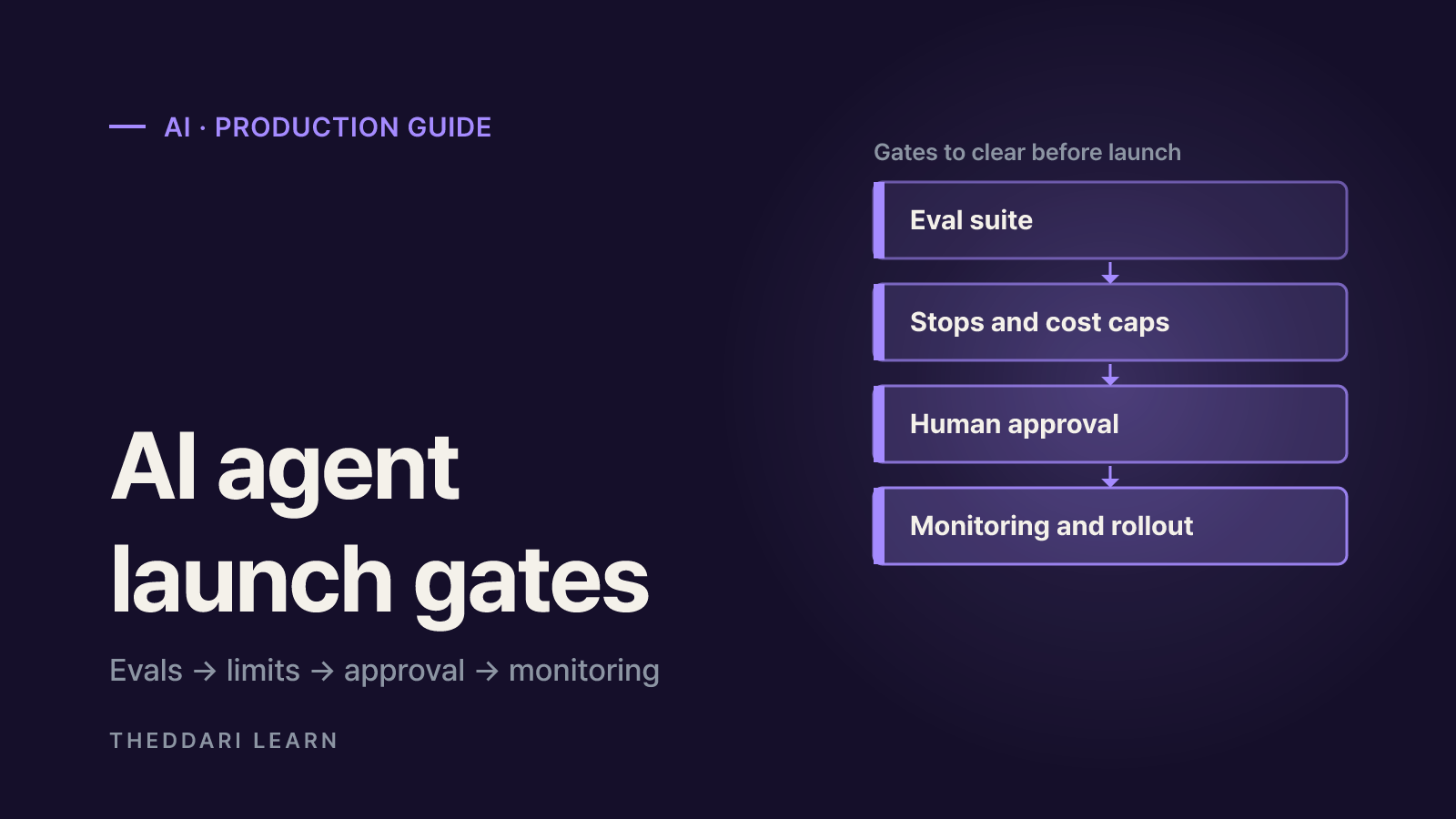
Putting AI agents in production is less about whether the agent is clever and more about three practical questions: does it deliver the same quality run after run, does it stop on its own when it gets stuck, and does its spend stay inside a budget you chose? A demo proves success on a handful of hand-picked inputs. Production traffic brings unfamiliar requests, flaky tools and occasionally hostile users. As of October 2026, this checklist draws on public guidance from Anthropic, OpenAI and the OWASP GenAI Security Project to define four launch gates: evaluation, stop conditions and cost ceilings, human approval, and monitoring with a staged rollout. It focuses on what to measure and how to verify it rather than prescribing settings for any single framework.
Why AI agents in production behave differently from demos
Anthropic separates workflows, where LLMs and tools follow predefined code paths, from agents, where the model directs its own process and tool use. It notes that this autonomy brings higher costs and the potential for compounding errors, and recommends extensive testing in sandboxed environments with appropriate guardrails (Anthropic: Building effective agents). The same post advises starting with the simplest solution and adding agentic complexity only when it measurably improves outcomes. So item zero on any launch checklist is: does this job actually need an agent? If the steps are fixed, a workflow is more predictable and far easier to test.
Once you have decided an agent is justified, three differences from a demo matter. Agents are non-deterministic, so identical inputs can take different paths. They act across many turns and change state, so a small early mistake can spread. And every extra loop adds tokens and tool calls, so cost can drift well past what you estimated. Each gate below targets one or more of these risks.
Evaluation
- Question it answers
- Does it succeed consistently?
- Evidence to pass
- Regression pass rate, transcript review
Stops and cost ceilings
- Question it answers
- Does it halt when stuck?
- Evidence to pass
- Tests that hit turn, time, token and cost caps
Human approval
- Question it answers
- Does it pause before risky actions?
- Evidence to pass
- Per-tool risk ratings, approve and reject tests
Monitoring and rollout
- Question it answers
- Can you see problems and roll back?
- Evidence to pass
- Per-run metrics, alerts, rollback drill
Gate 1: set the launch bar with agent evaluation
An eval is a test that gives the system an input and applies grading logic to the result. Anthropic's January 2026 guide warns that without evals teams end up debugging reactively: waiting for complaints, reproducing by hand and hoping a fix did not break something else (Anthropic: Demystifying evals for AI agents). Teams often delay because they assume they need hundreds of tasks, yet the guide says 20 to 50 simple tasks drawn from real failures is a great start. Your manual pre-release checks, bug tracker and support queue are the best raw material.
Separate tasks, graders and outcomes
A good task is one where two domain experts would independently reach the same verdict. Writing a reference solution for each task proves it is solvable and that the graders are configured correctly. Grade the outcome, not just the agent's claim: a booking agent saying the flight is booked is not the same as a reservation existing in the database. Include cases where a behavior should happen and cases where it should not, otherwise you optimize in one direction, such as an agent that searches the web for every question.
Code-based checks
- Best for
- Clear outcomes, tool-call verification
- Watch out for
- Can reject valid answers in an unexpected format
Model-based rubrics
- Best for
- Conversation quality, open-ended output
- Watch out for
- Needs regular calibration against human judgment
Human review
- Best for
- Defining the bar, calibrating model graders
- Watch out for
- Slow and costly, so use for sampling
Measure consistency, not a lucky run
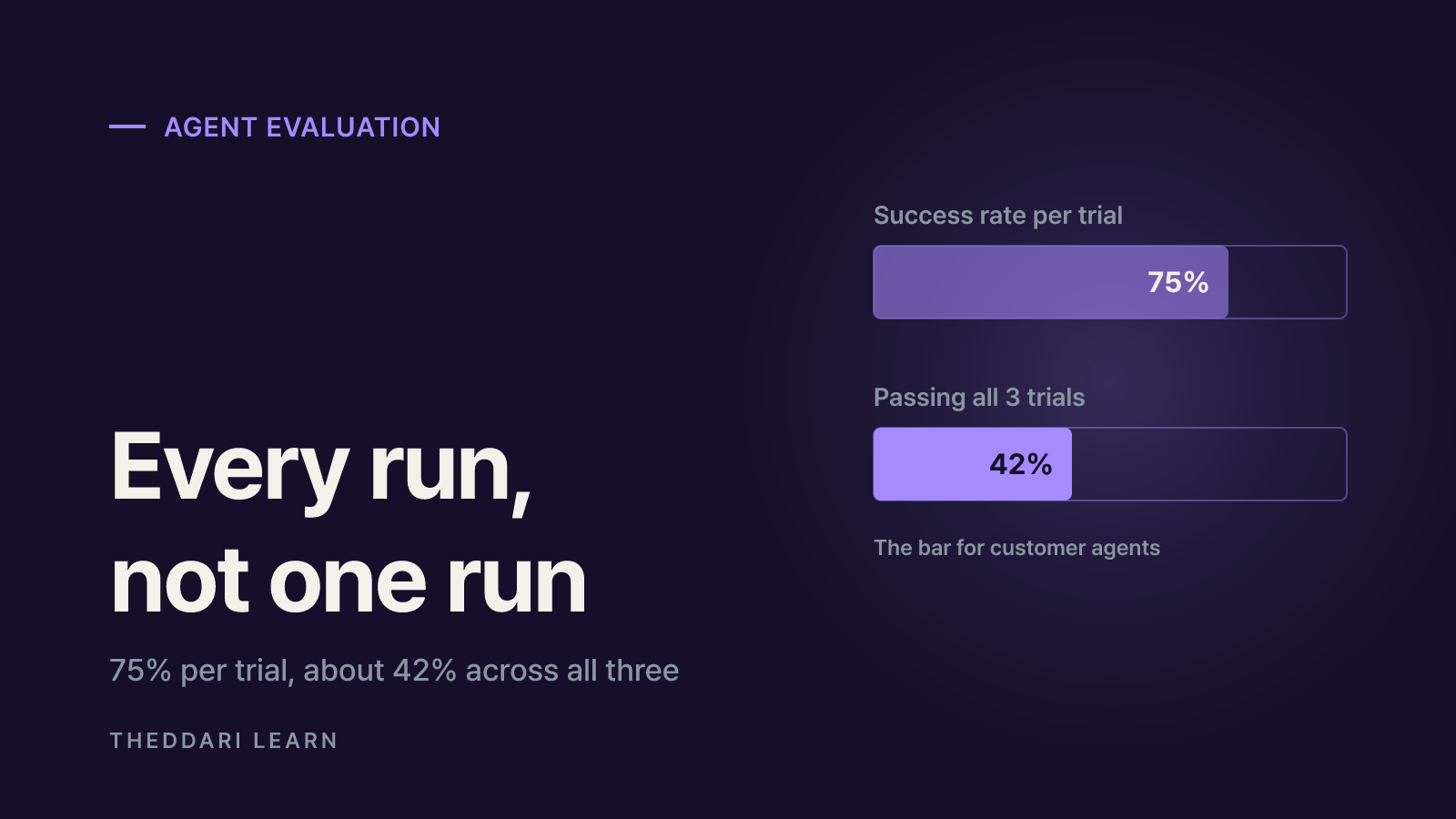
Because results vary between runs, try each task several times. Anthropic distinguishes pass@k, the chance of at least one success in k attempts, from pass^k, the chance that all k attempts succeed. With a 75% per-trial success rate, the chance of passing all three of 3 trials is about 42%. For customer-facing agents, where users expect the same result every time, pass^k is closer to a real launch bar. Keep capability evals, which measure new skills and may start with low scores, separate from regression evals, which should pass at nearly 100% and signal breakage when they slip.
Do not trust a score until someone has read the transcripts. The guide describes cases where grading bugs or ambiguous task specs made a capable agent look weak. Failures should look fair: the transcript should show clearly what went wrong. Recording turns, token usage, cost per task and latency during eval runs also gives you the baseline for the next gate.
Gate 2: stop conditions and AI agent cost ceilings
An agent is a loop: call the model, run tools, call the model again. OpenAI's guide says every run needs exit conditions, listing a final output, errors and reaching a maximum number of turns (OpenAI: A practical guide to building agents). The Agents SDK documentation treats max-turn limits, guardrail exceptions and tool errors as failures to handle deliberately (OpenAI: Running agents), and Anthropic likewise recommends stopping conditions such as a maximum number of iterations.
Enforce these ceilings in the code around the loop rather than asking the model to behave. Match them to the task: a research assistant can tolerate more steps than an agent that can send email or move money.
Max turns and tool calls
- Problem it prevents
- Repeating the same tool call in a loop
- Example response
- Stop and hand off to a person
Wall-clock timeout
- Problem it prevents
- Hanging on a slow external API
- Example response
- Time out and return partial results
Input size and tokens
- Problem it prevents
- Oversized inputs, context overflow
- Example response
- Reject or summarize, then retry
Cost per run and per user
- Problem it prevents
- Runaway or abusive spend
- Example response
- Halt the run and report the quota
Cost is also a security issue. OWASP's 2025 Top 10 for LLM applications includes Unbounded Consumption and describes Denial of Wallet, where attackers trigger high volumes of work to exploit pay-per-use pricing (OWASP LLM10:2025). Its mitigations include input size validation, per-user quotas and rate limiting, timeouts and throttling, caps on queued and total actions, anomaly detection on resource use, and graceful degradation under load.
Budget per completed task rather than per API call, because one task can include planning, retrieval and tool retries. Track the typical cost and the expensive outliers separately, then find which loops create the outliers. For model choice, OpenAI suggests establishing an accuracy baseline with the most capable model first, then using evals to see where smaller models still meet the bar. Provider-side spend limits and billing alerts are a useful last line of defense if a code-level cap fails.
Gate 3: human approval and layered guardrails
OpenAI calls human intervention especially important early in deployment and names two triggers: exceeding failure thresholds on retries or actions, and high-risk actions that are sensitive or irreversible, such as cancelling orders, authorizing large refunds or making payments. It also recommends rating each tool low, medium or high risk based on read-only versus write access, reversibility, required permissions and financial impact.
Treat an approval as a paused run, not a new conversation turn. In the Agents SDK, a tool call that needs review is recorded as an interruption instead of executing; your application approves or rejects it and resumes from the same saved state, even hours later (OpenAI: Guardrails and human review). That keeps history and turn counts consistent.
Check where each guardrail actually runs. Input guardrails run only for the first agent in a chain and output guardrails only for the agent producing the final answer, so in multi-agent setups put validation next to the tool that creates the side effect.
Layer guardrails, since no single check is enough: relevance and safety classifiers, PII filters, moderation, and rules such as input length limits and blocklists. OpenAI stresses that guardrails complement authentication, strict access controls and standard security practice. Before launch, test the approval path itself: confirm the agent takes no action when a reviewer rejects a request or when approval never arrives.
Gate 4: agent monitoring and a staged rollout
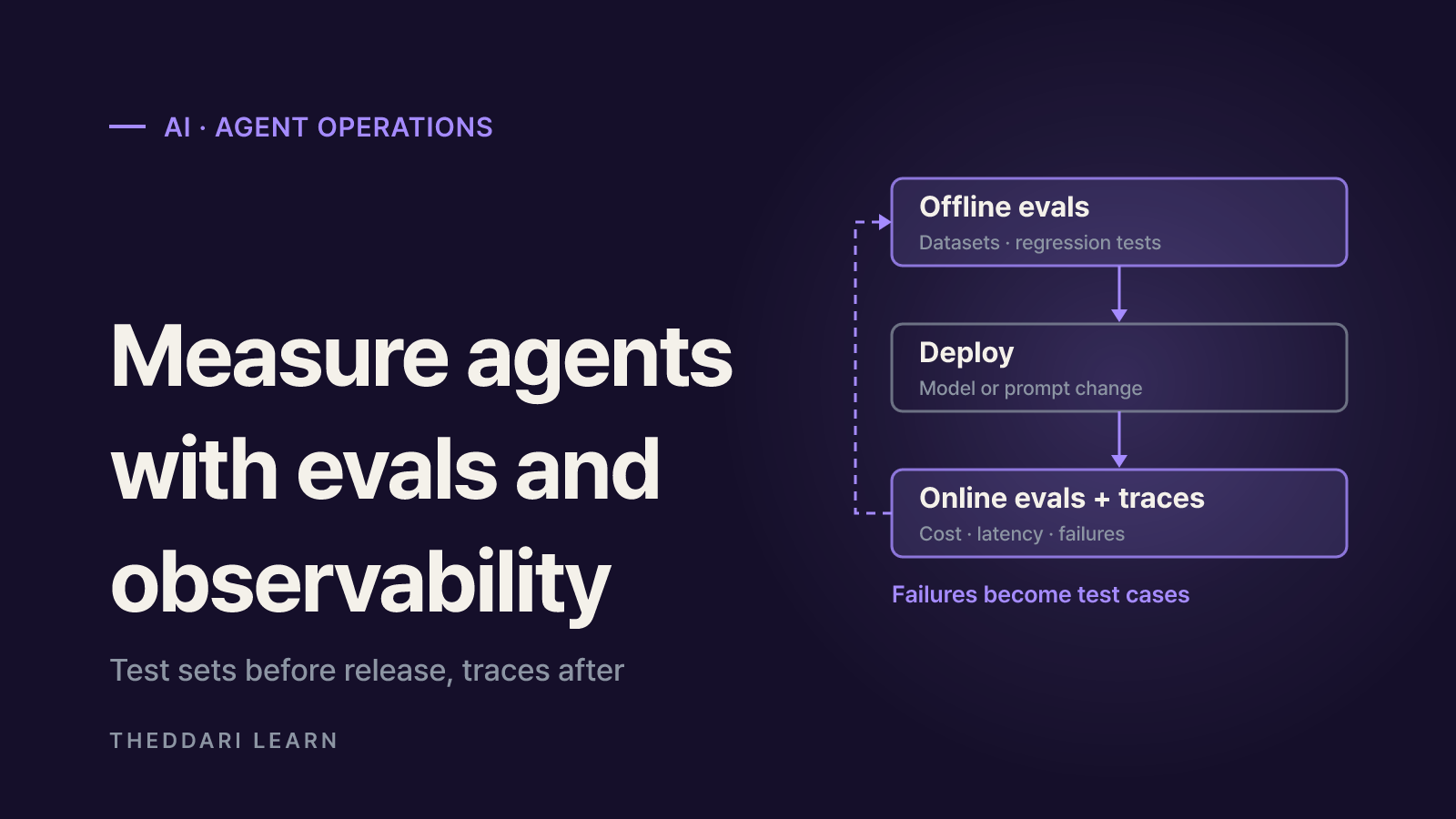
Anthropic compares automated evals with production monitoring: evals are fast and reproducible but can create false confidence if they do not match real usage, while monitoring shows real behavior but only after users are affected. Decide before launch what you will watch and when an alert fires. Latency and error rates can stay flat while the agent keeps answering confidently and wrongly.
- Per-run records: run ID, inputs, tool calls and arguments, final state, turns, tokens, cost and stop reason
- Loop signals: repeated identical tool calls and the share of runs ending at a ceiling
- Quality signals: escalation rate, user retries and complaints, sampled transcript reviews
- Cost signals: average and high-percentile cost per task, per-user usage spikes
- Security signals: guardrail blocks, rejected approvals, attempts to call out-of-scope tools
Open access gradually, starting with internal users or a small slice of traffic. Version prompts, models and tool configurations so you can roll back quickly, and keep a switch that disables the agent path. When production surfaces a new failure, fix it and add the case to your eval suite so the next release catches it.
Model and tool updates can change a live agent's behavior, so keep watching after launch. The theddari Telegram AI channel tracker is a quick way to follow AI release chatter, and the blog trends page surfaces write-ups from other teams. Treat both as leads: confirm changes in official release notes and rerun your regression evals before acting.
 theddari.comTrendsBlog PostsSummarized Naver blog posts
Final pre-launch checklist
- 1
Define scope
Write down what the agent will and will not do and which tools it can call. Split any fixed-step parts into a plain workflow.
- 2
Pass the eval suite
Run regression evals built from real failures, with several trials per task, and read failing transcripts to confirm grading is fair.
- 3
Test limits and approvals
Add tasks that deliberately hit each ceiling and that reject or time out an approval; the agent should end safely without acting.
- 4
Wire up metrics and alerts
Turn on per-run logging, cost alerts and an escalation dashboard, and name who responds to each alert.
- 5
Launch small with a rollback plan
Start with limited traffic and rehearse restoring the previous version and disabling the agent before widening access.
Clearing these gates does not mean the agent will never fail. It means failures stay small, show up quickly and are caught by the next release. Record the review date, model and configuration versions, eval results and known residual risks with your launch decision, and reuse the same checklist whenever you swap models or add tools.