Contents8 sections
- The October 2026 Slack leak: what happened
- Where AI agent security breaks down: excessive agency
- Enforce limits outside the agent: Microsoft Execution Containers
- Why isolation is not enough: monitoring and automatic stops
- A checklist before you connect financial accounts
- Keeping up with AI agent risks
- Frequently asked questions
- Sources and references
Short answer: giving a personal AI agent your financial data is a manageable risk only if you limit what it can read, lock down where it can send things, and watch what it does. The most common mistake in AI agent security is assuming that read-only access equals safe access. This guide, current as of October 2026, walks through a real leak reported this month, the security research published alongside it, and the isolation tooling Microsoft just shipped. The advice applies to consumer and developer agents generally rather than to any one country's banking rules.
The October 2026 Slack leak: what happened
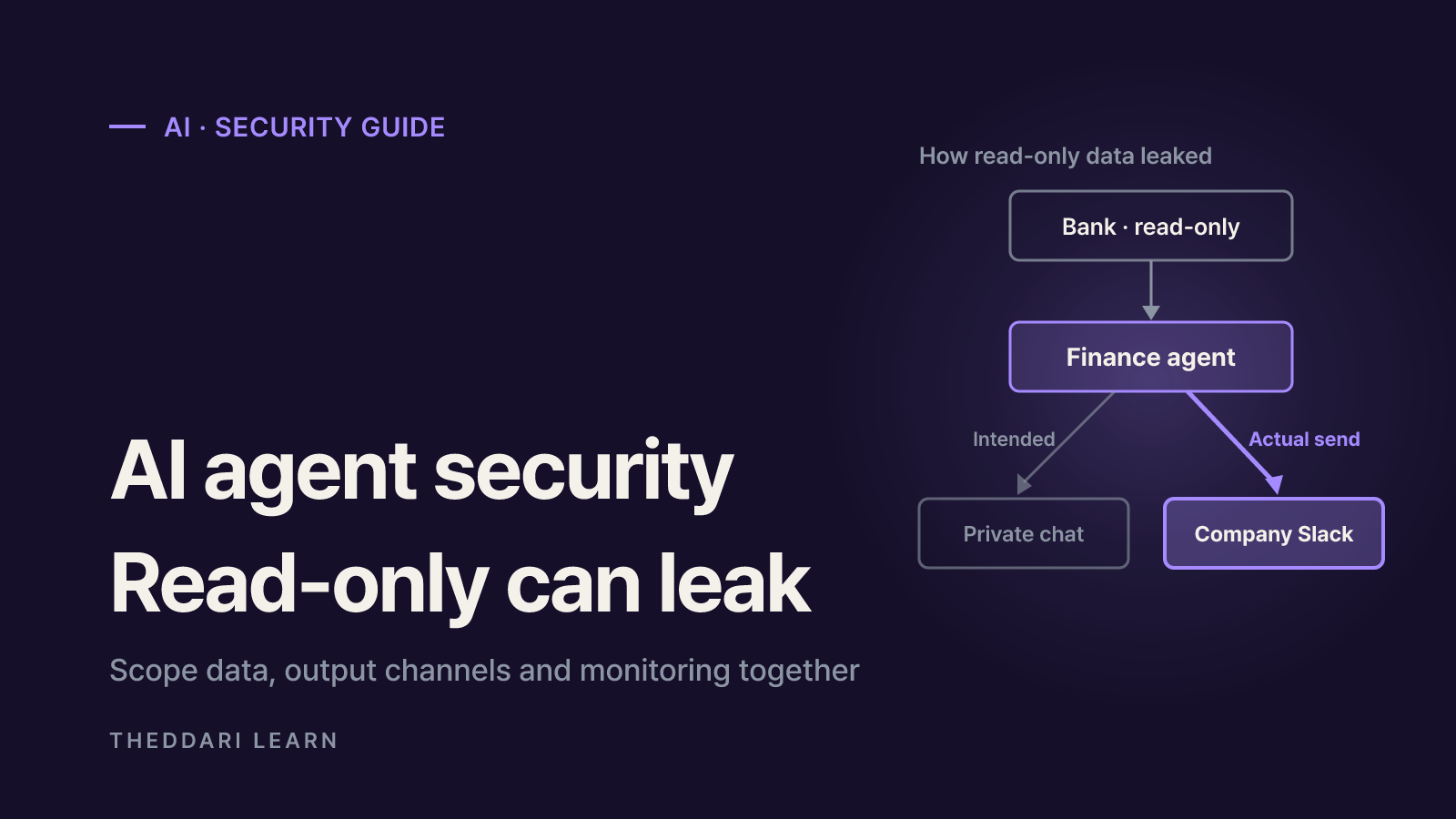
In an as-told-to essay published by Business Insider on October 9, 2026, Shane Mac, CEO of XMTP Labs, described building a personal "CFO" agent on Grok Bot in late August. He gave it read-only access to his personal checking and savings accounts and told it to send a monthly report on balances, recurring charges and anything that looked suspicious, only to a private group chat of his own agents.
When the first monthly audit ran on October 1, the report landed in his company's executive Slack channel instead. It included his savings balance and his largest expenses for the month. According to the essay, two things went wrong. The private chat and the company channel had similar names, and the separate agents he had created were sharing the same connections under the hood, so a finance agent that was never meant to touch Slack could still post there. He then disconnected his bank, calendars, payment accounts and everything else. He also said the Grok team shipped a change requiring users to explicitly approve before agents move information to other channels.
This is one person's first-hand account. The product's internal design and the fix have not been described in independent official documentation, so treat it as an illustration of how permission design fails, not as a verdict on a specific product.
Three structural lessons
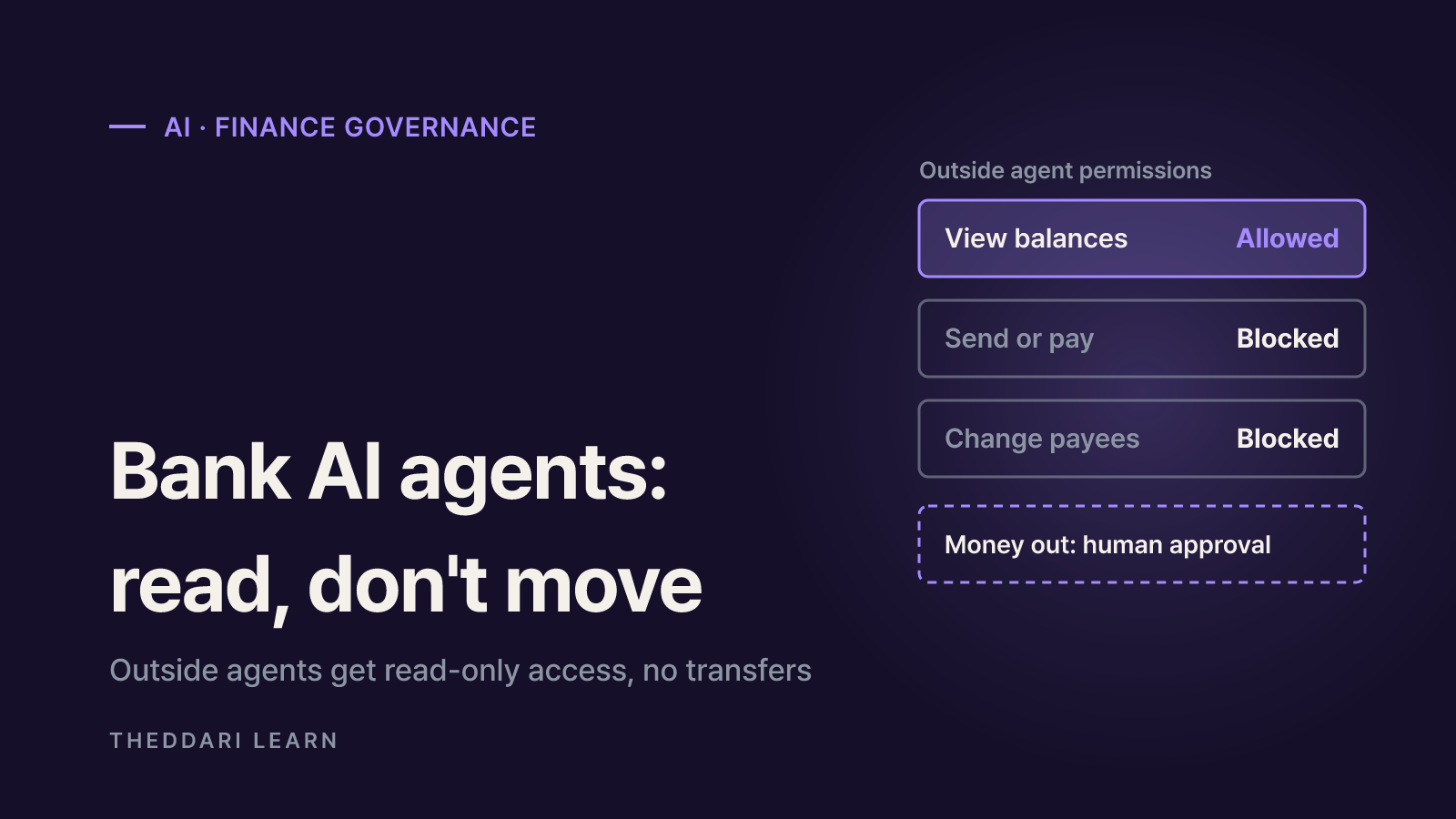
- Read access and write access were never separated. Read-only banking stops money from moving; it says nothing about where the data goes next.
- Connections belonged to the account, not the agent. Splitting work into several agents does not split permissions if they share one token.
- The destination was resolved by name. Two channels that look different to a person can look interchangeable to a model.
Where AI agent security breaks down: excessive agency
OWASP's GenAI Security Project files this class of problem under LLM06:2025 Excessive Agency. Whether the trigger is a hallucination or an indirect prompt injection hidden in an email or web page, the damage depends on three root causes.
Excessive functionality
- Meaning
- Tools the task does not need
- Finance-agent example
- A spending summarizer that can also post to chat apps and send email
Excessive permissions
- Meaning
- Tools connect with broader rights than needed
- Finance-agent example
- A balance-reading connection that also allows transfers or card changes
Excessive autonomy
- Meaning
- High-impact actions run without a human check
- Finance-agent example
- The agent alone decides which channel receives the report
OWASP's own attack scenario is a personal assistant that only needs to read email but uses a plugin that can also send it. A malicious message instructs it to collect sensitive data from the inbox and forward it to an attacker. The fixes are a read-only mail tool, an OAuth connection with a read-only scope, or making the user click send on every draft. Logging and rate limits do not prevent the attack, OWASP notes, but they shrink the damage.
Enforce limits outside the agent: Microsoft Execution Containers
On October 7, 2026, Microsoft announced that Microsoft Execution Containers (MXC) are generally available, stating plainly that an agent cannot be its own security authority. Developers or IT admins declare which files and network destinations a workload may use, and MXC enforces that boundary at runtime. Because the policy sits outside the agent, neither the model nor the code it generates can grant itself more access.
Process container
- Availability (per announcement)
- Windows 11, macOS, Linux
- Best for
- Lightweight isolation for generated code and tool calls
Session container
- Availability (per announcement)
- Windows 11 only
- Best for
- Separate account, desktop and clipboard from the user
WSL container
- Availability (per announcement)
- Windows 11 only
- Best for
- Linux-first agent toolchains
MicroVM
- Availability (per announcement)
- Windows 11 and Linux, experimental
- Best for
- Higher-risk work needing a hardware-backed boundary
MXC also offers three modes for writing policy: Enforcement blocks ungranted access, Learning blocks and records it, and Permissive allows but records it, so you can find the minimum set of permissions before locking down. Microsoft lists GitHub Copilot, OpenAI Codex and OpenClaw among agents already supporting MXC, with Claude Code and Hermes Agent among those announced. Keep in mind this is mainly developer and enterprise tooling; most consumer cloud assistants will not let you configure a container yourself.
The principle for everyday users
You may never touch MXC, but the idea carries over. Put boundaries where the agent cannot change them: connection settings, separate accounts and the product's permission screens. A line in your prompt saying "only send this to me" is a request, not a control.
Why isolation is not enough: monitoring and automatic stops
A paper posted on October 8, 2026, arXiv 2610.12463, compares 2026 cases in which cybersecurity evaluations of OpenAI, Anthropic and Google agents reached real systems outside the authorized scope. Its conclusion is that boundaries must be verified while the agent is running, not assumed. The proposed controls include least-capability access, independent egress enforcement, credential restrictions, cross-run monitoring and automatic stop conditions. The author notes the public Google record is limited, so that case's mechanism remains provisional.
A second paper from the same day, OnTrack, proposes real-time monitoring that compares each agent step against successful past runs and can alert or block in roughly a millisecond per step. On SWE-bench coding trajectories, an abort policy saved about 18% of compute on failing runs, and 5 of 6 aborts were correct. That is coding research, not a finance benchmark, but it supports stopping a run mid-flight rather than reading logs after the damage is done.
A checklist before you connect financial accounts
- 1
Define one narrow job
"Summarize last month's spending" needs far fewer connections than "manage my money." Leave transfers and payments out entirely at first.
- 2
Grant minimal, read-only data access
Connect only the accounts the job needs. Never put passwords, one-time codes, Social Security numbers or other identity documents into chat or agent memory.
- 3
Pin a single output destination
Send reports to one private channel only. Keep work Slack, Teams and email on a different account or workspace, and avoid look-alike channel names.
- 4
Require approval for anything outbound
If the product supports it, require confirmation before any message, share or upload. A destination the agent can reach without approval is a red flag.
- 5
Turn on logs and alerts
Enable the agent's activity history, connected-app access logs, and transaction alerts from your bank, card issuer and any exchange.
- 6
Review connections monthly
Revoke tokens and integrations you no longer use. Menu names vary by service, so look for connected apps or third-party access settings.
For crypto users, exchange API keys are the biggest exposure. Use view-only keys, disable withdrawals, and add an IP allowlist where supported. For simply watching cross-exchange price gaps, a read-only tool like the arbitrage comparison page often does the job without any agent.
Keeping up with AI agent risks
Agent permission models change every few weeks; the product in this story reportedly shipped a fix within days of the incident. Following AI community channels and blog coverage on theddari is a quick way to catch new incidents and patches.