Contents8 sections
- How to structure a dog AI prompt: four parts
- Pet AI portrait prompt examples you can copy
- Why the result doesn't look like your dog, and how to fix it
- Who owns AI art of your dog? Copyright basics
- Commercial use: read the tool's terms first
- A pre-publish checklist for profiles and merch
- Frequently asked questions
- Sources and references
A good dog AI prompt tells the model which features of your dog to keep, which art style to use, what background to draw and what pose or expression you want, in that order. Upload a clear photo to a tool such as ChatGPT image generation or Midjourney, give those four instructions, and you can get a watercolor profile picture, a 3D cartoon or a sticker that still looks like your pet. Owning, registering or selling that picture is a different matter. This guide reflects the OpenAI and Midjourney terms and the U.S. Copyright Office and Korean government guidance as checked in early November 2026. It covers prompt examples, why results drift, and what to verify before commercial use.
How to structure a dog AI prompt: four parts
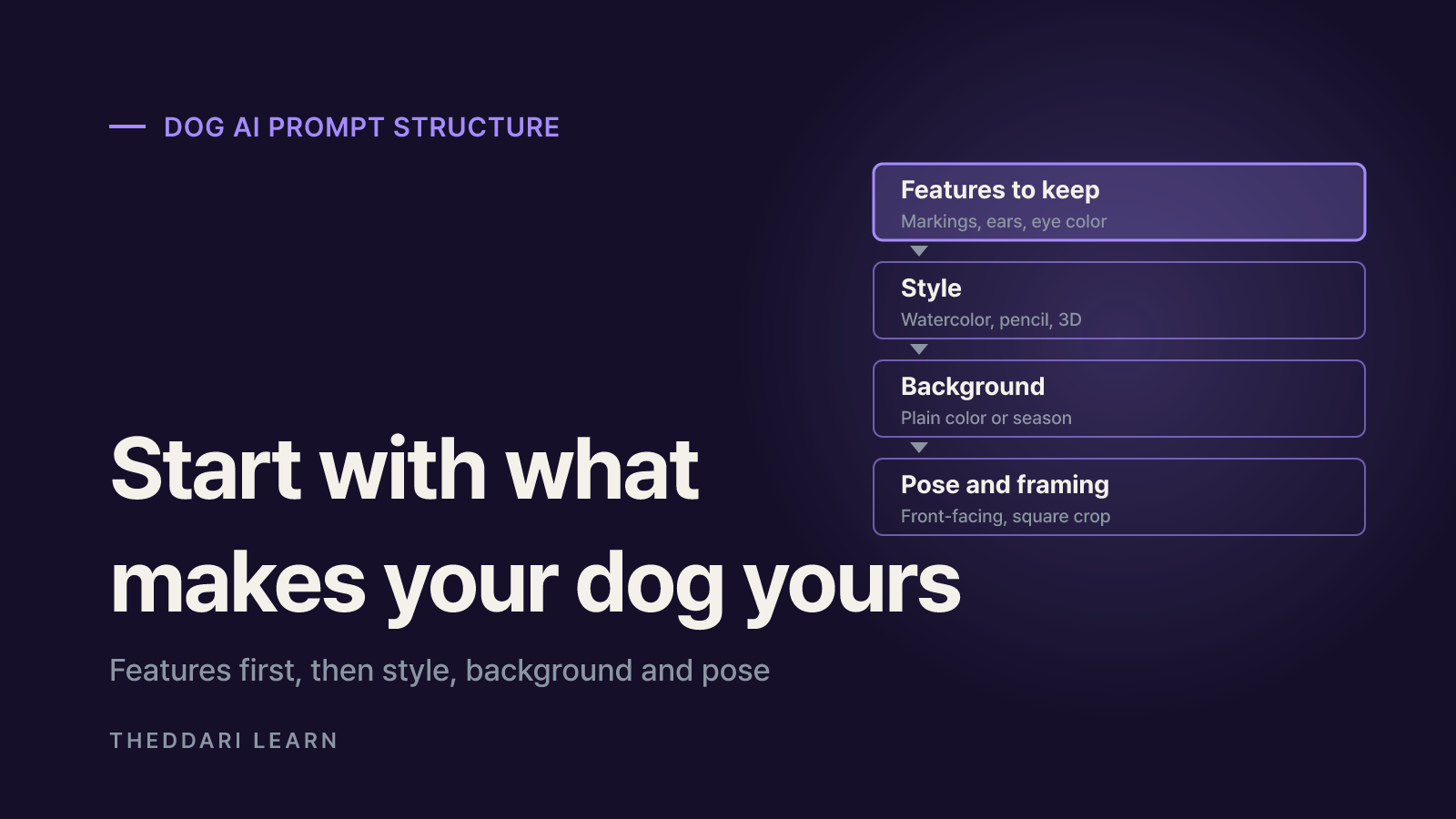
The most common complaint with photo-to-art tools is that the result shows a generic dog of the same breed rather than yours. The model reads your photo as a reference and then redraws it in the requested style. If you never say which details matter, it fills them in with an average version. Put the features to preserve at the very start of the prompt, before you describe the style.
1. Features to keep
- What to include
- Coat color and markings, ear shape, eye color, build, collar or tag
- Example wording
- Keep the brown patch around the left eye and the folded right ear exactly as in the photo
2. Style
- What to include
- Medium, line quality, texture
- Example wording
- Soft watercolor illustration with visible paper texture
3. Background
- What to include
- Plain color, place or season, and what to leave out
- Example wording
- Pale mint background, no other objects
4. Pose and framing
- What to include
- Expression, gaze, aspect ratio, crop
- Example wording
- Facing the camera with tongue slightly out, square, head and chest
The source photo matters as much as the wording. Choose a well-lit shot where the face is close to front-on, the markings are visible and no other animals or people overlap your dog. If several pets are in the frame, name the one you want, for example the white dog on the left. Crop out family members' faces before uploading; it improves the result and keeps other people's likenesses out of the process.
Iterate one change at a time
Start with only the features and the style. Once you have a version you like, change the background or the expression in a follow-up message. Changing several things at once makes it hard to tell which instruction caused a problem. Save prompts that work so you can reuse them for birthday cards or seasonal images later.
Pet AI portrait prompt examples you can copy
Attach your photo, paste one of the prompts below and replace the bracketed parts with details about your dog. Conversational tools understand plain English, so you do not need special keywords or weighting syntax. If something looks off, reply in the same chat with a short correction rather than starting over.
Profile picture
- Prompt
- Turn the dog in this photo into a soft watercolor illustration. Keep [coat color and markings] and [ear shape] exactly as in the photo. Pale blue plain background, facing forward, square crop.
- Tip
- Frame the face large so it reads in a small circle
3D cartoon
- Prompt
- Make this dog look like a rounded, friendly 3D animated character. Keep the real coat pattern, slightly larger eyes, bright studio lighting, white background.
- Tip
- Describe texture and lighting instead of naming a studio or character
Memorial portrait
- Prompt
- Draw the dog in this photo as a detailed graphite pencil portrait. Show the fur direction, leave the background empty and add space at the bottom.
- Tip
- Popular for framed keepsakes
Sticker
- Prompt
- Turn this dog's smiling face into a sticker illustration with bold outlines, a white border, flat colors and no background.
- Tip
- Check resolution and transparency before printing
Holiday card
- Prompt
- Illustrate this dog wearing a red scarf, sitting in a snowy park, in a warm picture-book style. Keep the facial markings from the photo.
- Tip
- Busy scenes make face changes more likely
Avoid asking for the style of a named living artist or a famous animated character. Descriptive words such as watercolor, bold outline, pastel or picture-book usually get you the mood you want, and they lower the risk of an output that closely resembles an existing work. Korea's generative AI copyright guide explicitly asks users to make sure the text and images they input do not infringe or induce infringement of others' copyrights.
Why the result doesn't look like your dog, and how to fix it
An image generator is not a filter laid over your photo. It interprets the photo and draws a new picture, so the further the style moves from realism, the more the original details blur. That is why a chunky 3D cartoon or a minimal sticker often feels less like your dog than a painterly portrait. OpenAI's Terms of Use also warn that, because machine learning is probabilistic, output may not accurately reflect real subjects.
- Markings change: describe position and color precisely, such as a brown patch above the left eye, and say not to alter it.
- Breed drifts: add the build as well as the breed, for example short legs or a curled tail.
- The face gets too small: specify framing first, such as the face filling at least half the image.
- Every run differs: pick the best version and ask for edits to that image only, such as changing just the background.
If none of that works, upload a second photo from another angle, or move the style slightly closer to realism. Generating many versions and picking one is convenient, but as the next section explains, selecting an output is not treated as creative authorship.
Who owns AI art of your dog? Copyright basics
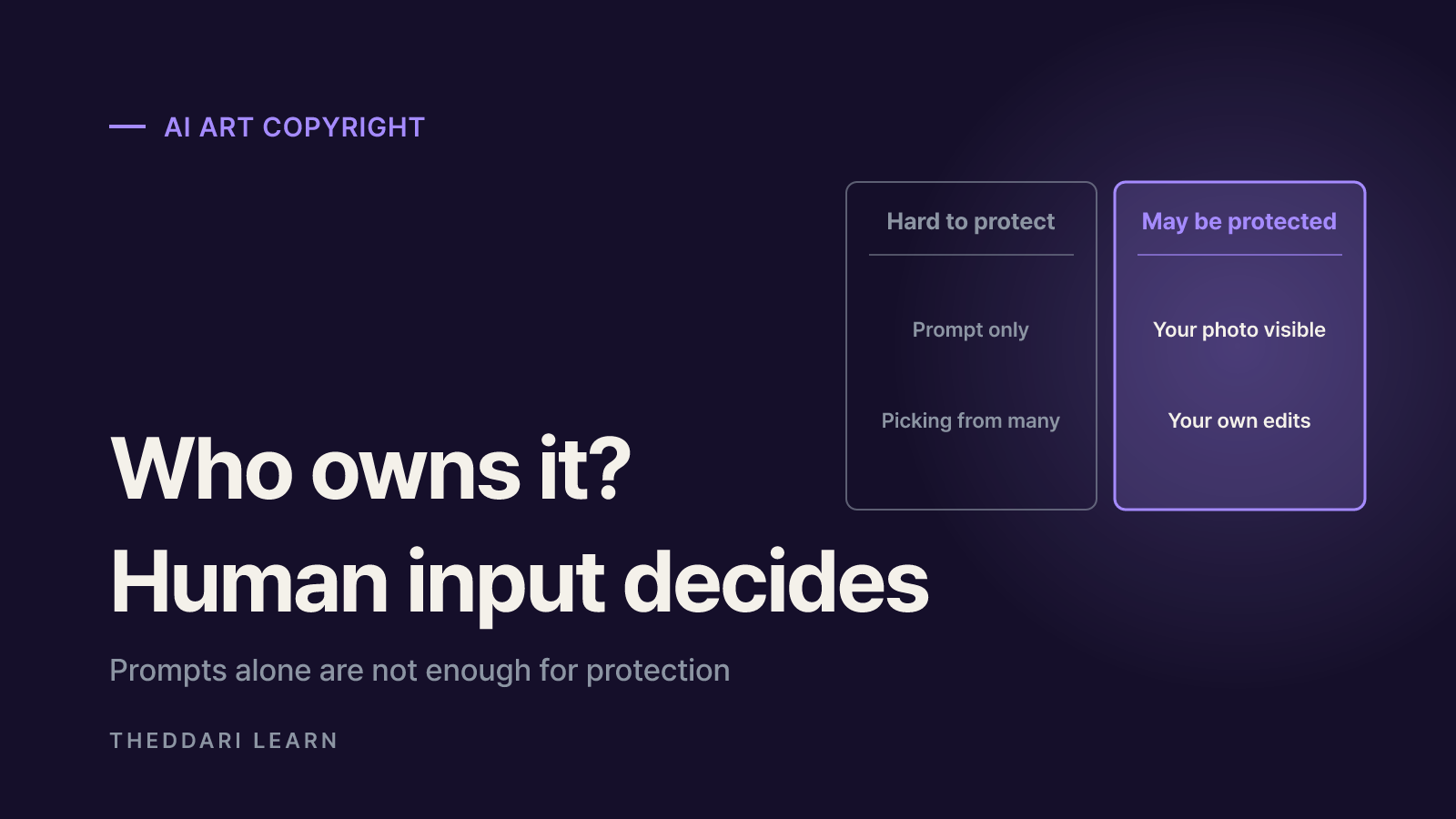
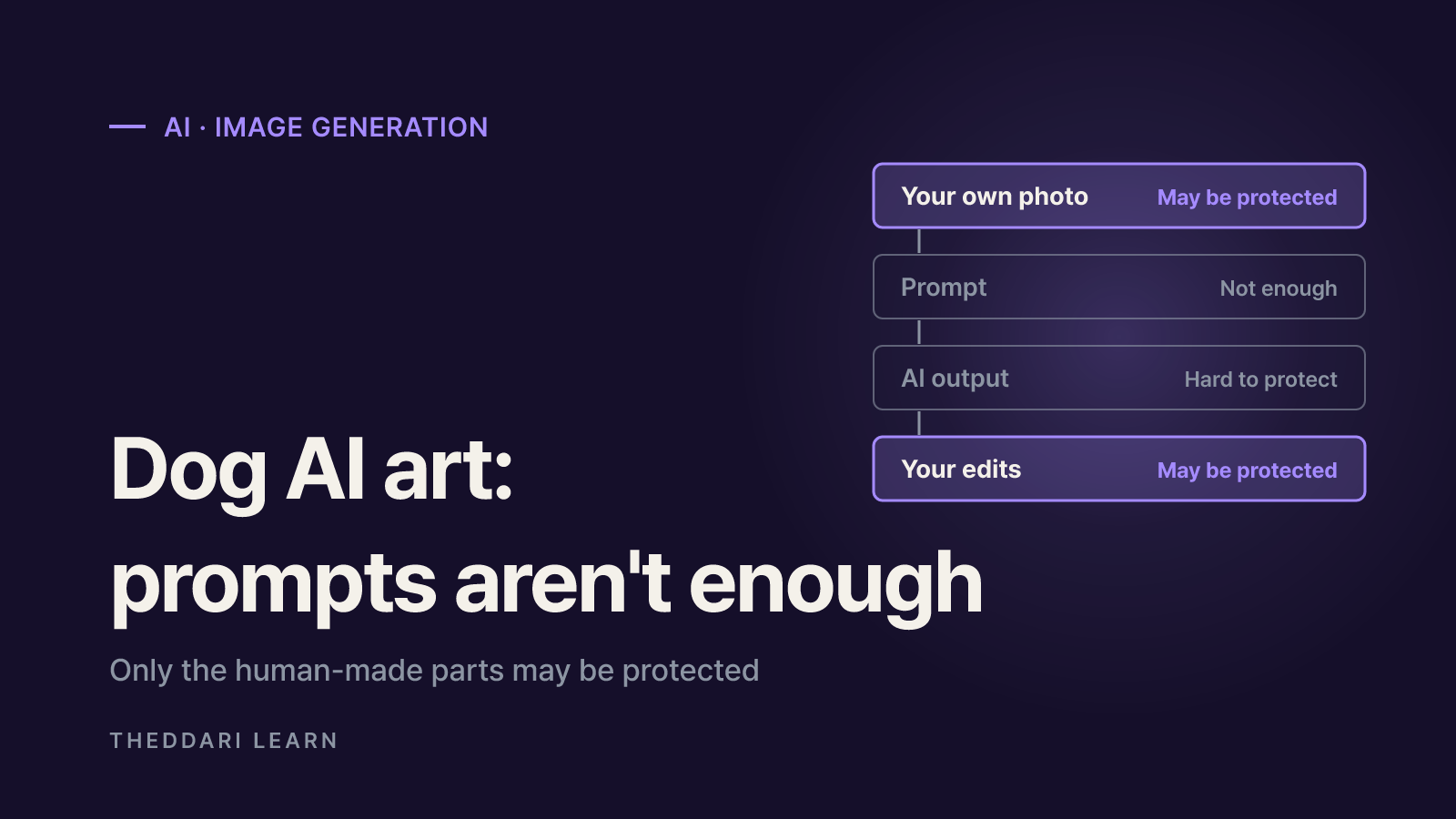
Writing the prompt does not by itself make you the author. In Part 2 of its AI report, published January 29, 2025, the U.S. Copyright Office concluded that generative AI outputs can be protected only where a human author has determined sufficient expressive elements. Its examples of protectable contributions are a human-authored work that is perceptible in the AI output, and creative arrangements or modifications of the output. The mere provision of prompts does not qualify. The Office also confirmed that using AI as an assistive tool does not bar protection for the human parts of a work.
Korea reaches a similar result for registration. The Ministry of Culture, Sports and Tourism's guide states that only works expressing human thought or emotion can be registered and that AI outputs without human creative intervention are not eligible, with exceptions where there is human creative contribution. The Korea Copyright Commission republished its four AI copyright guides together on April 30, 2026. Other countries may differ, so check your own jurisdiction if you are outside the United States or Korea.
Short prompt, output used as is
- Likely protection (U.S. and Korean guidance)
- Low
- Why
- The model, not you, determined the expressive elements
Generated many versions and picked one
- Likely protection (U.S. and Korean guidance)
- Low
- Why
- Selection alone adds no creative expression
Your own photo's composition clearly visible in the result
- Likely protection (U.S. and Korean guidance)
- Possible for that part
- Why
- A human-authored work is perceptible in the output
You repainted, edited or arranged the output
- Likely protection (U.S. and Korean guidance)
- Possible for your changes
- Why
- Your creative contribution is added on top
This matters in practice. If your image has little protection, you may not be able to stop someone else from using something similar, and you cannot claim exclusivity over it. If you plan to build a long-running merch line or brand mascot, use the AI result as a draft, make substantial edits yourself and keep the original, intermediate and final files. How much human input is enough is decided case by case, so speak to an intellectual property lawyer before registering or enforcing rights.
Commercial use: read the tool's terms first
Whether you may use an image commercially is governed first by the terms of the service and plan you used, separate from copyright law. Check the terms attached to the account that generated the image, because consumer, business, free and paid tiers can differ.
Who owns output
- OpenAI (consumer ChatGPT terms effective January 1, 2026)
- You, to the extent permitted by law; OpenAI assigns its rights to you
- Midjourney (commercial use help page)
- You own images and videos you create, even after cancelling
Limits
- OpenAI (consumer ChatGPT terms effective January 1, 2026)
- Output may not be unique; other users may get similar output
- Midjourney (commercial use help page)
- A business grossing over $1,000,000 a year needs Pro or Mega to use images for the company
Your inputs
- OpenAI (consumer ChatGPT terms effective January 1, 2026)
- You must have the rights needed to provide them
- Midjourney (commercial use help page)
- Upscales of another user's image belong to the original creator
Disclosure
- OpenAI (consumer ChatGPT terms effective January 1, 2026)
- Do not represent AI output as human-generated
- Midjourney (commercial use help page)
- Copyright varies by country; consult a lawyer
OpenAI's terms note that residents of the European Economic Area, Switzerland and the UK use a separate set of terms, and that business offerings such as the API and ChatGPT Enterprise follow the business terms. The table reflects the consumer version. The OpenAI Usage Policies effective November 20, 2026 also prohibit using a person's likeness, including photorealistic images, without consent in ways that could confuse authenticity. If friends or family appear with your dog, get their consent before including them.
The source photo has its own rights. A picture you took yourself is the simplest case, but a portrait from a pet photographer or an image downloaded from the web may belong to whoever took it. Midjourney's commercial use page points out that copyright law differs from country to country and recommends speaking to a legal expert about specific concerns. Marketplaces may also have their own disclosure rules or restrictions for AI-generated listings, so read them before you list products.
Terms for AI image tools change often. The theddari AI Telegram trend feed and blog trend pages show how image-generation tools and policy updates are being discussed, which can prompt you to recheck the official terms before you publish or sell.
 theddari.comTrendsBlog PostsSummarized Naver blog posts
A pre-publish checklist for profiles and merch
- 1
Confirm the photo rights
Note whether you took the photo or a groomer, studio, friend or website did. Ask permission where needed, and crop out or get consent from any people in the frame.
- 2
Remove risky instructions
Do not request named artists, famous characters or brand logos. Describe the look with adjectives, and discard any output that closely resembles an existing work.
- 3
Save the terms you relied on
Record the account plan, the terms' effective date and the commercial-use conditions. If you work for a company, check whether business terms apply.
- 4
Document your own edits
If you want protection, treat the output as a draft, repaint or rearrange it yourself, and keep the original, intermediate and final versions.
- 5
Check the channel's rules
Read the social platform's or marketplace's AI disclosure rules, and do not describe the image as hand-drawn.
In short, put the features you want preserved at the top of your prompt to get a recognizable portrait, and keep two questions apart: what the tool's terms let you do, and what copyright law will protect. For a personal profile picture or a gift, checking the photo rights and the consent of anyone pictured is usually enough. For products you plan to sell widely, review the commercial terms of your plan and add real human editing before you rely on the design.