Contents8 sections
- What the ChatGPT account takeover research found
- How to turn on ChatGPT 2FA and which method to pick
- Review active sessions and security history
- Clean up connected apps and shared links
- What to do if you think your account was hacked
- Habits that limit the damage of any future bug
- Frequently asked questions
- Sources and references
The ChatGPT account takeover research making the rounds describes a real flaw, but the specific path it used has already been closed. Security firm Parameter showed that a crafted public share link could run attacker code inside the signed-in session of whoever opened it, and OpenAI confirmed a fix on October 26, 2026. That does not mean there is nothing to do. This guide, based on OpenAI Help Center pages checked on November 1, 2026, explains what the research did and did not show, then walks through the account checks any personal ChatGPT user can run today: multi-factor authentication, active sessions, security history, connected apps and shared links. Menu labels can vary slightly by app version and language.
What the ChatGPT account takeover research found
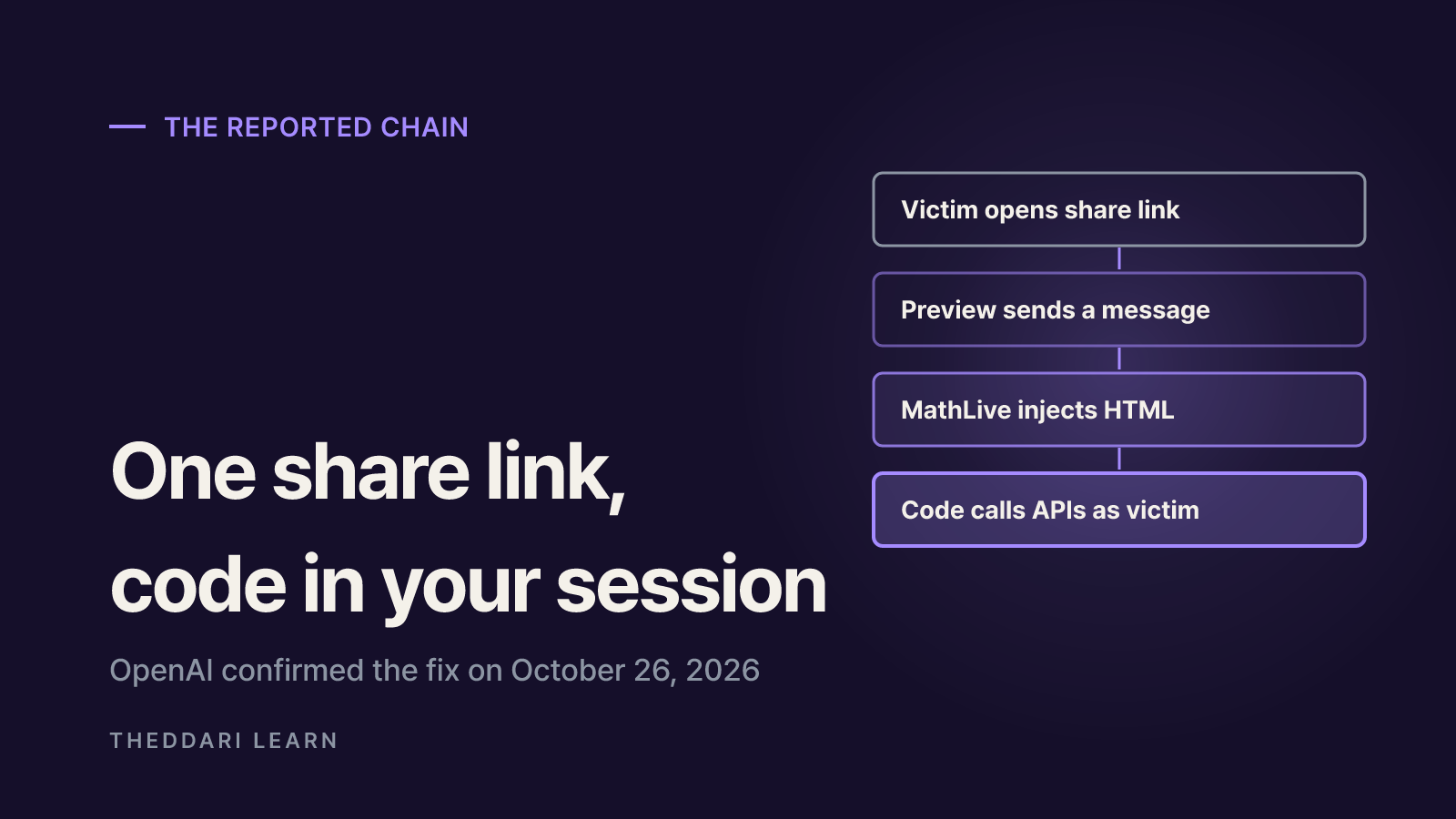
The bug lived in the seam between two features that were each reasonably designed. ChatGPT renders HTML code blocks as a small live page through its Preview feature, and it runs that page in a sandboxed frame on a separate web address so it cannot read the main chatgpt.com page. In the same conversation, an interactive graph loaded a math input library called MathLive. Loading it installed a message listener in the main page for its on-screen keyboard. That listener accepted messages from any sender and let a keyboard layout carry raw HTML, which it then inserted into the real ChatGPT page.
From there, the researchers used the injected HTML to create a new, unsandboxed frame that inherited the chatgpt.com identity. ChatGPT's Content Security Policy blocked inline scripts but allowed scripts from YouTube, and a YouTube endpoint echoed a callback parameter in a way that could be loaded as JavaScript. The resulting code could list the victim's conversations, read a private conversation that had never been shared, and send data to an outside server. The victim only had to open the attacker's share link; in the most stable version they also clicked the Preview button once.
| Date (2026) | Event reported in the write-up |
|---|---|
| October 13 | Message-to-HTML path confirmed against production code |
| October 18 | Report submitted to OpenAI's bug bounty program |
| October 21 | OpenAI reproduced it and raised severity from P2 to P1 |
| October 23 | Content Security Policy changes blocked part of the chain |
| October 26 | Both web frontends fixed; total bounty of $5,000 |
| October 28 | Research post published |
Why 2FA would not have stopped this one
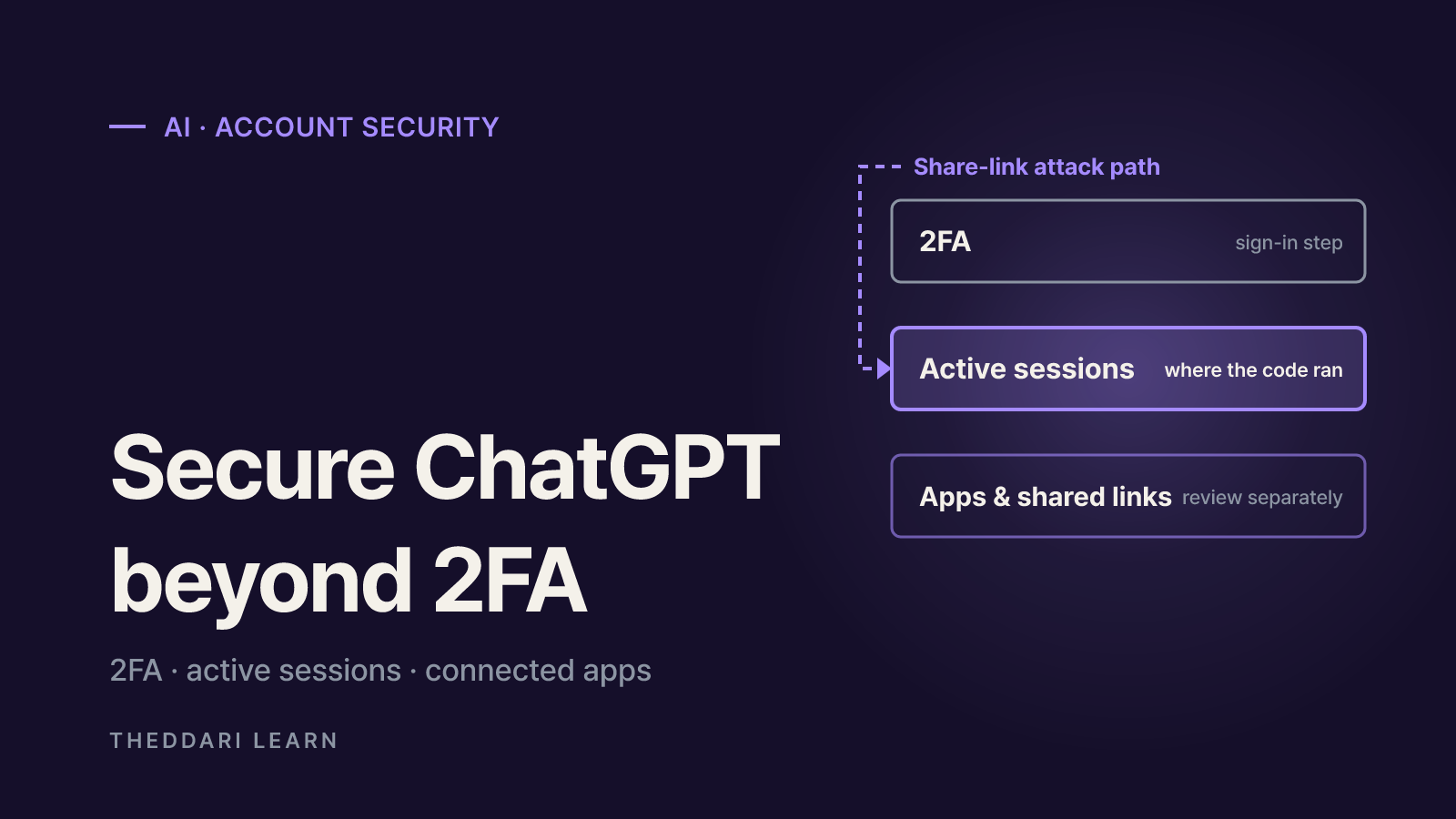
The injected code reused the authenticated state of a browser where the victim was already signed in. It never needed the password and never triggered a new sign-in, so there was no point at which a second factor would have been requested. That is the useful takeaway for ordinary users: MFA guards the front door, while sessions that are already open and the permissions you have granted to apps need their own review. It is also worth keeping the scope in mind. The post documents a controlled reproduction and does not report exploitation against real users, so treat claims of mass account theft with skepticism unless OpenAI or the researchers say otherwise.
How to turn on ChatGPT 2FA and which method to pick
Per OpenAI's MFA help article, open ChatGPT Settings, choose Security and login, and pick a method under Multi-factor authentication. Once enabled, MFA applies across OpenAI services, including ChatGPT and the API Platform, and takes effect at your next sign-in. Available options can differ by device, country, account tier and how the account was created.
Authenticator app
- How it works
- One-time codes from apps such as Google Authenticator or Authy
- Watch out for
- Scan the QR code during setup and confirm a code
Push notification
- How it works
- Approve a prompt on a trusted device
- Watch out for
- Never approve a prompt you did not trigger
Text message
- How it works
- A 6-digit code by SMS or WhatsApp
- Watch out for
- Requires a phone number; update it if it changes
Passkey
- How it works
- A passkey stored on your device or a security key
- Watch out for
- Some passkeys can live on a hardware key
With several methods enabled, OpenAI offers the most secure one first, and you can still choose another at sign-in. A few rules are easy to miss. Email is not a standard MFA method. If you lose every configured method, recovery runs through OpenAI Support, takes a verification process that can last a few days, and ends with a one-time email recovery login that you can use only once. MFA is also tied to the sign-in method you used when setting it up, so switching from Google sign-in to email sign-in means disabling MFA, changing methods and re-enabling it.
Enabling MFA does not sign out sessions that are already active on other devices. If you suspect unauthorized access, OpenAI says to change your password and log out of all sessions before you turn MFA on.
OpenAI also offers Advanced Account Security for eligible consumer ChatGPT accounts, which adds stricter sign-in requirements. It is not available for ChatGPT Enterprise or enterprise-managed accounts, and administrators currently cannot enforce MFA at the workspace or API organization level. If you use ChatGPT through work, ask your security team which policy applies.
Review active sessions and security history
The Active sessions page lives under Settings, then Security. A row can show the device or browser, the first-party app context such as ChatGPT, Codex or API Platform, an approximate location, the sign-in date and time, whether it is a trusted device, and whether it is your current session. Locations and device details may be approximate or incomplete, so compare them with the timestamp rather than reacting to one field.
- 1
Spot anything unfamiliar
Look for devices you do not own, places you have not been and sign-in times you cannot account for. The row marked CURRENT SESSION is the one you are using and cannot be logged out from that row.
- 2
Log out one session or all of them
Use Log out on a suspicious row, or choose Log out of all sessions if you are unsure. Logging out of everything also ends your current session, and other devices can take up to 30 minutes to be signed out.
- 3
Read your security history
Under Settings, Security and login, Security history, review sign-ins, sign-outs, password changes and MFA or passkey changes. If something is not yours, keep the details and move to the compromise checklist below.
Active sessions does not show everything. Third-party app sessions, connected apps, Sign in with ChatGPT sessions used only for third-party services and Codex CLI sessions are not listed. Accounts linked to an organization's SSO sign-in through SAML or OIDC may not see the feature at all. A clean session list is a good sign, but it is not a substitute for reviewing connected apps.
Clean up connected apps and shared links
If you have linked services such as Google Drive or Slack, go to Settings, then Plugins, and open each app to see its connected accounts. According to OpenAI's app account guide, the account's more options menu contains Disconnect, which stops future access through that account. Start with apps you no longer use and any connection where a work and a personal account are mixed up.
- Disconnecting stops future access only; existing or archived conversations, saved files and memories are not deleted automatically.
- Uninstalling a plugin can disconnect every account linked through it, so read the warning first.
- Disconnecting iCloud in ChatGPT does not revoke the Apple app-specific password; revoke it in your Apple account settings.
- Changing an app permission only changes when ChatGPT asks for approval; it does not take back access already granted.
Shared links deserve the same attention. OpenAI's sharing guide says you can find them under Settings, Data controls, Shared links, Manage, and delete them one at a time or all at once. Links from a personal account can be opened by anyone who has them, and they have no expiration date. Deleting a link does not remove copies that recipients already continued into their own accounts.
When someone sends you a link, OpenAI recommends confirming that shared conversations start with https://chatgpt.com/share/ and shared scheduled tasks with https://chatgpt.com/s/, and that the sender is someone you trust. Keep the limits of that check in mind: the Parameter proof of concept used a genuine chatgpt.com share link. The domain check stops look-alike sites; it does not tell you whether the content of a conversation from a stranger is benign.
What to do if you think your account was hacked
OpenAI's account security guide lays out a response sequence. The order matters because cutting off any session an intruder holds comes before hardening settings they might otherwise see or change.
- If you sign in with a password, change it to a unique one you do not use anywhere else. A password manager makes this easier.
- Log out of all sessions. Other devices can take up to 30 minutes to be signed out.
- If you use the OpenAI API, delete your API keys and check usage for unexpected activity.
- Review Security history for activity you did not perform and save the times and device details.
- Contact OpenAI Support through the chat on any Help Center page and describe what you found.
- Once things are clean, turn on MFA and repeat the connected app and shared link review.
Habits that limit the damage of any future bug
A flaw on the service side is not something your settings can fully prevent, so the long-term goal is to reduce what an attacker could find. OpenAI itself advises against putting health information, financial details, passwords or account numbers into shared content, and the same logic applies to ordinary chats. If you have ever pasted an API key or password into a conversation, find that chat, delete it and rotate the credential with the service that issued it. Archived chats stay in your account, so delete the ones you no longer need.
Security stories tend to arrive in waves: a research post, then vendor statements, then community reaction. The theddari AI Telegram trends and blog trends pages can help you see how a story like this is being discussed, but discussion is not confirmation. Check the original research and OpenAI's Help Center or official announcements before acting on a claim.
 theddari.comTrendsBlog PostsSummarized Naver blog posts
In short, the share-link chain was fixed on October 26, 2026, and the useful response now is routine maintenance: MFA with a backup method, a look at active sessions and security history, removing connected apps and shared links you do not need, and keeping secrets out of your chats. Doing that once gives you a clear checklist the next time a security headline appears.